1
Proper care and feeding
of your bluetooth headset
Look mom, no hands!
Now you can receive calls, walk, talk, chew gum and free your
hands up for more important things - like gesturing wildly with
them.
Thank you for purchasing the fuse Bluetooth wireless headset.
Our team of geeks and designers have worked long and hard
to bring this lightweight, stylish, comfortable and cost effective
Bluetooth headset to life. Use your fuse headset with any
compatible device that supports Bluetooth wireless technology.
Welcome to the world of hands free!
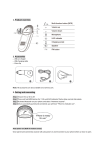
Check me out!
1} Multi-Function button
2} LED Indicator
3} Charging port
4} Earpiece
5} Microphone
We all need to recharge.
If you’re a first timer, you need to charge your device for more
than two hours to ensure the headset is fully juiced up for
really important conversations. Each charging cycle may take
up to 1.5 - 2 hours to reach full capacity.
We like to keep things simple, so if you see the LED indicate
red, it’s charging, and if the light turns off, charging is
complete. If your headset has not been charged in a while, it
may take 15-30 minutes for the red LED to become lit and the
charge to begin.
Bonus! When the fuse headset is on and the battery becomes
low, the LED will flash red and an audible reminder is given every
20 seconds.
Turning your headset On / Off
Turn On: Press and hold the multi-function button for 4
seconds. The LED indicator will flash blue 4 times, and you will
hear a sound as the headset turns on.
Turn Off: Press and hold the multi-function button for 4
seconds. The LED indicator will flash red twice, and you will
hear one beep as the headset turns off.
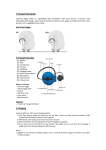
Finding your perfect mate
1} It is important to sync your phone with your bluetooth
headset before you’re able to use it - this is called“pairing”
It’s easy to do:
A. Ensure the headset is off. This is very important! See
above in case you have forgotten how.
B. Press and hold the multifunction button for 6 seconds until
the LED indicator flashes between blue and red.
C. Your phone should have a menu option for searching or
detecting a Bluetooth device. Each phone does this a little
differently. Do a google search on your phone model if you’ve
already recycled the user manual.
D. Once your phone recognizes or detects your new Bluetooth
headset, enter your pin code “0000”.
E. Eureka! Your Bluetooth headset is now ready to use!
2.} Once paired and connected, the headset will automatically
connect to the device whenever you turn the headset on,
provided that the device is within range.
Let’s light this candle.
Making a call is easy: Dial your phone and call in the normal
way when the headset is connected to the mobile phone.
Answering a call is just as easy: Press the multi-function
button
once to answer the call and say “Hello”, “Howdy” or “Aloha”.
Ending a call: Say goodbye and then press the multi-function
button once.
Geek Speak Specifications
- Bluetooth V2.0+EDR
- Support Profiles: headset profile and hands free profile
- Class 2
- Operation Range: 10 meters (extended)
- Talk Time: up to 3.5hrs
- Standby time: up to 60 hrs
- Charging Time: 1.5 hrs
- Battery: Rechargeable 65mAh Li-Polymer battery
Don’t do anything ridiculous and other safety precautions
- To avoid any damage or device malfunction, do not drop the
device from high places.
- Keep the device away from humidity, water and any other
liquid. If the device is exposed to water, moisture and other
liquid, do not operate it to avoid damage to the device or
yourself.
- Do not place or keep this device near any heat source, such
as, direct sun light, radiators, stoves or other apparatus which
produces heat. It may cause explosion, degrade the
performance and/or reduce battery life.
- Do not modify, repair or disassemble the device. Doing so will
void the warranty.
- Do not place heavy objects on the device.
-
Use only the supplied and approved charger.
Warranty
Limited Lifetime Warranty: See www.fonegear.com for details.
Toll Free: 877-fonegear
FCC: WJ5-AH28 CA ID:8475A-AH28
©2010, foneGEAR, LLC. fuse is a trademark of foneGEAR, LLC.
All other trademarks are the property of their respective owners.




![[Himbox-HB01] Bluetooth Hands-Free Car Kit User Manual This](http://vs1.manualzilla.com/store/data/005803464_1-a4fa68474e51026927b9bf95dd6cd8f5-150x150.png)