1
INSTALLING Expert Advisor (EA)
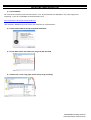
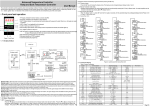
1) Unpack EXE file
You receive EA as EXE file packed in RAR archive*. First, unpack EXE file with WinRAR or any other program for
unpacking. If you do not WinRAR, please download it here:
www.fxpromaker-advanced.com/wrar390.exe
*We send EA in RAR because mail servers like Gmail do not accept EXE files.
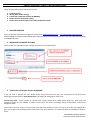
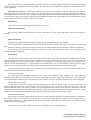
2) Double click on EXE file and proceed with installation:
3) Launch Meta Trader and make sure you got all EAs installed:
4) Attach EA to a chart using right mouse click (or drag and drop):
FXPROMAKER Trading Solutions
www.fxpromaker-advanced.com