1
4
2.2
CHAPTER 2. THE Z-WAVE PROTOCOL
How the network works
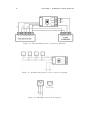
Managing network nodes is realized through two types of operation: including/excluding nodes and associating nodes. Including device to the network
means creating a new network node, while excluding device means deleting network node. Each Z-Wave network has one Primary Master Controller, able to
include/exclude devices (create/delete network node). Other controllers (Secondary Master Controllers) copy the informations from the Primary Master.
Adding/deleting node always starts with entering the Primary Master Controller
into learning mode and then by activating the device’s inclusion. The latter is
done by the switch connected to the device, a specially designated switch in the
device, or simply by clicking an icon in the system menu (Primary Master Controller’s users interface). Once the primary master controller receives information
from a new node, the node receives a Home ID (same for each node within the
network) and its unique Node ID. Association is a direct link between network
nodes, realised without any action from Primary Master Controller.
2.3
Routing Principles
In a typical wireless network the central controller has a direct wireless connection to all of the other networking nodes. This always requires a direct radio
link. In case of disturbances the controller does not have any backup route to
reach the nodes. However, Z-Wave is a wireless system that offers a very powerful
mechanism to overcome this limitation. Z-Wave nodes can forward and repeat
messages that are not in direct range of the controller. This gives greater flexibility as Z-Wave allows communication, even though there is no direct wireless
connection or if a connection is temporarily not available, due to some change in
the room or building.
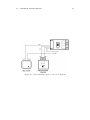
Z-Wave is able to route messages via up to four repeating nodes. This is a
compromise between the network size and stability, and the maximum time a
message is allowed to travel in the network. Every node is able to determine
which nodes are in its direct wireless range. These nodes are called neighbours.
During inclusion and later on request, the node is able to inform the controller
about its list of neighbours. Using this information, the controller is able to
build a table that has all the information about possible communication routes
in a network. The user can access the routing table. There are several software
solutions, typically called installer tools, which visualise the routing table to
optimize the network setup. A controller will always try first to transmit its
message directly to the destination. If this is not possible it will use its routing
table to find the next best way to the destination. The controller can select up to
three alternative routes and will try to send the message via these routes. Only