1
User manual
7. TROUBLE SHOOTING
1. Only black-and-white display:
- Check whether the color saturation is properly setup.
2. Power on but no pictures:
- Check whether the cables of Video (or SDI), HDMI and YPbPr are correctly connected or not.
Please use the standard power adapter coming with the product package. Improper power input may
cause damage.
3. Wrong or abnormal colors:
- Check whether the cables are correctly and properly connected. Broken or loose pins of the cables
may cause a bad connection.
- Adjust the color temperature or saturation values to make it displayed as normal proportion.
4. When on the picture shows size error:
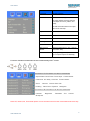
- press“MENU→
→Underscan” to zoom in/out pictures automatically
when receiving HDMI (High-Definition Multimedia Interface) signals.
- Set shortcut key to zoom function, and then adjust it.
- Check whether the aspect ratio switch into 16:9 or not.
5. Other problems:
- Please press “MENU” button and choose “
→Manufacturer Default →OK”
6. According to the ISP, the machine can not function properly:
- ISP for program upgrades, non-professionals do not use. If accidentally press this key, restart the
system.
* It is normal to see some bright lines appear on the screen when turn off the device.
Note: due to constant effort to improve products and product features, specifications may
change without notice.
8. WARRANTY AND CONTACTS
The warranty of this product is 1 year Parts and Labor from the date of purchase. If the fault in the
product is due to improper use of the product or operations carried out by third parties, the warranty is
lost. If the product frame is open, the warranty is lost.
During the warranty period, the unit will be repaired free of charge. Return shipping are the
responsibility of the customer. Return shipping have to be made through your local distributor/dealer.
For any question during the installation, contact our after sales service on the following address:
[email protected]
11
www.newhank.com