1
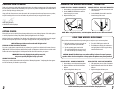
A MESSAGE FROM THE OWNER
OPERATING THE WIRELESS MICROPHONE / TRANSMITTER
Thank you for choosing an Anchor Audio portable sound system. Our products incorporate state-of-the-art design and
the finest quality of materials and workmanship. We’re proud of our products and appreciate the confidence which
you have shown by selecting an Anchor system.
CHANNEL SELECTION - HANDHELD TRANSMITTER
1. Unscrew battery cover on bottom of microphone
I hope you’ll take a few minutes to review this manual. We’ve incorporated several unique features into our products,
and your knowledge of how to use them will enhance the performance and your enjoyment of the system.
2. Set the CHANNEL SELECTOR dial to match the
channel setting of your receiver
3. Replace the battery cover
CHANNEL SELECTION - BODY-PACK TRANSMITTER
1. The channel selection dial is located on the side
of the transmitter
2. Set the CHANNEL selection dial to match the
channel setting of the receiver
David Jacobs, President
on behalf of all Anchor Employees
GETTING STARTED
Please check your new unit carefully for any damage which may have occurred during shipment. Each Anchor product
is carefully inspected at the factory and packed in specially designed boxes for safe transport.
Notify the freight carrier immediately of any damage to the shipping box or product. Repack the unit in the original
box and wait for inspection by the carrier’s claim agent. Notify your dealer of the pending freight claim.
NOTE: All damage claims must be made with freight carrier!
RETURNING SYSTEMS FOR SERVICE OR REPAIR
For service or repair, please contact the dealer you purchased your system from or Anchor Audio Customer Service at
(888) 444-6077 to obtain a RA (Return Authorization) number. All shipments to Anchor Audio must include an RA
number and must be shipped prepaid. C.O.D. shipments will be refused and returned at your expense.
IMPORTANT: Save the shipping box & packing materials,
they were specially designed to ship your unit!
WARRANTY REGISTRATION
Please go to our website (www.anchoraudio.com) and select “Warranty Registration”. Completing this online registration form will activate your limited six-year warranty.
2
NOTE: When using dual wireless, each microphone must be set to a different channel!
USING YOUR WIRELESS MICROPHONES
After you have set the transmitter channel (see above) you are ready to use your wireless microphone:
1. Body-pack transmitter users must insert the mic
plug into the transmitter jack marked MIC
2. Turn the transmitter power switch to ON
(The red LED will flash when the mic is turned
on. If the red LED stays on, the battery is low)
3. Turn the CA-130U1 power switch to ON
4. The RX indicators will light (one indicator at a
time lights) when the wireless signal is being
transmitted and received
CAUTION: Harmful feedback may occur when walking in front of a sound system or
speaker with a wireless microphone. Always point microphone away from speakers!
REPLACE BATTERY - HANDHELD TRANSMITTER
1. Unscrew battery cover on bottom of microphone
REPLACE BATTERY - BODY-PACK TRANSMITTER
1. Slide open battery cover on front of transmitter
2. Replace old batteries with 2 fresh ‘AA’ alkaline
batteries
2. Replace old batteries with 2 fresh ‘AA’ alkaline
batteries
3. Replace and tighten the battery cover
3. Replace and tighten the battery cover
NOTE: Transmitter power must be OFF when changing batteries!
7