1
86
3.5
Getting Started with CreativeStudio™
Quilt Pattern Creation
It is a good idea to become familiar with the basic operation of CS before beginning
to create your own original patterns.
If you are a beginner and are reading this manual for the first time, you now know
enough to skip to the next section "Quilting the Quilt - Which CS Feature To Use".
If you are a confident beginner and want to browse some of the intermediate skilllevel options, check out the next chapter on Extra Edit Options, and then go to the
next section "Quilting the Quilt - Which CS Feature To Use".
If you are an experienced CS quilter, you are going to LOVE the the abillity to create
your own designs. CS comes with hundreds of patterns but sometimes it would be
nice to easily modify the patterns to fit an unusual block on a special quilt without
having to learn another software program. CS now has several options that can
modify existing patterns and create new ones.
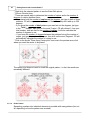
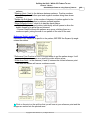
* Extra Edit Options 86 allow patterns to be stitched, restitched, repositioned,
rotated, twisted, twirled, tweeked, copied, combined, divided and exported, all of
which essentially create new patterns.
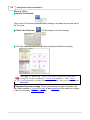
* Draw Options 100 allow patterns to be created from scratch or from other existing
patterns, using the mouse. Start with a clean screen or start with an existing pattern,
and modify it to suit the quilt.
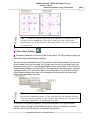
* Record Options 115 allow the quilter to create a pattern by recording the motions
of the sewing head. Not only will it record free motion quilting, but it can be used to
trace things - like designs in the fabrics used to make the quilt. Imagine being able to
create a completely new quilting design that mimics the fabric design. Now, that is
custom!
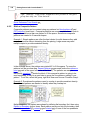
* Text Options 117 allow standard Windows fonts to be used as templates for
creating new patterns. Now it is possible to easily personalize a quilt with a
monogram, a date, an occasion or a name. Each line of text is an individual pattern
instead of each letter, which makes quilting soooo much easier.
* Add Text Fonts 118 explains how to install new fonts. The internet has hundreds
of free fonts, many of which have themes, decorations, designs, figures, etc. and
although they won't all stitch out smoothly, it is worth a try! There seems to be no
limit to the number of free fonts available on the internet, even the simple pictures
included in the Wingdings font will work.
3.5.1
Extra Edit Options
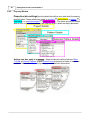
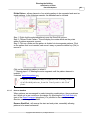
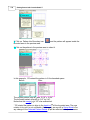
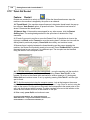
Extra Edit Options can be found by Right-Clicking selected patterns. The options
displayed will vary somewhat, depending on the type of pattern(s) being selected.