1
Note Taking
The Type Lite functions primarily as a note taker. It is
designed so you can effortlessly take notes in a
meeting or in class, or review a grocery list at the
store. Information can be reviewed with speech or
Braille or both, so you are able to work the way that
is most comfortable for you.
Most Type Lite functions related to taking and
organizing notes involve using the File menu and the
Editor. Manage, create, and organize files from the
File menu, and read and edit them in the Editor.
The Cursor
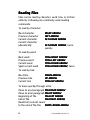
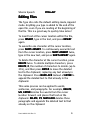
The cursor is essential in the process of reading and
editing. It marks the current location in the text. The
cursor moves to different parts of the document
through use of various commands. The reading
commands move the cursor to the specified element
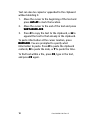
of text and read it. Many editing commands involve
actions that effect text at the location of the cursor.
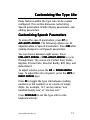
The cursor location is represented by a blinking dot 7
and a solid dot 8. By default, the cursor is only
visible when you are reading by character, or when
you use a cursor routing button to move the cursor to
a specific cell. This provides a representation of the
cursor when you need it, while making it easier to
read the Braille display when you don't.
18
Part # 440001-001 Rev. B