1
Easy Smart GbE Switch
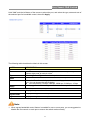
EEE
This link takes you to enable or disable port EEE(Energy
Efficient Ethernet) function.
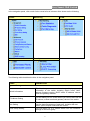
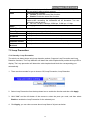
System-Maintenance
User Account
Firmware Upgrade
Config. Backup and Restore
Reset to Default Config
This link takes you to a screen where you can change the
web configuration login account and password.
This link takes you to a screen where you can upgrade the
firmware.
This link takes you to a screen where you can save the
current configuration file to your computer or download a
backup configuration file to your switch.
This link takes you back to default factory settings and restart
the system.
Config Save
This link takes you to a screen where you can save all the
configurations you have made to the switch effectively, so
that you can use the same configurations next time.
Reboot
This link takes you to a screen where you can reboot the
switch.
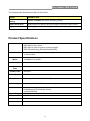
System-Multi Cast
IGMP Snooping
This link takes you to a screen where you can configure the
IGMP snooping setting.
Monitoring
Port Statistics
This link displays port network traffic for the switch.
Cable Diagnostic
This link takes you to a screen where you can diagnose the
connection status of the cable connected to the switch and
the distance to the problem location.
Port Mirroring
This link takes you to a screen where you can monitor and
mirror network traffic by forwarding copies of incoming and
outgoing packets from one/multiple ports(mirrored port) to a
specific port(mirroring port).
VLAN
Port Base VLAN
This link takes you to a screen where you can set the
Port-Based VLAN mode.
MTU VLAN
This link takes you to a screen where you can set the MTU
VLAN mode.
VLAN-802.1Q VLAN
802.1Q Static VLAN
This link takes you to a screen where you can set the 802.1Q
Tag VLAN mode.
802.1Q VLAN Port
This link takes you to a screen where you can configure the
802.1Q PVID value.
Qos
Port-based Priority
This link takes you to a screen where you can set the priority
queue for the ports to determine the priority of ports’
receiving and transmitting data.
Bandwidth Control
This link takes you to a screen where you can configure and
view the bandwidth control function information.
Security
10