1
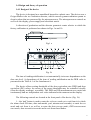
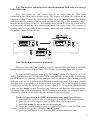
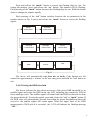
Press and release the “mode” button to correct the flashing digit by one. For
setting the minutes, press and release the “set” button. The minutes will be flashing.
Each pressing of the "mode" button increases the flashing digit by one. Hold this button
down to change the minutes rapidly.
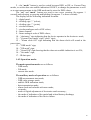
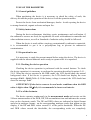
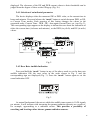
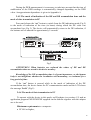
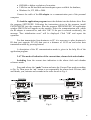
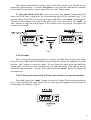
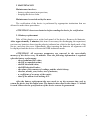
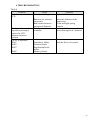
Each pressing of the “set” button switches between the set parameters in the
rotation shown in Fig. 9 (press and release the “mode” button to correct the flashing
digits).
hours,
alarmclock
minutes,
alarmclock
seconds,
current time
minutes,
current time
hours,
current time
date
month
year
Fig. 9
The device will automatically exit from the set mode, if the buttons are left
unused for approximately 1 minute, or the user may press and hold the "set" button to
exit.
2.4.8.2 Setting the DER threshold
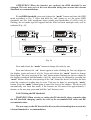
The device informs the user about an excess of the preset DER threshold by an
audible signal and enters the DER mode, the LCD indicating the completely filled in
linear analogue scale. The audible signal will sound until the DER becomes lower than
the preset threshold. To stop this signal, press and release the "set" or "mode" button. If
the DER value will subsequently become lower than the preset threshold and then will
exceed it, the audible signal will sound again. When the upper limit of the DER
measurement of 2400 µSv/h is exceeded, the LCD will indicate the flashing message
“–HI– “.
17