1
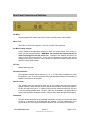
Rear Panel Controls and Switches
AC Mains:
Plug the supplied IEC mains cord into this outlet to provide power to the amplifier.
Mains Fuse:
2A slo-blo for 100V/120V operation, 1A slo-blo for 200V-240V operation.
AC Mains voltage selector:
Set this switch to the appropriate position to match the mains voltage in the country in
which you are using the amplifier. WARNING: Do not adjust this control with the AC
mains cord plugged in and the power on!!! Damage to the amplifier will result if the
switch is set to the wrong position. If you have any doubts as to which is the correct
voltage for the country you are in, call the factory or inquire with someone locally who will
know the correct mains voltage.
HT Fuse:
500mA fast-acting fuse
Impedance Selector:
The impedance selector allows selection of 4, 8, or 16 ohm output impedance to match
the speaker in use. Be sure to set this switch to the appropriate setting for the speaker or
speakers connected to the amplifier.
Speaker Jacks:
Two speaker jacks are provided to allow use of the amplifier with up to two external
speaker cabinets. More than two external cabinets may be safely used with the amplifier,
but this will require the use of "Y" cables for the extra two cabinet connections. Be sure
to use only quality speaker cable - do NOT, under any circumstance, use guitar cable to
connect the amplifier to a speaker cabinet. Doing so may cause damage to the amplifier.
Footswitch:
This jack allows connection of any standard footswitch to remotely turn on the gain boost
on and off. A footswitch is not included with the amplifier. It can be ordered from us, or
you can build your own using the information shown in the next section of this manual.
TomcatMKIIManual.doc
12/08/11
Copyright 2003-2011, Aiken Amplification, Inc.
Page 7 of 14