1
SESAME WP03
Deliverable D09.03
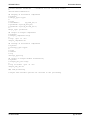
type:
linear
log
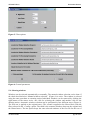
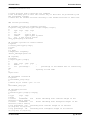
9) output of single window information
syntax:
single_win_out=<arg>
arg is either 'yes' or 'no'
In case of 'yes', for each time window a separate output file is created. The name of the file is the base output
file name extended by '_win_###', ### indicating the number of the time window in the sequence of file#2.
Each file contains the columns
frequency, spectrum vertical, spectrum NS, spectrum EW, merged H/V, H/V ns, H/V ew
Chapter 6: Display Module
The ‘Display Module’ was developed using the Java programming language. During the preparations
interactions were made with groups working on the main processing module to coordinate the data input and
output. In the following, the main functionalities of the display options are given.
•
•
•
•
•
•
•
•
In general zooming is possible on all plots by left mouse button click and drag. Clicking once on
the plot with left mouse button returns back to original trace.
Right hand button of the mouse is used for highlighting a selected window. Clicking once again
will give the option of deleting the window (available only in the browsing module).
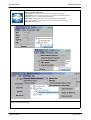
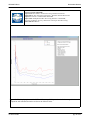
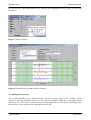
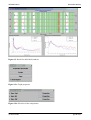
In the output window the title used is the name of the output file (Figure 5).
In the output window all processing parameters present in the parameter file are shown (Figure 5).
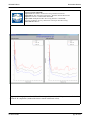
A legend that shows the meaning of each of the curves (Figures 5-7).
It is possible to change the settings of each chart by clicking on the small box on the upper right
corner. The settings include:
o The colours
o The line patterns and thickness
o Showing (or not) the chart gridlines
o Showing (or not) box axis
o The font properties of the various fonts
o Which curves to show
o Saving format options
The windows are resizable.
User option to change between logarithmic and linear scales. The user is also able to change the
limits in the scale.
17-02-04 16:56
pg. 8 of 37