1
(d) Section 1.3.4 — Using enterPrivateMemory() and executeInArea().
(e) Section 1.3.5 — Default Annotations.
(f) Section 1.3.6 — Dynamic Guards.
4. Section 1.4 — More Resources.
1.1
1.1.1
Checker
Download and Installation Instructions
Follow the instructions below to download and install the Checker.
1. Download the Checker.
The Checker distribution can be downloaded from the http://www.ovmj.
net/oscj/checker/checker.html. Execute:
$ wget http://scj−jsr302.googlecode.com/files/scjChecker.tar.gz
$ tar −zxvf scjChecker.tar.gz
$ export CHECK_HOME=‘pwd‘/checker/
You can also check-out the latest sources from:
$ hg clone https://scj−jsr302.googlecode.com/hg/ scj
$ export CHECK_HOME=‘pwd‘/scj/oSCJ/tools/checker/
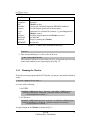
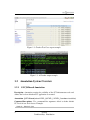
The content of the installation directory is listed in Fig 1.1.
2. Installation Instructions
Compiling the SCJ checker currently relies on some bash scripts, which means
you probably need Cygwin to compile on Windows.
(a) Enter the Checker directory:
$ cd $CHECK_HOME
(all the paths in the remaining steps are relative to this directory)
(b) Compile the Checker by running:
$ ant
1.1.2
Verifying the Checker Installation
The checker is distributed with a complex test-suite that verifies the correctness of
the installation process and of the checker on a number of test cases. To run the SCJ
checker tests, simply run ant tests. There are a few other test targets, but they do not
usually need to be run.
1. To run the tests:
2
Version
Confidentiality: Distribution