1
Software Installation
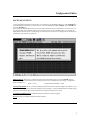
GENERAL INFORMATION
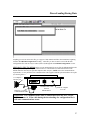
The PANELl-TEC MT-200 Configuration Editor Software Program is designed to operate on an IBM or 100%
compatible computer using MS-DOS 3.3 or higher.
While the Configuration Editor Software Program will run in “WINDOWS”, the user should be aware that the
configuration editor software program will always default to “COM PORT 1” during start-up. This conflict with the
mouse driver program and prevent up/down loading configured programs to the MT-200 interface unit. Should the
user care to operate the program while the “WINDOWS” it is suggested that he or she check the Window Setup for the
mouse driver communication port selection and make any changes as required.
INSTALLATION
Place the supplied program disk into drive “A” (or B).
At the MS-DOS prompt, C:> type in A: (or B) and press the “ENTER” key.
When The “A” prompt appears (or B), A:> type in “INSTALL” and press the “ENTER” key
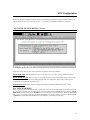
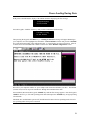
The following message will appear;
MT200 Configuration Editor Installation Prgram
Enter the Driver where the editor is to be installed⇒
⇒
Enter “C” (or any other hard drive you care to use), then press the “ENTER” key.
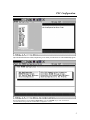
A new message will appear;
Enter the subdirectory on drive C to install the editor into ⇒
Suggested directory name is, MT200
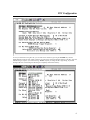
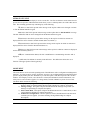
The next message to appear before installation is started is;
The Editor will be installed from ‘A:’ to ‘C:\ MT200”.
Is this correct (Y/N) ?
If the above is correct, push the letter “y” key then the “ENTER” key and the software will install itself. The last
message to appear will be;
Is your monitor capable of displaying colors (Y/N) ?
Answer the question, then press the “ENTER” key and the installation is complete.
2