1
SAMWONTECH
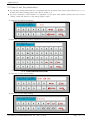
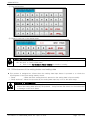
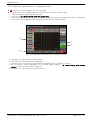
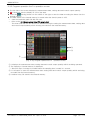
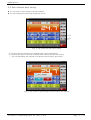
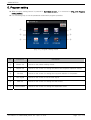
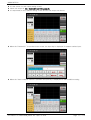
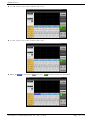
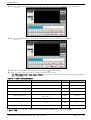
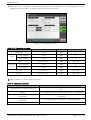
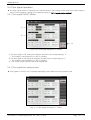
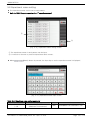
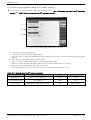
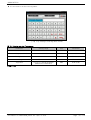
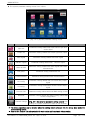
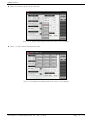
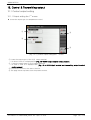
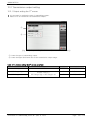
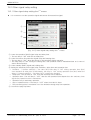
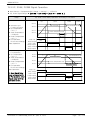
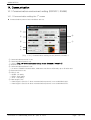
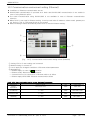
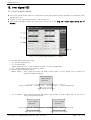
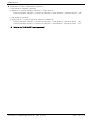
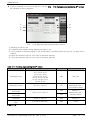
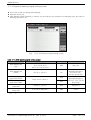
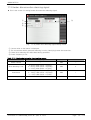
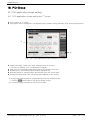
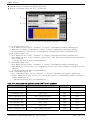
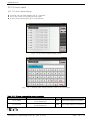
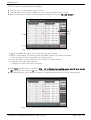
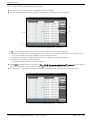
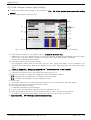
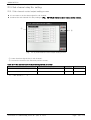
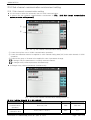
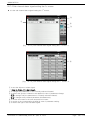
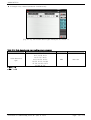
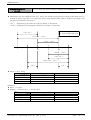
▶ It is a screen to select the place of decimal point.
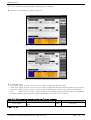
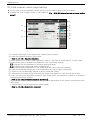
[Fig. 11-9] Decimal point setting screen (In case of DCV setting)
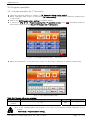
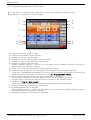
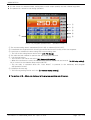
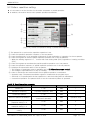
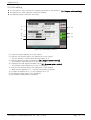
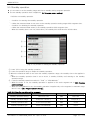
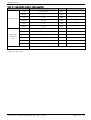
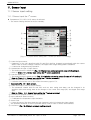
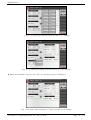
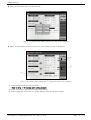
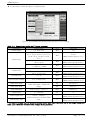
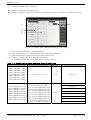
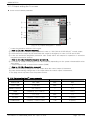
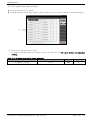
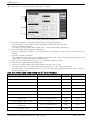
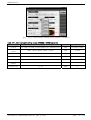
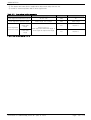
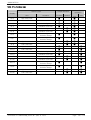
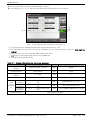
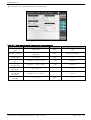
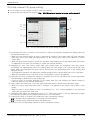
Table 11-1. Sensor input setting the 1st screen parameter
Parameter
Setting range
Sensor group
T/C, RTD, DCV
Sensor type
TC-K1, TC-K2, TC-J, TC-E,
TC-T, TC-R, TC-B, TC-S, TC-L,
TC-N, TC-U, TC-W, TC-PLA,
TC-C
PT A, PT B, PT C, PT D,
JPT A, JPT B
0.4~2.0V, 1~5V, 0~10V,
-1~20MV, 0~100MV
Unit
Initial data
ABS
T/C
ABS
TC-K2
(When sensor group is T/C.)
ABS
ABS
PT A
(When sensor group is RTD.)
0.4~2.0V
(When sensor group is DCV.)
℃, ℉
ABS
℃, ℉, SPACE, %, Pa, kPa, %RH,
mV, V, Ω, Torr, Kgf
ABS
Decimal point
0~3
ABS
Thermocouple display
T/C, TC+RJC, RJC
ABS
Upper limit range
EU
EU(100.0%)
Lower limit range
EU(0.0 ~ 100.0%)
Lower limit range < Upper limit
range
EU
EU(0.0%)
Input calibration
EUS (-100.0 ~ 100.0%)
EUS
EUS(0.0%)
Sensor filter
0 ~ 120 SEC
초
0
Display unit
℃
℃
(When sensor group is DCV.)
1
(When sensor group is DCV.)
TC+RJC
(When sensor group is T/C.)
100.0
(When sensor group is DCV.)
0.0
℃
SCALE lower limit
(When sensor group is DCV.)
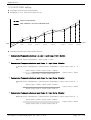
* The upper limit/lower limit for the sensor group, sensor type, upper limit.lower limit of the scope, display unit
scale upper limit/lower limit cannot be changed during operation.
SCALE upper limit
-199.9 ~ 3000.0℃
SCALE lower limit < SCALE upper
limit
2nd Edition of TEMP2000M_Series IM : April. 8. 2014
℃
Page 92 / 176