1
Managing Basic Operations
bottom of the display. Press any one of the function keys to set the EPOCH LT’s range to
that displayed value.
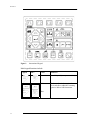
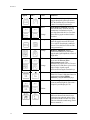
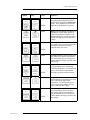
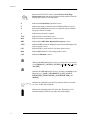
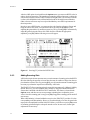
The main keypad is laid out with functional grouping of keys for easy identification. The
main keypad contains the primary operating keys of the EPOCH LT. Most parameters on
the EPOCH LT can be directly accessed by pressing the appropriately labelled key. Some
parameters are second functions. These can be accessed by first pressing [2nd F] and then
the desired function. The second function is written directly above the key. For example,
to access ZOOM, press [2nd F] and then [RANGE].
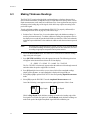
Once you access a parameter, change it through one of two methods. Use the function keys
to directly access preset values. Alternately, use the green slewing keys ([ ], [ ], [ ],
and [ ]) to change the parameter in smaller increments.
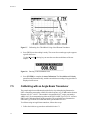
Figure 1
Part # 910-258
English Keypad
21