1
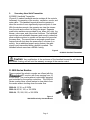
1) Position the monitor at one of the oscillation travel limits.
2) Press and hold the oscillate button.
3) Move the monitor to the other oscillation travel limit and release the direction button
4) Release the oscillate button.
5) Quickly press and release the oscillate button to start the oscillation function.
6) The monitor will oscillate between the programmed limits until the oscillation button is
pressed again or initiating a left or right command from any transmitter.
7) Changing up-down position stream setting or operating the water valve will not
interrupt the oscillation program.
For safety reasons, once oscillation has stopped the oscillation travel
limits need to be reprogrammed. See steps 1-7.
C. Manual Override
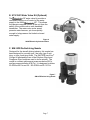
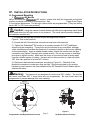
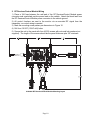
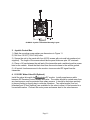
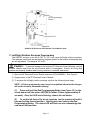
In the event of power failure, the monitor, nozzle, and water valve may be actuated manually.
To operate a function manually, simply apply a 3/4" ratcheting type wrench (either socket
type or ratcheting box end type) to the hex fitting on the motor shaft extension. The override
functions can be made much easier if the motor power wire connector is unplugged from the
control harness where possible.
Caution:
Do not use any power tools to operate the manual override nuts. Serious damage to the
motor gear heads will result. Using the left/right override nut when the power to the control
module is off or the left/right motor is disconnected will move the left-right rotation envelope
limits from their original programmed position, which may result in damage to the vehicle
and/or monitor. The left/right rotation envelope should be reprogrammed after power has
been restored.
Page 18