1
Lake Shore Model 325 Temperature Controller User’s Manual
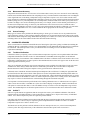
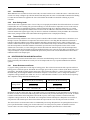
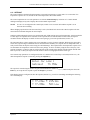
4.4 INPUT SETUP
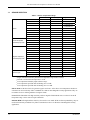
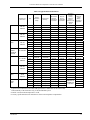
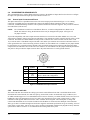
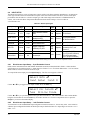
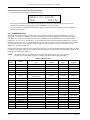
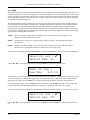
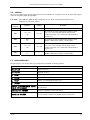
The Model 325 supports a variety of temperature sensors sold by Lake Shore and other manufacturers. An appropriate
sensor type must be selected for each of the two inputs. If the exact sensor model is not shown, use the sensor input
performance chart in Table 4-1 to choose an input type with similar range and excitation. For additional details on
sensors, refer to the Lake Shore Temperature Measurement and Control Catalog or visit our website at
www.lakeshore.com.
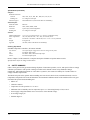
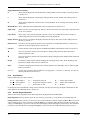
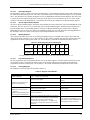
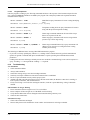
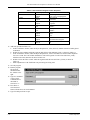
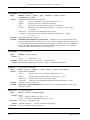
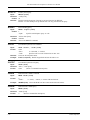
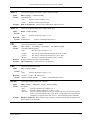
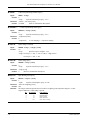
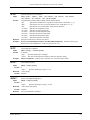
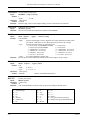
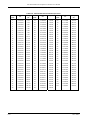
Table 4-1. Sensor Input Types
Display Message
Input
Range
Excitation
Curve
Format
Coefficient
Silicon Diode
2.5 V
10 µA
Silicon Diode
V/K
Negative
DT-4XX, DT-500, DT-670 Series
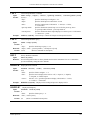
GaAlAs Diode
7.5 V
10 µA
Gallium-Aluminum-Arsenide
Diode
V/K
Negative
TG-120 Series
100Ω Plat/250
250 Ω
1 mA
100 Ω Platinum RTD <675 K;
Rhodium-Iron RTD
Ω/K
Positive
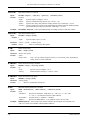
100Ω Plat/500
500 Ω
1 mA
100 Ω Platinum RTD >675 K
PT-100 Series Platinum,
RF-800 Rhodium-Iron
1000Ω Plat
5000 Ω
1 mA
1000 Ω Platinum RTD
Ω/K
Positive
—
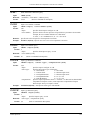
NTC RTD
7500 Ω
10 µA
Negative Temperature
Coefficient (NTC) RTD
log
R/K
Negative
Cernox™, Carbon Glass,
Germanium, Rox™, and
Thermox™
Thermo/25mV
±25 mV
NA
Thermocouple
Thermo/50mV
±50 mV
NA
Thermocouple
Positive
Chromel-AuFe (0.07%),
Type E (Chromel-Constantan),
Type K (Chromel-Alumel),
Type T (Copper-Constantan),
Sensor Type
mV/K
Lake Shore Sensors*
* Refer to the Lake Shore Temperature Measurement and Control Catalog for details on Lake Shore temperature sensors.
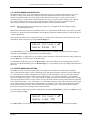
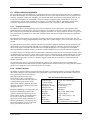
4.4.1 Diode Sensor Input Setup – 10 µA Excitation Current
Diode sensors include the Silicon and Gallium-Aluminum-Arsenide (GaAlAs) detailed in Table 4-1. More detailed
specifications are provided in Section 1.2. Input ranges are fixed to 0 – 2.5 V for silicon diodes and 0 – 7.5 V for GaAlAs
diodes. Both use a sensor excitation current of 10 µA.
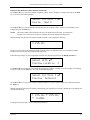
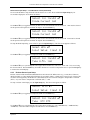
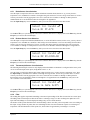
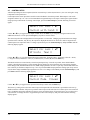
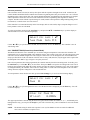
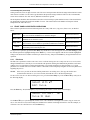
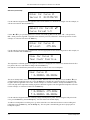
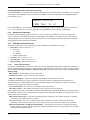
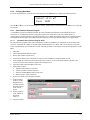
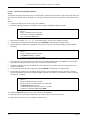
To setup a diode sensor input, press the Input Setup key. The first screen appears as follows.
Select With °®
Input Setup Input A
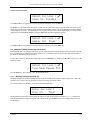
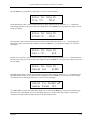
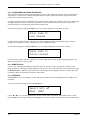
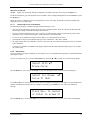
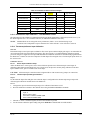
Use the s or t key to toggle between Input A and B. Press the Enter key.
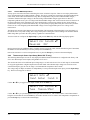
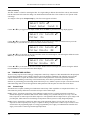
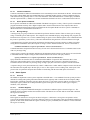
Select for InputA °®
Type Silicon Diode
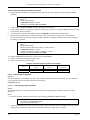
Use the s or t key to cycle through the sensor types shown in Table 4-1, with “Silicon Diode” and “GaAlAs Diode”
being the relevant choices. Press the Enter key. Proceed to Section 4.5.1 to select a temperature curve or press the
Escape key to return to the normal display.
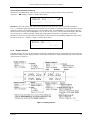
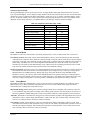
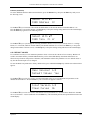
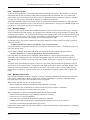
4.4.2 Diode Sensor Input Setup – 1 mA Excitation Current
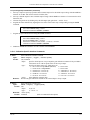
As an alternative to the standard diode input configuration listed in Section 4.4.1, the user may select 1 mA excitation
while the input configuration matches the diode input setup as detailed in Table 4-1. Input ranges are fixed to 0 – 2.5 V
and 0 – 7.5 V.
4-6
Operation