1
LEGAL INFORMATION
Copyright © 2013 ZTE CORPORATION.
All rights reserved.
No part of this publication may be quoted, reproduced, translated or used in any form or by any
means, electronic or mechanical, including photocopying and microfilm, without the prior written
permission of ZTE Corporation.
ZTE Grand X 2
Quick Start Guide
Notice
ZTE Corporation reserves the right to make modifications on print errors or update specifications in
this guide without prior notice.
We offer self-service for our smart terminal device
users. Please visit the ZTE official website (at www.
ztedevice.com) for more information on self-service
and supported product models. Information on the
website takes precedence.
Visit http://www.ztedevice.com to download the
user manual. Just click Support > Manuals from
the home page and then select your location,
product type, and name to search for related
support information.
Corporation.
Google and Android are trademarks of Google, Inc.
The Bluetooth ® trademark and logos are owned
by the Bluetooth SIG, Inc. and any use of such
trademarks by ZTE Corporation is under license.
microSD Logo is a trademark of SD-3C,
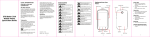
Getting to Know Your Phone
Headset Jack
Front Camera
LED Indicator
Earpiece
LLC.
Other trademarks and trade names are the
property of their respective owners.
Volume Keys
Version No.: R1.0
Touch Screen
Power Key
Edition Time : 2013.12.10
Manual No. : 079584506243
Menu Key
Home Key
Back Key
Touch to go to the previous screen.
Volume Key
Press or hold to turn the volume up or down.
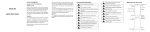
Starting Up
Back Camera
Flash
Charger/
USB Jack
WCDMA/
GSM Card
GSM Card
NOTE: Install in the right slot a SIM card that
supports WCDMA (UMTS) or GSM networks. In
the right slot, install a SIM card that supports GSM
networks.
3. Press the cover gently back into place until you
hear a click.
Installing the microSD Card
A microSD card can be installed or removed while
the phone is turned on. You need to unmount the
microSD card before removing it.
1. Remove the back cover.
Charging the Battery
The battery is built in your phone and you cannot
remove or change the battery.
WARNING! Use only ZTE-approved chargers
and cables. The use of unapproved accessories
could damage your phone or cause the battery to
explode.
CAUTION: Do not try to remove or change the
built-in rechargeable battery in your phone.
1. Connect the adapter to the charging jack.
Ensure that the adapter is inserted with the
correct orientation.
The SIM cards can be installed or removed while
the phone is turned on.
1. Remove the back cover.
2. Hold your microSD card with the metal contacts
facing down and slide it in.
2. Hold the SIM card with the cut corner oriented
as shown and slip it into the card holder.
4
ZTE Mobile Phone Registration
Dear customer, in order to provide you better
service, one registration message will sent to
ZTE service database.This message is free from
ZTE,You will be charged one normal SMS rate by
your operator.
Restarting Your Phone
If the screen freezes or takes too long to respond,
try pressing and holding the Power Key for about
8 seconds to restart the phone.
1. Press the Power Key to activate your screen
display.
2. Drag the
icon to
to unlock the screen.
NOTE: If you have set an ‘unlock pattern’, or a PIN/
password for your phone, you’ll need to draw the
pattern or enter the PIN/password to unlock your
screen.
Make sure the battery is charged before powering
on.
6
7
2. Connect the charger to a standard AC wall
outlet.
3. Disconnect the charger when the battery is fully
charged.
5
•
•
•
Waking Up Your Phone
Your phone’s touch screen lets you control actions
through a variety of touch gestures.
• Touch
When you want to type using the onscreen
keyboard, select items onscreen such as
application and settings icons, or press
onscreen buttons, simply touch them with your
finger.
• Touch and Hold
To open the available options for an item (for
Powering On/Off Your Phone
3
● Hold the Power Key to switch on your phone.
● To switch it off, hold the Power Key to view the
options. Touch Power off, and then touch OK.
Using the Touch Screen
Speaker
2
NOTE: Some applications may require a microSD
card to work normally as they may require to keep
certain data. Therefore, it is recommended that you
keep a microSD card installed and not removed or
replaced randomly.
3. Press the cover gently back into place until you
hear a click.
Installing the SIM Cards
Back Cover
Trademarks
ZTE and the ZTE logos are trademarks of the ZTE
1
Home Key
● Touch to return to the home screen from any
application or screen.
● To u c h a n d h o l d t o s e e r e c e n t l y u s e d
applications.
Menu Key
Touch to get the options for the current screen.
Back Key
Disclaimer
ZTE Corporation expressly disclaims any liability
for faults and damages caused by unauthorized
modifications of the software.
Images and screenshots used in this guide may
differ from the actual product. Content in this guide
may differ from the actual product or software.
Power Key
● Press and hold to turn on or off Airplane
mode, enable silent mode or silent mode with
vibration, disable silent mode, or power off the
phone.
● Press to turn off or on the screen display.
•
example, a message or link in a Web page),
touch and hold the item.
Swipe or Slide
To swipe or slide means to quickly drag your
finger vertically or horizontally across the
screen.
Drag
To drag, press and hold your finger with some
pressure before you start to move your finger.
While dragging, do not release your finger until
you have reached the target position.
Pinch
In some apps (such as Maps, Browser, and
Gallery), you can zoom in and out by placing
two fingers on the screen at once and pinching
them together (to zoom out) or spreading them
apart (to zoom in).
Rotate the screen
You can automatically change the screen
orientation from portrait to landscape by turning
the phone sideways.
For Your Safety
General Safety
Don’t make or receive handheld calls
while driving. Never text while driving.
For body-worn operation maintain a
separation of 15 mm.
Small parts may cause choking.
Your phone can produce a loud sound.
8
To prevent possible hearing damage, do
not listen at high volume levels for long
periods.
Avoid contact with anything magnetic.
Keep away from pacemakers and other
electronic medical devices.
Turn off when asked to in hospitals and
medical facilities.
Turn off when told to in aircrafts and
airports.
Turn off when near explosive materials
or liquids.
Don’t use at gas stations.
Your phone may produce a bright or
flashing light.
Don’t dispose of your phone in fire.
Avoid extreme temperatures.
Avoid contact with liquids. Keep your
phone dry.
Do not attempt to disassemble your
phone.
Only use approved accessories.
Don’t rely on your phone as a primary
device for emergency communications.
9
Radio Frequency (RF) Exposure
Distraction
General Statement on RF Energy
Your phone contains a transmitter and a receiver.
When it is ON, it receives and transmits RF energy.
When you communicate with your phone, the
system handling your call controls the power level
at which your phone transmits.
Driving
Full attention must be given to driving at all times
in order to reduce the risk of an accident. Using a
phone while driving (even with a hands free kit) can
cause distraction and lead to an accident. You must
comply with local laws and regulations restricting
the use of wireless devices while driving.
Body Worn Operation
Important safety information regarding radio
frequency radiation (RF) exposure:
To ensure compliance with RF exposure guidelines
the phone must be used with a minimum of 15 mm
separation from the body.
Failure to observe these instructions could result in
your RF exposure exceeding the relevant guideline
limits.
Limiting Exposure to Radio Frequency (RF)
Fields
For individuals concerned about limiting
their exposure to RF fields, the World Health
Organization (WHO) provides the following advice:
Precautionary measures: Present scientific
information does not indicate the need for any
special precautions for the use of mobile phones.
If individuals are concerned, they might choose to
limit their own or their children’s RF exposure by
limiting the length of calls, or using ‘hands-free’
devices to keep mobile phones away from the head
and body.
Further information on this subject can be obtained
from the WHO home page http://www.who.int/pehemf (WHO Fact sheet 193: June 2000).
10
•
Operating Machinery
Full attention must be given to operating the
machinery in order to reduce the risk of an
accident.
Product Handling
General Statement on Handling and Use
You alone are responsible for how you use your
phone and any consequences of its use.
You must always switch off your phone wherever
the use of a phone is prohibited. Use of your phone
is subject to safety measures designed to protect
users and their environment.
• Always treat your phone and its accessories
with care and keep it in a clean place.
• Keep the screen and camera lens clean.
Unclean screen or camera lens may slow down
the phone's reaction to your operations or
lower image quality.
• Clean your phone and its accessories with
a soft material such as cleaning cloth for
eyeglass lenses. Do not use alcohol or other
corrosive substances for cleaning or allow
them to get inside.
• Do not expose your phone or its accessories to
open flames or lit tobacco products.
11
•
•
•
•
•
•
•
Do not expose your phone accessories to
liquid, moisture or high humidity.
Do not drop, throw or try to bend your phone or
its accessories.
Do not paint your phone or its accessories.
Do not attempt to disassemble your phone or
its accessories, only authorized personnel must
do so.
Do not expose or use your phone or its
accessories in an environment with or that can
reach extreme temperatures, minimum - [5]
and maximum + [50] degrees Celsius.
Do not place your phone inside or near heating
equipments or high pressure containers, such
as water heaters, microwave ovens, or hot
cooking utensils. Otherwise, your phone may
be damaged.
Please check local regulations for disposal of
electronic products.
Do not carry your phone in your back pocket as
it could break when you sit down.
Small Children
Do not leave your phone and its accessories within
the reach of small children or allow them to play
with it.
They could hurt themselves or others, or could
accidentally damage the phone.
Your phone contains small parts with sharp edges
that may cause an injury or may become detached
and create a choking hazard.
Electrostatic Discharge (ESD)
Do not touch the SIM card’s metal connectors.
Antenna
Do not touch the antenna unnecessarily.
Normal Use Position
When placing or receiving a phone call, hold your
phone to your ear, with the bottom toward your
mouth.
Air Bags
Do not place a phone in the area over an air bag or
in the air bag deployment area as an airbag inflates
with great force and serious injury could result.
Store the phone safely before driving your vehicle.
Seizures/Blackouts
The phone can produce a bright or flashing light.
A small percentage of people may be susceptible
to blackouts or seizures (even if they have never
had one before) when exposed to flashing lights
or light patterns such as when playing games or
watching video. If you have experienced seizures
or blackouts or have a family history of such
occurrences, please consult a physician. To reduce
the risk of blackouts or seizures, you can use your
phone in a well lit room and take frequent breaks.
Emergency Calls
This phone, like any wireless phone, operates
using radio signals, which cannot guarantee
connection in all conditions. Therefore, you
should not rely solely on any wireless phone for
emergency communications.
Loud Noise
This phone is capable of producing loud noises,
which may damage your hearing. Turn down
the volume before using headphones, Bluetooth
headsets or other audio devices.
Phone Heating
Your phone may become warm during charging
and during normal use.
Electrical Safety
Accessories
Use only approved accessories.
Do not connect with incompatible products or
accessories.
Take care not to touch or allow metal objects, such
as coins or key rings, to contact or short-circuit in
the battery terminals.
Never puncture the surface of the battery with
sharp objects.
Connection to a Car
Seek professional advice when connecting a phone
interface to the vehicle electrical system.
Demagnetization
To avoid the risk of demagnetization, do not allow
electronic devices or magnetic media close to your
phone for a long time.
Repetitive Strain Injuries
To minimize the risk of Repetitive Strain Injury (RSI)
when texting or playing games with your phone:
• Do not grip the phone too tightly.
• Press the buttons lightly.
• Use the special features which are designed to
minimize the times of pressing buttons, such
as Message Templates and Predictive Text.
• Take frequent breaks to stretch and relax.
12
13
14
Faulty and Damaged Products
Do not attempt to disassemble the phone or its
accessories.
Only qualified personnel can service or repair the
phone or its accessories.
If your phone (or its accessories) has been
submerged in water, punctured, or subjected to a
severe fall, do not use it until you have taken it to
be checked at an authorized service center.
Radio Frequency Interference
General Statement on Interference
Care must be taken when using the phone in close
proximity to personal medical devices, such as
pacemakers and hearing aids.
Please consult your doctor and the device
manufacturer to determine if operation of your
phone may interfere with the operation of your
medical device.
Pacemakers
Pacemaker manufacturers recommend that a
minimum separation of 15 cm be maintained
between a mobile phone and a pacemaker to
avoid potential interference with the pacemaker.
To achieve this, use the phone on the opposite ear
to your pacemaker and do not carry it in a breast
pocket.
Hearing Aids
People with hearing aids or other cochlear implants
may experience interfering noises when using
wireless devices or when one is nearby.
The level of interference will depend on the type
of hearing device and the distance from the
interference source, increasing the separation
between them may reduce the interference. You
may also consult your hearing aid manufacturer to
discuss alternatives.
These requests are designed to prevent possible
interference with sensitive medical equipment.
E-Waste Management
Aircraft
Switch off your wireless device whenever you are
instructed to do so by airport or airline staff.
Consult the airline staff about the use of wireless
devices on board the aircraft and enable the
airplane mode of your phone when boarding an
aircraft.
‘E-waste’ means waste electrical
and electronic equipment
(WEEE).
Interference in Vehicles
Please note that because of possible interference
to electronic equipment, some vehicle
manufacturers forbid the use of mobile phones
in their vehicles unless a hands-free kit with an
external antenna is included in the installation.
Explosive Environments
Gas Stations and Explosive Atmospheres
In locations with potentially explosive atmospheres,
obey all posted signs to turn off wireless devices
such as your phone or other radio equipment.
Areas with potentially explosive atmospheres
include fueling areas, below decks on boats, fuel or
chemical transfer or storage facilities, areas where
the air contains chemicals or particles, such as
grain, dust, or metal powders.
Blasting Caps and Areas
Power off your mobile phone or wireless device
when in a blasting area or in areas posted power
off “two-way radios” or “electronic devices” to avoid
interfering with blasting operations.
Medical Equipment
Switch off your wireless device when requested to
do so in hospitals, clinics or health care facilities.
15
What is E-waste?
How harmful is e-waste?
E-wastes are considered dangerous, as certain
components of some electronic products contain
materials that are hazardous, depending on their
condition and density. If improperly disposed, they
can leach lead and other harmful substances into
soil and groundwater.
Govt. of India vide notification dated May 12,
2011 has announced E-waste (Management and
Handling) Rules, 2011 (“Rules”).
According to these Rules, the consumer now has
the legal responsibility to dispose of the waste
electrical and electronic equipment (popularly
known as “WEEE”) in the prescribed manner and
not by just throwing it into a dustbin or giving/selling
it to scrap dealer.
V RECYCLE , is an initiative by ZTE where we
recycle your old and no longer useful phones.
There are 3 easy steps to begin playing your part:
Step 1: Grab your old and useless phone (or its
accessories).
Step 2: Locate a ZTE Collection Point near you,
available at www.ztedevice.com .
Step 3: Drop your old phone into the designated
collection boxes.
Lets join hands today to celebrate the glory of
nature earth & help in making it a better & healthier
place for all of us.
16
17