1
How to Use the Getting Started Guide
Welcome New MaxxTraxx Prospects and Users:
Thank you for taking the time to look into our products and services. Scott Systems has been
providing computer software and support services to the automotive repair industry since 1987. We
believe in quality service to our customers as a focus of all that we do. Our commitment is evidenced
by the way we have worked with our clients in designing and evolving the software, and the total
support programs that we offer. Assistance with a training and implementation strategy is a large part
of that total support approach. This Getting Started Guide is an essential tool in providing that support.
The Getting Started Guide is a road map for prospects and new users to obtain a trial version of
MaxxTraxx for evaluation, training, and implementation. Scott Systems also offers a Self-Paced
Training Curriculum to help our new users implement MaxxTraxx in their business. As you will
discover, MaxxTraxx Express, MaxxTraxx Service, and the all-inclusive MaxxTraxx Corporate edition
have hundreds of features that can help you run your business more effectively, but we understand
the getting started process can be a bit overwhelming! Follow the step-by-step process in this guide
and if you have questions or need assistance, please call us at (800) 996-9777 or contact us through
the LIVE CHAT link on our Web site at www.scottsystems.com to get immediate assistance.
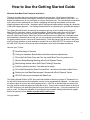
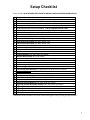
Here are your To Do's:
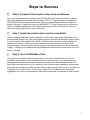
Read the Steps to Success
Verify your Hardware Specifications meet the minimum requirements
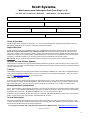
Fill out the Trial Order Form and Fax - we install MaxxTraxx for practice use
Attend a Setup/Strategy Meeting with a Scott Systems Trainer
Start learning with the online Self-Paced Training Curriculum
Practice, practice, practice! And when you're ready...
Fill out the Subscription Order Form and Fax - we clear out the data in MaxxTraxx
Review your Live MaxxTraxx program Setups with a Scott Systems Trainer
GO LIVE and run your business with MaxxTraxx
The Getting Started Guide is a PDF document that provides a directory of pages or "Bookmarks" on
the left side of the document; this navigation column can be expanded and collapsed. You also have
an option to print all or just a few select pages at a time. Click File on the Menu Bar and select Print
from the drop list to pick the pages you would like to print. There is also a search feature at the top of
the PDF document; just start typing the the Find box and hit the Enter key. If you have questions, just
give us a call! We have the reputation for providing the most capable training and technical support
staff in the industry, but the burden of preparation is still on you.
Let’s get started…
3