1
Setup tool
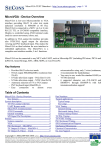
The MicroVGA setup tool can be invoked by shortcircuiting pads labeled “SETUP” near SO-28 chip on the
MicroVGA-TEXT module.
Please note that the setup firmware does not provide any visual
information regarding current settings. All selections marked
with “*” denote default values, not current setting.
Setup: Exit
Exit setup tool and resume normal operation. Uses current settings, but no changes are saved in
EEPROM.
Setup: Baud rate
This menu allows UART communication baud rate selection.
Note: value marked * denotes default value, not currently
selected baud rate.
Setup: Codepage
Selection of code page. Allowed values are CP-437 (us-ascii)
and ISO8859-1 to ISO-8859-5.
Note: value marked * denotes default value, not currently
selected code page.
Setup: TV Mode
Selection of TV S-Video output mode (Disabled, PAL, NTSC).