1
(Continued from page 1)
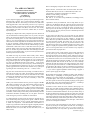
“PortableApps.com lets you carry all your favorite apps on a portable
device or cloud drive and use them on any PC. Your browser with your
bookmarks and extensions, your office suite, your photo editor, your
music collection, your games, your development tools and more. Everything you need for work and play with you on every PC you use. Work,
home, school, visiting family and friends, even while traveling. And
everything stays on your drive, too. Now, every PC becomes your PC.”
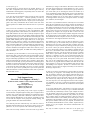
It is only 1.4 GB download from here:
http://linuxfreedom.com/linuxmint/linuxmint.com//stable/17.1/linuxmint
-17.1-cinnamon-32bit.iso
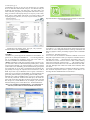
PortableApps.com_Platform_Setup_12.0.5.paf, only 3,675 KB.
Download it from: http://portableapps.com/
“Linux Mint 17.1 is a long term support release which will be supported
until 2019. It comes with updated software and brings refinements and
many new features to make your desktop experience more comfortable
to use. ………..
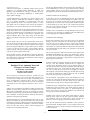
“Cinnamon 2.4...Smoother Experience….
A lot of care went into attention to details and Cinnamon 2.4 received
many little improvements to make your experience smoother and more
enjoyable than before.” …..Responsiveness and memory usage...CJS
was rebased on a newer version of GJS in an effort to reduce memory
usage and provide faster execution times.”…. “All Cinnamon components were reviewed and their source code was checked with static analysis tools. Although most of them were small, about 30 memory leaks
were fixed.”
“Icons used in Cinnamon Settings were added to the Mint-X icon theme.
This increased responsiveness (This is specific to Linux Mint so we
encourage all artists and distributions to do the same).”...
the end of the story
VirtualBox
“VirtualBox is a general-purpose full virtualizer for x86 hardware, targeted at server, desktop and embedded use. …..For a thorough introduction to virtualization and VirtualBox, please refer to the online version of the VirtualBox User Manual's first chapter.”
“Memory. Depending on what guest operating systems you want to run,
you will need at least 512 MB of RAM (but probably more, and the
more the better). Basically, you will need whatever your host operating
system needs to run comfortably, plus the amount that the guest operating system needs. So, if you want to run Windows XP on Windows XP,
you probably won't enjoy the experience much with less than 1 GB of
RAM. If you want to try out Windows Vista in a guest, it will refuse to
install if it is given less than 512 MB RAM, so you'll need that for the
guest alone, plus the memory your operating system normally needs.”
Hard disk space. While VirtualBox itself is very lean (a typical installation will only need about 30 MB of hard disk space), the virtual machines will require fairly huge files on disk to represent their own hard
disk storage. So, to install Windows XP, for example, you will need a
file that will easily grow to several GB in size.” Download from here:
https://www.virtualbox.org/wiki/Downloads ...You will need to decide what you’ll want to use. Each download varies in size!
the end of the story
2
the end of the story