1
THOR Standard Edition – User Manual
Version 3.5.6
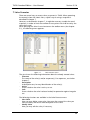
5.4 Virtual Router Mapping
Virtual Router Mapping is used to make your physical router levels into one
virtual level. The virtual router supports up to 16 virtual levels and breakaway
on each level. This is a powerful and advanced way to control your routers.
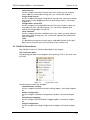
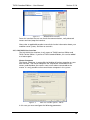
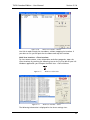
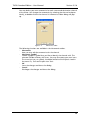
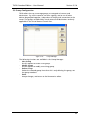
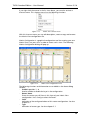
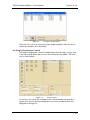
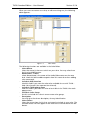
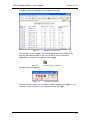
Figure 5-6.
Virtual Router Mapping
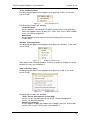
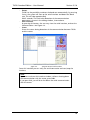
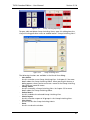
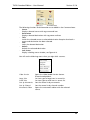
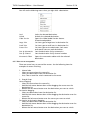
The following functions are available in the Virtual Router Mapping editor:
- Modify Row
Use this to modify the virtual source/destination mnemonic and icon.
- Clear Row
Use this to delete a virtual source/destination
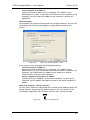
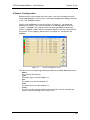
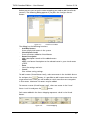
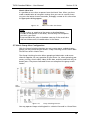
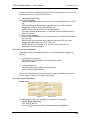
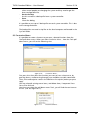
- Configure Routers
Use this to add/remove virtual levels. Further description below.
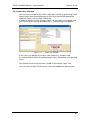
- Copy Mnemonics
Use this if you want to copy mnemonics from virtual sources/destinations
to the physical routers.
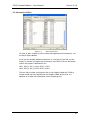
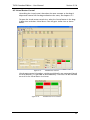
- Show Report
Use this to view a HTML based report of the Virtual Router Mapping.
- OK
Use this to exit and save the Virtual Router Mappings.
- Cancel
Use this to close the editor.
- Apply
Use this to save the Virtual Router Mappings.
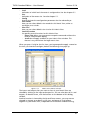
To control your system with the virtual router, open the Virtual Router Control
view from the menu (Control -> Virtual Router Control) or the shortcut on the
toolbar. The Virtual Router Control view is further described in chapter 6.2.
30