1
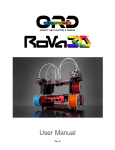
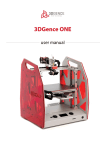
User Manual
Table of Contents
1. Getting to know your RoVa3D printer ..................................................................... 5
1.1.
What’s in the box .................................................................................................................. 5
1.2.
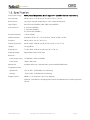
Specification ......................................................................................................................... 6
1.3.
What is 3D Printing? ............................................................................................................. 7
1.4.
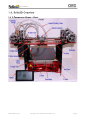
RoVa3D Overview ................................................................................................................. 8
1.4.1.
Component Names - Front .......................................................................................... 8
1.4.2.
Component Names - Back ........................................................................................... 9
2. Getting Started .................................................................................................. 10
2.1.
Safety .................................................................................................................................. 10
2.2.
3D Printing: From Idea to Print ........................................................................................... 11
2.3.
Initial setup ......................................................................................................................... 12
2.3.1.
Tools you will need .................................................................................................... 12
2.3.2.
Connecting the Power Supply .................................................................................... 13
2.3.3.
Installing Filament Guide Tubes................................................................................. 13
2.3.4.
Installing Filament Feed Tubes .................................................................................. 14
2.3.5.
Installing Extruder Springs ......................................................................................... 14
2.3.6.
Installing Filament Spool Holders .............................................................................. 15
2.3.7.
Loading Filament........................................................................................................ 15
2.3.8.
Connecting the RoVa3D to your Computer ............................................................... 19
2.3.9.
Installing the USB Drivers ........................................................................................... 19
2.3.10.
Installing Pronterface / Printrun .................................................................................. 20
2.3.11.
Testing Pronterface communication with the RoVa3D ............................................... 21
2.3.12.
Installing Slic3r ........................................................................................................... 23
2.3.13.
Disabling Windows Update ........................................................................................ 24
2.3.14.
Testing the Homing Switches ..................................................................................... 25
2.3.15.
Taping the Print Bed .................................................................................................. 29
2.3.16.
Leveling the Print Bed ................................................................................................ 32
2.3.17.
Leveling Nozzles......................................................................................................... 37
2.3.18.
Setting Z Home .......................................................................................................... 38
2.3.19.
Safety Enclosure ......................................................................................................... 40
orddistribution.com
Copyright 2015 ORD Solutions (Dist.) Inc.
Page 2