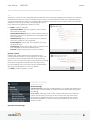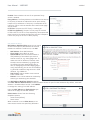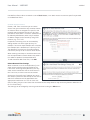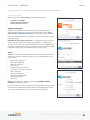
1
User Manual / MBR1400
10/28/15
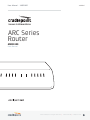
ARC Series
Router
MBR1400
User Manual
©2015 Cradlepoint. All Rights Reserved. | +1.855.813.3385 | cradlepoint.com
1
User Manual / MBR1400
10/28/15
TABLE OF CONTENTS
INTRODUCTION4
WHAT’S IN THE BOX
4
KEY FEATURES
4
ENTERPRISE PERFORMANCE
ENHANCED WIFI
ADDITIONAL FEATURES
LICENSABLE FEATURES – REQUIRE EXTENDED ENTERPRISE LICENSE
4
4
4
4
SYSTEM REQUIREMENTS
5
SPECIFICATIONS5
ACCESSORIES6
BUSINESS-GRADE MODEM SPECIFICATIONS
6
HARDWARE8
SUPPORT AND WARRANTY
QUICK START
10
11
BASIC SETUP
11
ACCESSING THE ADMINISTRATION PAGES
11
FIRST TIME SETUP WIZARD
12
USING ENTERPRISE CLOUD MANAGER
12
ADMINISTRATION PAGES
13
QUICK LINKS
13
DASHBOARD13
CONNECTION MANAGER
14
WAN INTERFACE PROFILES & PRIORITY
14
STATUS18
INTERNET18
CLIENT LIST
23
TUNNELS23
FIREWALL24
ROUTING24
ETHERNET25
GPS25
©2015 Cradlepoint. All Rights Reserved. | +1.855.813.3385 | cradlepoint.com
2
User Manual / MBR1400
10/28/15
SYSTEM LOGS
25
NETWORKING26
LOCAL NETWORKS
26
VLAN INTERFACES
37
TUNNELS37
ROUTING45
QOS46
DNS SERVERS
49
WIFI AS WAN
52
WAN AFFINITY
53
CLIENT DATA USAGE
55
SECURITY56
IDENTITIES56
ZONE FIREWALL
56
CONTENT FILTERING
61
CERTIFICATE MANAGEMENT
65
SYSTEM68
ADMINISTRATION68
ENTERPRISE CLOUD MANAGER
73
DEVICE ALERTS
73
SERIAL REDIRECTOR
75
GPIO CONNECTOR
75
SNMP CONFIGURATION
76
SYSTEM CONTROL
77
DIAGNOSTICS79
SETUP WIZARDS
79
APPENDIX82
SAFETY, REGULATORY, AND WARRANTY GUIDE
82
ROUTER COMMUNICATION/DATA USAGE
84
©2015 Cradlepoint. All Rights Reserved. | +1.855.813.3385 | cradlepoint.com
3
User Manual / MBR1400
10/28/15
INTRODUCTION
WHAT’S IN THE BOX
•
•
•
•
•
ARC MBR1400 with integrated business-class wireless WAN modem (no modem option available)
External 3G or 4G mobile broadband modem antennas (2) (SMA) w/ multiplexing for GPS (on some models), finger
tighten only
External high-gain WiFi antennas (3) reverse SMA (5 dBi, 2.4 GHz), finger tighten only
12V / 1.5A power supply
Quick Start Guide with warranty information
KEY FEATURES
ENTERPRISE PERFORMANCE
•
•
•
•
•
Targeted for retail locations, branch offices, or small and medium-sized businesses
Choose the ARC MBR1400 Series to include an integrated Cradlepoint business-grade modem
Centralize the administration and monitoring of distributed routers using cloud-based WiPipe Central
Load balance multiple data sources (data modems, wired data services, and WiFi as WAN)
Compatible with Cisco, Juniper, and other industry-leading network hardware providers
ENHANCED WIFI
•
•
•
•
Wireless “N” WiFi (802.11n, 802.11a + legacy 802.11b/g, 3x3 MIMO antenna system)
Enhanced performance around walls and other obstructions
Dual-band WiFi broadcast – either 2.4 GHz or 5.0 GHz
Maximum security with both public and private networks
ADDITIONAL FEATURES
•
•
•
•
•
•
•
•
•
•
•
•
•
•
•
Dual-band WiFi, 3x3 MIMO antenna subsystem, removable external antennas, up to four SSIDs
Plug-and-play support for more than 120 broadband data modems, allowing for site-specific carrier/service
selection for broadest deployment
Up to 20 concurrent VPN endpoint sessions
Compatible with Cisco, SonicWall, and other VPN termination systems
Establish continuous uptime with optimum total cost of ownership for broad deployment
Standardized platform and centralized remote management
Simple to install, configure, and maintain with minimal impact on IT
Virtual LAN capabilities
Data Usage section that allows users to track and manage modem use relative to data plans
NAT-less routing and VPN NAT traversal
SNMP support
USB-to-serial console passthrough support
IP passthrough support
Multicast Proxy support (requires hardware version 2.0)
IPv6 support
LICENSABLE FEATURES – REQUIRE EXTENDED ENTERPRISE LICENSE
•
OSPF, BGP, RIPv1 and RIPv2, VRRP, and STP (also requires hardware version 2.0)
©2015 Cradlepoint. All Rights Reserved. | +1.855.813.3385 | cradlepoint.com
4
User Manual / MBR1400
•
•
•
•
•
•
10/28/15
Site-to-site dynamic VPN with NHRP (also requires hardware version 2.0)
NEMO (Network Mobility) / DMNR (Dynamic Mobile Network Routing for Verizon) (requires hardware version 2.0)
Layer 2 Tunneling Protocol (L2TP)
OpenVPN (SSL VPN)
Seamless integration with Zscaler’s secure web gateway
WPA2 Enterprise Authentication for WiFi as WAN
SYSTEM REQUIREMENTS
•
•
•
At least one Internet source: a Cradlepoint integrated 3G/4G modem with an active data plan, an Ethernet-based
modem, or WiFi as WAN
Windows 7/8, Mac OS X, or Linux computer (with WiFi adapter – 802.11n recommended – for WiFi functionality)
Internet Explorer v6.0 or higher, Firefox v2.0 or higher, Safari v1.0 or higher
SPECIFICATIONS
WAN:
• Wireless WAN modem
• 10/100/1000 Ethernet ports (cable/DSL/T1/satellite modems)
• WiFi (as WAN) 3x3 MIMO “N” 2.4 GHz or 5 GHz (802.11 a/b/g/n)
LAN:
• WiFi (802.11 a/b/g/n)
• Five 10/100/1000 Ethernet ports (WAN/LAN switchable)
• Serial console support w/ USB-to-serial adapter
TEMPERATURE:
• 0 °C to 40 °C (32 °F to 104 °F) operating
• −20 °C to 70 °C (−4 °F to 158 °F) storage
HUMIDITY (non-condensing):
• 10% to 85% operating
• 5% to 90% storage
POWER: 12VDC 1.5A adapter
SIZE: 9 x 5.1 x 1.6 in (230 x 130 x 40 mm) or 9x7.25x1.6 in (230x185x40 mm)
CERTIFICATIONS:
• FCC
• WiFi Alliance
• CE
• IC
• Carrier certifications
©2015 Cradlepoint. All Rights Reserved. | +1.855.813.3385 | cradlepoint.com
5
User Manual / MBR1400
10/28/15
ACCESSORIES
•
•
•
•
•
Directional Patch antennas for external (outside) mounting (Part # 170587-000)
Directional Yagi (Log-Periodic) antennas for external (outside) mounting (Part # 170588-000)
Omni-directional antennas for external (outside) mounting (Part # 170586-000)
12” Mag-mount antenna (Part # 170605-000)
4” Mini mag-mount antenna (Part # 170606-000)
See the Cradlepoint antenna accessories page for more information about antennas. Also see the Antenna Ordering
and Installation Guide, available as a PDF in the Resources section of antenna and router product pages.
BUSINESS-GRADE MODEM SPECIFICATIONS
ARC MBR1400 models include an integrated 4G LTE modem – specific model names include a specific modem (e.g., the
ARC MBR1400LPE-VZ includes a Verizon LTE modem).
Please note that LPE models are flexible and support bands for multiple cellular providers; however, only the
frequency bands in bold below are supported by the listed provider.
ARC MBR1400LE-VZ – 4G LTE/HSPA+/EVDO for Verizon
• Technology: LTE, HSPA+, EVDO Rev A
• Downlink Rates: LTE 100 Mbps, HSPA+ 21.1 Mbps, EVDO 3.1 Mbps (theoretical)
• Uplink Rates: LTE 50 Mbps, HSPA+ 5.76 Mbps, EVDO 1.8 Mbps (theoretical)
• Frequency Bands:
• LTE: Band 2 (1900 MHz), Band 4 – AWS (1700/2100 MHz), Band 5 (850 MHz), Band 13 (700 MHz), Band 17 (700
MHz), Band 25 (1900 MHz)
• HSPA+/UMTS: (850/900/1900/2100 MHz, AWS)
• GSM/GPRS/EDGE: (850/900/1800/1900 MHz)
• CDMA: EVDO Rev A/1xRTT (800/1900 MHz)
• Power: LTE 23 dBm +/− 1, HSPA+ 23 dBm +/− 1, EVDO 24 dBm +0.5/−1 (typical conducted)
• Antennas: two SMA male (plug), 1 dBi (LTE), 2 dBi (Cellular/PCS) gain; finger tighten only (maximum torque spec is
7 kgf-cm)
• GPS: active GPS support
• Industry Standards & Certs: FCC, Verizon
• Modem Part Number: MC200LE-VZ
• SIM: two 2FF SIM slots
ARC MBR1400LE-AT – 4G LTE/HSPA+/EVDO for AT&T
• Technology: LTE, HSPA+, EVDO Rev A
• Downlink Rates: LTE 100 Mbps, HSPA+ 21.1 Mbps, EVDO 3.1 Mbps (theoretical)
• Uplink Rates: LTE 50 Mbps, HSPA+ 5.76 Mbps, EVDO 1.8 Mbps (theoretical)
• Frequency Bands:
• LTE: Band 2 (1900 MHz), Band 4 – AWS (1700/2100 MHz), Band 5 (850 MHz), Band 13 (700 MHz), Band 17
(700 MHz), Band 25 (1900 MHz)
• HSPA+/UMTS: (850/900/1900/2100 MHz, AWS)
• GSM/GPRS/EDGE: (850/900/1800/1900 MHz)
• CDMA: EVDO Rev A/1xRTT (800/1900 MHz)
• Power: LTE 23 dBm +/− 1, HSPA+ 23 dBm +/− 1, EVDO 24 dBm +0.5/−1 (typical conducted)
©2015 Cradlepoint. All Rights Reserved. | +1.855.813.3385 | cradlepoint.com
6
User Manual / MBR1400
•
•
•
•
•
10/28/15
Antennas: two SMA male (plug), 1 dBi (LTE), 2 dBi (Cellular/PCS) gain; finger tighten only (maximum torque spec is
7 kgf-cm)
GPS: active GPS support
Industry Standards & Certs: FCC, IC, PTCRB, AT&T
Modem Part Number: MC200LE-AT
SIM: two 2FF SIM slots
ARC MBR1400LE-SP – 4G LTE/HSPA+/EVDO for Sprint
• Technology: LTE, HSPA+, EVDO Rev A
• Downlink Rates: LTE 100 Mbps, HSPA+ 21.1 Mbps, EVDO 3.1 Mbps (theoretical)
• Uplink Rates: LTE 50 Mbps, HSPA+ 5.76 Mbps, EVDO 1.8 Mbps (theoretical)
• Frequency Bands:
• LTE: Band 2 (1900 MHz), Band 4 – AWS (1700/2100 MHz), Band 5 (850 MHz), Band 13 (700 MHz), Band 17 (700
MHz), Band 25 (1900 MHz)
• HSPA+/UMTS: (850/900/1900/2100 MHz, AWS)
• GSM/GPRS/EDGE: (850/900/1800/1900 MHz)
• CDMA: EVDO Rev A/1xRTT (800/1900 MHz)
• Power: LTE 23 dBm +/− 1, HSPA+ 23 dBm +/− 1, EVDO 24 dBm +0.5/−1 (typical conducted)
• Antennas: two SMA male (plug), 1 dBi (LTE), 2 dBi (Cellular/PCS) gain; finger tighten only (maximum torque spec is
7 kgf-cm)
• GPS: active GPS support
• Industry Standards & Certs: FCC, Sprint
• Modem Part Number: MC200LE-SP
• SIM: two 2FF SIM slots
ARC MBR1400L3-EU – 4G LTE/HSPA+ for Europe
• Technology: LTE, HSPA+
• Downlink Rates: LTE 100 Mbps, HSPA+ 21.1 Mbps (theoretical)
• Uplink Rates: LTE 50 Mbps, HSPA+ 5.76 Mbps (theoretical)
• Frequency Bands:
• LTE: Band 1 (2100 MHz), Band 3 (1800 MHz), Band 7 (2600 MHz), Band 8 (900 MHz), Band 20 (800 MHz)
• HSPA+/UMTS: (800/850/900/1900/2100 MHz)
• GSM/GPRS/EDGE: Quad-Band (850/900/1800/1900 MHz)
• Power: LTE Band 1/3/8/20 – 23 dBm +/− 1; LTE Band 7 – 22 dBm +/− 1, HSPA+ 23 dBm +/− 1 (typical conducted
• Antennas: two SMA male (plug), 1 dBi (LTE), 2 dBi (Cellular/PCS) gain; finger tighten only
• GPS: active GPS support
• Industry Standards & Certs: CE, GCF-CC
• Modem Part Number: MC200L3-EU
• SIM: two 2FF SIM slots
ARC MBR1400LE-GN – 4G LTE/HSPA+/EVDO for Canada and T-Mobile in the U.S.
• Technology: LTE, HSPA+, EVDO Rev A
• Downlink Rates: LTE 100 Mbps, HSPA+ 21.1 Mbps, EVDO 3.1 Mbps (theoretical)
• Uplink Rates: LTE 50 Mbps, HSPA+ 5.76 Mbps, EVDO 1.8 Mbps (theoretical)
• Frequency Bands:
• LTE: Band 2 (1900 MHz), Band 4 (AWS), Band 5 (850 MHz), Band 13 (700 MHz), Band 17 (700 MHz), Band 25
(1900 MHz)
• HSPA+/UMTS: (850/900/1900/2100 MHz, AWS)
• GSM/GPRS/EDGE: (850/900/1800/1900 MHz)
©2015 Cradlepoint. All Rights Reserved. | +1.855.813.3385 | cradlepoint.com
7
User Manual / MBR1400
•
•
•
•
•
•
10/28/15
• CDMA: EVDO Rev A/1xRTT (800/1900 MHz)
Power: LTE 23 dBm +/− 1, HSPA+ 23 dBm +/− 1, EVDO 24 dBm +0.5/−1 (typical conducted)
Antennas: two SMA male (plug), 1 dBi (LTE), 2 dBi (Cellular/PCS) gain; finger tighten only (maximum torque spec is
7 kgf-cm)
GPS: active GPS support
Industry Standards & Certs: FCC, IC, PTCRB
Modem Part Number: MC200LE-GN
SIM: two 2FF SIM slots
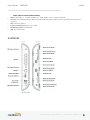
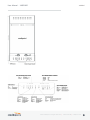
HARDWARE
©2015 Cradlepoint. All Rights Reserved. | +1.855.813.3385 | cradlepoint.com
8
User Manual / MBR1400
10/28/15
©2015 Cradlepoint. All Rights Reserved. | +1.855.813.3385 | cradlepoint.com
9
User Manual / MBR1400
10/28/15
SUPPORT AND WARRANTY
CradleCare Support available with technical support, software upgrades, and advanced hardware exchange – 1-, 3-, and
5-year options.
One-year limited hardware warranty available in the US and Canada; two-year limited hardware warranty for
integrated EU products when purchased from an authorized EU distributor – extend warranty to 2, 3, or 5 years.
©2015 Cradlepoint. All Rights Reserved. | +1.855.813.3385 | cradlepoint.com
10
User Manual / MBR1400
QUICK START
BASIC SETUP
1. Insert an activated SIM
Your router requires an Internet source. Attach a Cradlepoint business-grade modem, insert one or more
supported USB or ExpressCard modem(s), connect a cable or DSL modem to the blue Ethernet WAN port, or
connect to an available WiFi source. For failover/failback functionality, you will need at least two of these
sources (for example: one Ethernet source and one USB modem). Once you have an activated SIM, insert it into
the integrated modem
2. Attach included WiFi antennas
Attach the three included WiFi antennas to the connectors for maximum WiFi broadcast. To attach, hold the
antenna straight and twist the base of the antenna to connect, folding the joint if needed. Please note that 2.4
GHz antennas are provided. 5 GHz antennas are available as an accessory.
3. Attach included modem antennas.
Antennas are finger-tighten only. Attach to connectors marked MAIN and AUX.
4. Connect to a power source.
Connect the 12v DC power adapter to the router and a power source. Flip the power switch to the ON position; this
illuminates the green power status LED.
5. Connect to a computer or other network equipment.
Connect via Ethernet to LAN 1 for local management. Connect LAN 2 (Default IP Passthrough 0/24) to networking
equipment to Passthrough 3G/4G Internet to Ethernet.
ACCESSING THE ADMINISTRATION PAGES
Once you are connected, open the Cradlepoint MBR1400’s GUI-based administration pages to make configuration
changes to your router.
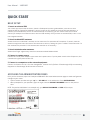
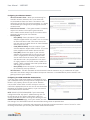
1. Open a browser window and type “cp/” or “192.168.0.1” in the address bar. Press ENTER/RETURN.
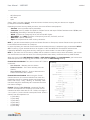
2. When prompted for your password, type the eight character DEFAULT PASSWORD found on the product
label.
NOTE: The product label below is an example only: your DEFAULT PASSWORD and SSID will be unique.
©2015 Cradlepoint. All Rights Reserved. | +1.855.813.3385 | cradlepoint.com
11
User Manual / MBR1400
It’s possible – and more efficient – to do all your configuration changes through Cradlepoint Enterprise Cloud
Manager (ECM) without logging into the local administration pages. Set up a group of routers and set the
configuration for all of them at once. See below for more information about ECM.
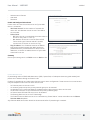
FIRST TIME SETUP WIZARD
When you log in for the first time, you will be automatically directed to the FIRST TIME SETUP WIZARD, which
will walk you through the steps to customize your Cradlepoint MBR1400. You have the ability to configure any of
the following:
•
•
•
•
•
•
•
Administrator Password
Time Zone
WiFi Network Name
Security Mode
Access Point Name (APN) for SIM-based modems
Modem Authentication
Failure Check
If you are currently using the router’s WiFi network, you will need to reconnect your devices to the network
using the newly established wireless network name and password.
NOTE: To return to the First Time Setup Wizard after your initial login, select SYSTEM from the navigation bar,
expand Setup Wizard, and select First Time Setup.
USING ENTERPRISE CLOUD MANAGER
Rapidly deploy and dynamically manage networks at geographically distributed stores and branch locations with
Enterprise Cloud Manager, Cradlepoint’s next generation management and application platform. Enterprise Cloud
Manager (ECM) integrates cloud management with your Cradlepoint devices to improve productivity, increase
reliability, reduce costs, and enhance the intelligence of your network and business operations.
Click here to sign up for a free 30-day ECM trial.
Depending on your ordering process, your devices may have already been bulk-loaded into ECM. If so, simply
log in at cradlepointecm.com using your ECM credentials and begin managing your devices seamlessly from the
cloud.
If your device has not yet been loaded into your ECM account, you need to register. Log into the device
administration pages and select Enterprise Cloud Manager from the SYSTEM menu. Enter your ECM username
and password, and click on “Register”.
Once you have registered your device, go to cradlepointecm.com and log in using your ECM credentials.
For more information about how to use Cradlepoint Enterprise Cloud Manager, see the following:
•
•
Getting Started
ECM on the Knowledge Base
©2015 Cradlepoint. All Rights Reserved. | +1.855.813.3385 | cradlepoint.com
12
User Manual / MBR1400
ADMINISTRATION PAGES
Quick Links
Dashboard
Connection Manager
Status
Networking
Security
System
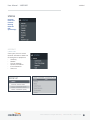
QUICK LINKS
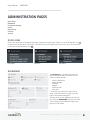
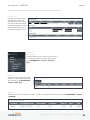
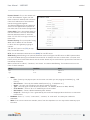
Quick Links allows you to bookmark your most commonly-used settings. Simply click on the bookmark icon ( )
to add an item to your Quick Links menu. To remove an item from your Quick Links menu, select the item and
click on the remove bookmark icon ( ).
Quick Links Menu
Add Quick Link
Delete Quick Link
DASHBOARD
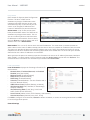
The Dashboard is a centralized location for
basic information about the status of your
router. The areas include:
•
•
•
•
•
•
Device Information
Ethernet WAN*
Modems*
WWAN*
Ethernet LAN*
WiFi LAN*
*-To quickly edit settings for any of these
areas, click on the pencil icon ( ) in the topright of the desired dialog box.
You may return to the Dashboard at any time
by clicking on DASHBOARD from the left menu
or by clicking on the Cradlepoint logo at the
top-left of the screen.
©2015 Cradlepoint. All Rights Reserved. | +1.855.813.3385 | cradlepoint.com
13
User Manual / MBR1400
CONNECTION MANAGER
The router can establish an uplink via Ethernet, WiFi as WAN, or 3G/4G modems (removable or external USB). If the
primary WAN connection fails, the router will automatically attempt to bring up a new link on another device: this
feature is called failover. If Load Balance is enabled, multiple WAN devices may establish a link concurrently.
WAN INTERFACE PROFILES & PRIORITY
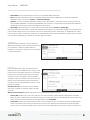
This is a list of the available interfaces used to access the Internet. You can enable, stop, or start devices from this
section. Drag the priority icon ( ) up or down to set the interface the router uses by default and the order that it
allows failover.
In the example shown, Ethernet is set as the primary Internet source, an LTE-only modem is set as secondary, while
an MC400LPE-VZ modem is attached for failover and is “connected.” A WiFi-as-WAN interface is also attached and
“Available.”
Availability Key
Enable
On Demand
Failback
Load Balance
WAN Verify
Data Usage
LOAD BALANCE
To enable Load Balancing, select the check box for each desired
device. If this is enabled, the router will use multiple WAN
interfaces to increase the data transfer throughput by using any
connected WAN interface consecutively. Selecting Load Balance
will automatically start the WAN interface and add it to the pool
of WAN interfaces to use for data transfer. Turning off Load
Balance for an active WAN interface may require the user to
restart any current browsing session.
From WAN Management, select the Load Balance Algorithm from
the following dropdown options:
©2015 Cradlepoint. All Rights Reserved. | +1.855.813.3385 | cradlepoint.com
14
User Manual / MBR1400
•
•
•
•
Round-Robin: Evenly distribute each session to the available WAN connections.
Rate: Distribute load based on the current upload and download rates. A WAN device’s upload and download
bandwidth values can be set in Internet > Connection Manager.
Spillover: This was the default algorithm in older (version 3) firmware. Load is always given to devices with the
most available bandwidth. The estimated bandwidth rate is based on a combination of the upload and download
configuration values and the observed capabilities of the device.
Data Usage: This mode works in concert with the Data Usage feature (Internet > Data Usage).
The router will make a best effort to keep data usage between interfaces at a similar percentage of the assigned data
cap in the data usage rule for each interface, rather than distributing sessions based solely on bandwidth. For proper
functioning you need to create data usage rules for each WAN device you will be load balancing. Make certain to select
the “Use with Load Balancing” checkbox in the data usage rule editor.
ON DEMAND
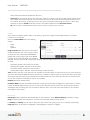
Typically, modem connections are not always on.
When the On Demand mode is selected a connection
to the Internet is made as needed. When On
Demand is not selected a connection to the Internet
is always maintained.
WAN VERIFY
If this is enabled, the router will check that the
highest priority active WAN interface can get to the
Internet even if the WAN connection is not actively
being used. If the interface goes down, the router
will switch to the next highest priority interface
available. If this is not selected, the router will still
failover to the next highest priority interface but
only after the user has attempted to get out to the
Internet and failed.
Idle Check Interval: The amount of time between
each check. (Default: 30 seconds. Range: 10-3600
seconds.)
Monitor while connected: (Default: Off) Select from the following dropdown options:
•
Passive DNS (modem only): The router will take no action until data is detected that is destined for the WAN.
When this data is detected, the data will be sent and the router will check for received data for two seconds. If no
data is received the router behaves as described below under Active DNS.
•
Active DNS (modem only): A DNS request will be sent to the DNS servers. If no data is received, the DNS request
will be retried four times at five-second intervals. (The first two requests will be directed at the Primary DNS
server and the second two requests will be directed at the Secondary DNS server.) If still no data is received, the
©2015 Cradlepoint. All Rights Reserved. | +1.855.813.3385 | cradlepoint.com
15
User Manual / MBR1400
device will be disconnected and failover will occur.
•
Active Ping: A ping request will be sent to the Ping Target. If no data is received, the ping request will be retried
four times at five-second intervals. If still no data is received, the device will be disconnected and failover will
occur. When “Active Ping” is selected, the next line gives an estimate of data usage in this form: “Active Ping
could use as much as 9.3 MB of data per month.” This amount depends on the Idle Check Interval.
•
Off: Once the link is established the router takes no action to verify that it is still up.
FAILBACK
This is used to configure failback, which is the ability to go back to a higher priority WAN interface if it regains
connection to its network.
Select the Failback Mode from the following
options:
•
•
•
Usage
Time
Disabled
Usage Threshold: Fail back based on the amount
of data passed over time. This is a good setting
for when you have a dual-mode EVDO/WiMAX
modem and you are going in and out of WiMAX
coverage. If the router has failed over to EVDO it
will wait until you have low data usage before bringing down the EVDO connection to check if a WiMAX connection can
be made.
•
•
•
•
High (Rate: 80 KB/s. Time Period: 30 seconds.)
Normal (Rate: 20 KB/s. Time Period: 90 seconds.)
Low (Rate: 10 KB/s. Time Period: 240 seconds.)
Custom (Rate range: 1-100 KB/s. Time Period range: 10-300 seconds.)
Time: Fail back only after a set period of time. (Default: 90 seconds. Range: 10-300 seconds.) This is a good setting if
you have a primary wired WAN connection and only use a modem for failover when your wired connection goes down.
This ensures that the higher priority interface has remained online for a set period of time before it becomes active
(in case the connection is dropping in and out, for example).
Disabled: Deactivate failback mode.
Immediate Mode: Fail back immediately whenever a higher priority interface is plugged in or when there is a priority
change. Immediate failback returns you to the use of your preferred Internet source more quickly which may have
advantages such as reducing the cost of a failover data plan, but it may cause more interruptions in your network
than Usage or Time modes.
DATA USAGE
Data Usage displays upload and download traffic for each LAN client. Check Monitor Monthly (or Weekly or Daily)
Usage to begin tracking this information. This data is not retained between router reboots.
For Monthly and Weekly you are able to specify the day to start each cycle (e.g. the 1st or Tuesday, respectively).
Usage Cap: Enter a Cap amount in Megabytes. 1024 Megabyte is equal to 1 Gigabyte.
©2015 Cradlepoint. All Rights Reserved. | +1.855.813.3385 | cradlepoint.com
16
User Manual / MBR1400
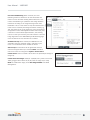
Use with Load Balancing: When checked, the Load
Balancing feature is allowed to use the thresholds and
metrics of this rule when making balance decisions. This
causes Load Balancing to spread the data usage between
interfaces according to the assigned usage rather than
bandwidth. This is a best effort to keep all interfaces with
these rules at a similar percentage utilization of data (e.g.
10%, 50%, 90%) as the cycle progresses, rather than quickly
using 100% of a fast 1GB capped interface while using only
a fraction of a slow 10GB capped interface, thus leaving
the rest of the cycle with only the slow interface. The Data
Usage algorithm on the WAN Affinity/Load Balancing page
must be selected or this checkbox has no effect.
Shutdown on Cap: When checked, the WAN device will
shutdown when the assigned usage is reached. A cycle
reset or a rule deletion will re-enable the device.
Alert on Cap: An email alert will be generated and sent
when the assigned data cap is reached. NOTE: The SMTP
mail server must be configured in System > Device Alerts.
Custom Alerts: Check to enable custom alerts at specified percentage of
usage cap.
Custom Alert Percentages: Example: “50,80,90,110” (values can exceed
100%) (Triggers alerts when 50, 80, 90, 110% of usage cap is used)
NOTE: To enable data usage, check Data Usage Enabled from WAN
Management.
©2015 Cradlepoint. All Rights Reserved. | +1.855.813.3385 | cradlepoint.com
17
User Manual / MBR1400
10/28/15
STATUS
Internet
Client List
Firewall
Routing
Ethernet
GPS
System Logs
INTERNET
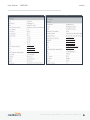
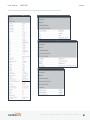
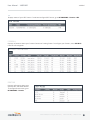
CONNECTIONS
Select your device to reveal
detailed information about the
following device properties:
•
•
•
•
•
•
Summary
Modem
Cellular Network
General Information
IPv4 Information
Statistics
©2015 Cradlepoint. All Rights Reserved. | +1.855.813.3385 | cradlepoint.com
18
User Manual / MBR1400
10/28/15
©2015 Cradlepoint. All Rights Reserved. | +1.855.813.3385 | cradlepoint.com
19
User Manual / MBR1400
10/28/15
©2015 Cradlepoint. All Rights Reserved. | +1.855.813.3385 | cradlepoint.com
20
User Manual / MBR1400
10/28/15
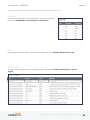
CLIENT DATA USAGE
Displays the following client information:
•
•
•
•
•
•
Name
IP Address
MAC Address
Data Uploaded
Data Downloaded
Last Traffic
To reset information, click Reset Statistics.
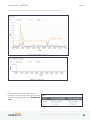
STATISTICS
Statistics can be gathered at variable Sample Rate and Sample Size for the following areas:
•
•
•
Wireless Device
Data Usage
Failover/Failback/Load Balance
©2015 Cradlepoint. All Rights Reserved. | +1.855.813.3385 | cradlepoint.com
21
User Manual / MBR1400
10/28/15
QOS
Displays packets and bytes transmitted and
received by your Quality of Service (QoS) queues.
To enable and configure QoS, go to NETWORKING
> QoS.
©2015 Cradlepoint. All Rights Reserved. | +1.855.813.3385 | cradlepoint.com
22
User Manual / MBR1400
10/28/15
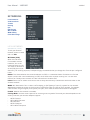
CLIENT LIST
Displays information about
your Wireless, Wired, and
Hotspot Clients, and allows
you to Kick Wireless Clients,
block MAC addresses of both
Wireless and Wired Clients,
and Revoke Hotspot Clients.
TUNNELS
CP SECURE VPN
Displays status of your CP Secure VPN Tunnels.
To add and configure CP Secure VPN Tunnels,
go to NETWORKING > Tunnels > CP Secure
VPN.
IPSEC VPN
Displays status of your IPSec VPN
Tunnels. To add and configure IPSec
VPN Tunnels, go to NETWORKING >
Tunnels > IPSec VPN.
OPEN VPN
Displays status of your OpenVPN Tunnels. To add and configure OpenVPN Tunnels, go to NETWORKING > Tunnels
> OpenVPN.
©2015 Cradlepoint. All Rights Reserved. | +1.855.813.3385 | cradlepoint.com
23
User Manual / MBR1400
10/28/15
GRE
Displays status of your GRE Tunnels. To add and configure GRE Tunnels, go to NETWORKING > Tunnels > GRE.
FIREWALL
Displays information about your Firewall Connection Tracking States. To configure your firewall, select SECURITY
from the left navigation.
ROUTING
Displays information about your
System, GRE, and NEMO Routes.
To configure these routes, go to
NETWORKING > Tunnels.
©2015 Cradlepoint. All Rights Reserved. | +1.855.813.3385 | cradlepoint.com
24
User Manual / MBR1400
10/28/15
ETHERNET
Displays information about your Ethernet ports. To configure Ethernet
ports, go to NETWORKING > Local Networks > Ethernet Ports.
GPS
Displays GPS location and status. To enable and configure GPS, go to SYSTEM > Administration > GPS.
SYSTEM LOGS
Displays System Log information. To configure System Logging, go to SYSTEM > Administration > System
Logging.
©2015 Cradlepoint. All Rights Reserved. | +1.855.813.3385 | cradlepoint.com
25
User Manual / MBR1400
10/28/15
NETWORKING
Local Networks
VLAN Interfaces
Tunnels
Routing
QoS
DNS Servers
WiFi as WAN
WAN Affinity
Client Data Usage
LOCAL NETWORKS
WIFI RADIO #1 (2.4GHZ)
To edit your wireless
network, select its name
and click Edit.
WiFi Name (SSID):
When users browse
for available wireless
networks, this is the
name that they will see.
This name is referred to
as the SSID (service set
identifier). For security purposes, Cradlepoint highly recommends that you change this from the pre-configured
name.
Hidden: This shows whether the router broadcasts its SSID. It is somewhat harder for hackers to find and
attack a router that is not broadcasting its SSID, which adds to the wireless security, but it is also more
difficult for friendly users to attach to a WiFi network with a hidden SSID.
Isolate: Select this to isolate all wireless clients so they cannot directly communicate with each other on the
wireless network.
WMM: WiFi Multimedia. This is a basic traffic shaping, or QoS (quality of service), system for the network.
WMM works behind the scenes to set priorities for different types of traffic on your network. For example,
video streams are given higher priority than print jobs, since video streams need consistent throughput.
Enabled: Whether the network is available.
Security Mode: You have several options for selecting a security mode. The mode you choose depends on the
security features your wireless adapters support.
•
•
•
•
•
WPA2 Personal
WPA / WPA2 Personal
WPA Personal
WPA2 Enterprise
WPA / WPA2 Enterprise
©2015 Cradlepoint. All Rights Reserved. | +1.855.813.3385 | cradlepoint.com
26
User Manual / MBR1400
•
•
•
10/28/15
WPA Enterprise
WEP Auto
Open
Select “Open” to create a hotspot: otherwise select the best security that your devices will support
(Cradlepoint recommends WPA2).
Depending on which Security Mode you select, there are different setup options.
•
•
•
•
•
•
“Personal” security modes require passwords.
“Enterprise” security modes are linked to a RADIUS server and require RADIUS authentication: IP, Port, and
Shared Key (Secondary IP and NAS ID optional).
“WPA2” (Personal or Enterprise) forces AES as the WPA Cipher.
“WPA/WPA2” and “WPA” (Personal or Enterprise) allow AES, TKIP/AES, and TKIP.
“WEP Auto” requires a WEP Key.
“Open” has no password or other security measures.
NOTE: If you don’t know whether you should choose Personal or Enterprise, assume Personal since you need to
know RADIUS authentication for Enterprise.
In order to protect your network from hackers and unauthorized users, Cradlepoint highly recommends WPA2/
AES for security if your attached devices can support it. WEP and WPA/TKIP are obsolete and have been
replaced by WPA/AES. Using those security settings will cause the WiFi to limit to 802.11g modes.
NOTE: If you select one of the security modes and are unable to connect to the router afterwards, you can use
the reset buttons to reset the router to its factory default state and try a different security mode instead.
When you select either WiFi Radio #1 (2.4GHz) or WiFi Radio #2 (5GHz) from Local Networks, you have several
additional options for configuring your wireless LANs under the WiFi Settings heading.
Channel Selection Method: This controls how a WiFi channel
is selected.
•
•
•
User Selection – Manually set the channel
Random Selection – The router randomly sets the
channel
Smart Selection (Default) – Scans to determine the
lowest interference WiFi channel
Channel Selection Schedule: When using the “Smart”
channel selection, this controls whether the router will
periodically rescan for a better channel and change to it.
Select from “Once,” “Daily,” “Weekly,” or “Monthly.” Note
that there may be a momentary WiFi disconnection while
the channel changes.
Channel: (Shows if User Selection is selected.) The WiFi
channel* corresponds to a frequency the router uses to
communicate with other devices. For 2.4 GHz, the range is
1 to 11, and 1, 6, and 11 do not overlap each other. Select a
channel from the dropdown list:
•
•
•
•
•
•
1 (2412 MHz)
2 (2417 MHz)
3 (2422 MHz)
4 (2427 MHz)
5 (2432 MHz)
6 (2437 MHz)
©2015 Cradlepoint. All Rights Reserved. | +1.855.813.3385 | cradlepoint.com
27
User Manual / MBR1400
•
•
•
•
•
10/28/15
7 (2442 MHz)
8 (2447 MHz)
9 (2452 MHz)
10 (2457 MHz)
11 (2462 MHz)
For 5.0 GHz, the ranges are 36 to 64 and 149 to 165.
•
•
•
•
•
•
•
•
•
36 (5180 MHz)
40 (5200 MHz)
44 (5220 MHz)
48 (5240 MHz)
149 (5745 MHz)
153 (5765 MHz)
157 (5785 MHz)
161 (5805 MHz)
165 (5825 MHz)
* - Channels listed above represent US/FCC settings. EU users will see different settings.
Client Timeout: If the access point is not able to communicate with the client it will disconnect it after this
timeout (in seconds).
TX Power: Normally the wireless transmitter operates at 100% power. In some circumstances, however, there
might be a need to isolate specific frequencies to a smaller area. By reducing the power of the radio, you can
prevent transmissions from reaching beyond your corporate/home office or designated wireless area.
RTS Threshold: When an excessive number of wireless packet collisions are occurring, wireless performance
can be improved by using the RTS/CTS (Request to Send/Clear to Send) handshake protocol. The wireless
transmitter will begin to send RTS frames (and wait for CTS) when data frame size in bytes is greater than the
RTS Threshold. This setting should remain at its default value.
Fragmentation Threshold: Wireless frames can be divided into smaller units (fragments) to improve
performance in the presence of RF interference and at the limits of RF coverage. Fragmentation will occur
when frame size in bytes is greater than the Fragmentation Threshold. This setting should remain at its default
value. Setting the Fragmentation value too low may result in poor performance.
DTIM: A DTIM is a countdown informing clients of the next window for listening to broadcast and multicast
messages. When the wireless router has buffered broadcast or multicast messages for associated clients, it
sends the next DTIM with a DTIM Interval value. Wireless clients detect the beacons and awaken to receive the
broadcast and multicast messages. The default value is 1. Valid settings are between 1 and 255.
Beacon: Beacons are packets sent by a wireless router to synchronize wireless devices. Specify a Beacon
Period value between 20 and 1000 milliseconds.
Short Slot: Slot Time is the period wireless clients use in determining if the channel is free for transmission.
Enabling this value allows clients that can utilize a shorter time to do so. Disabling this option forces all
clients to use a longer backoff check and thus may reduce network throughput while reducing the number of
transmission collisions.
Wireless Mode: Select the WiFi clients with which the router will be compatible. Greater compatibility is a
tradeoff with better performance. For greatest compatibility with all WiFi devices, select 802.11 a/b/g/n or
802.11 a/b/g/n/ac.
2.4 GHz options
5 GHz options
©2015 Cradlepoint. All Rights Reserved. | +1.855.813.3385 | cradlepoint.com
28
User Manual / MBR1400
•
•
•
•
•
802.11 b
802.11 b/g
802.11 a/b/g/n
802.11 b/g/n
802.11 n
10/28/15
•
•
•
•
•
•
•
802.11 a/b/g/n/ac
802.11 g/n/ac
802.11 n/ac
802.11 ac
802.11 n
802.11 g
802.11 b
Protection: In Auto mode the device will use protection to improve performance in mixed mode networks. Turn
protection off to maximize throughput with 802.11n clients.
Airtime Fairness: Airtime Fairness will attempt to balance air time between faster and slower wireless clients
to more fairly distribute bandwidth.
Channel Width: Selects whether the router uses a single 20 MHz channel to send/receive, or uses two adjacent
20 MHz channels to create a 40 MHz channel. Higher performance is possible with the 40 MHz channel.
Selecting Auto is generally best. Enabling WiFi as WAN will force 20 MHz only mode.
Extended Channel: When operating in 40 MHz mode the access point will use an extended channel either below
or above the current channel. Optimal selection will depend on the channels of other networks in the area.
MCS: 802.11n uses multiple Modulation Coding Schemes to enable higher throughput in various environments.
Since clients can dynamically change rates depending on environment, selecting Auto is generally best.
Short GI: Short GI is an optimization for shortening the interval between transmissions. May be incompatible
with older clients.
RADIUS Timeout: (Default: 3600 seconds) When using an Enterprise security mode clients will be forced to reauthenticate with the RADIUS server at this interval in seconds. This allows administrators to revoke access so
when an attached client’s authentication expires, the client must re-authenticate.
RADIUS Retry: (Default: 60 seconds) When using an Enterprise security mode, if a RADIUS query fails to
receive a response from the server it will delay by this interval (in seconds) before attempting another query.
This helps protect the network from floods of authentication requests if the RADIUS server is temporarily
unreachable.
ETHERNET PORTS
Ethernet Port Configuration provides controls for your router’s Ethernet ports. There are five total ports:
by default, one WAN port and four numbered LAN ports. While default settings will be sufficient in most
circumstances, you have the ability to control: Mode (WAN or LAN) and Link Speed. Additional controls for WAN
ports are available in CONNECTION MANAGER.
Mode: WAN or LAN. By default there are four LAN (Local Area Network) ports and one WAN (Wide Area
Network) port.
•
•
Internet (WAN) is used as a possible source of Internet for the router
Local Network (LAN) is for connecting a computer or similar device directly to the router with an Ethernet
cable.
Link Speed: Default setting is Auto. The Auto setting is preferred in most cases.
•
•
•
•
•
•
Auto
10Mbps - Half Duplex
10Mbps - Full Duplex
100Mbps - Half Duplex
100Mbps - Full Duplex
1000Mbps - Full Duplex
©2015 Cradlepoint. All Rights Reserved. | +1.855.813.3385 | cradlepoint.com
29
User Manual / MBR1400
10/28/15
DHCP SERVER
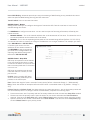
DHCP stands for Dynamic Host Configuration
Protocol. The built-in DHCP server
automatically assigns IP addresses to the
computers and other devices on each local
area network (LAN). In this section you can
view a list of assigned IP addresses and
reserve IP addresses for particular devices.
Active Leases: A list of devices that have
been provided DHCP leases. The DHCP server
automatically assigns these leases. This list
will not include any devices that have static
IP addresses on the network. Select a device
and click Reserve to add the device and its IP
address to the list of Reservations.
Reservations: This is a list of devices with reserved IP addresses. This reservation is almost the same as
when a device has a static IP address except that the device must still request an IP address from the router.
The router will provide the device the same IP address every time. DHCP reservations are helpful for server
computers on the local network that are hosting applications such as Web and FTP. Servers on your network
should either use a static IP address or a reservation.
While you have the option to manually input the information to reserve an IP address (Hostname, Hardware
Addr, IP Addr), it is much simpler to select a device under the Active Leases section and click “Reserve.” The
selected device’s information will automatically be added under Reservations.
LOCAL IP NETWORKS
Local IP Networks displays the following information for
each network:
•
•
•
•
•
•
•
•
•
•
Network Name, IP address/Netmask, and Enabled/
Disabled (along the top bar)
Multicast Proxy (Enabled/Disabled)
DHCP Server (Enabled/Disabled)
DHCP Relay (Enabled/Disabled)
Schedule (Enabled/Disabled – See the Schedule tab in
the Local Network Editor)
VRRP Failover State (Disabled, Backup, or Master)
IPv4 Routing Mode (NAT, Standard, IP Passthrough,
Hotspot, Disabled)
IPv6 Addressing Mode (SLAAC Only, SLAAC with
DHCP, Disable SLAAC and DHCP)
Access Control (Admin Access, UPnP Gateway, LAN Isolation)
Attached Interfaces (Ethernet ports, WiFi, VLAN)
Click Add to configure a new network, Remove to delete a network, or select an existing network and click Edit
to view configuration options.
General Settings
©2015 Cradlepoint. All Rights Reserved. | +1.855.813.3385 | cradlepoint.com
30
User Manual / MBR1400
10/28/15
Enabled: The network can be manually disabled or in
some specific situations may be automatically disabled
to work with certain types of modems.
Name: The “name” property primarily helps to identify
this network during other administration tasks.
Hostname: The hostname is the DNS name associated
with the router’s local area network IP address.
IPv4 Settings
IP Address: This is the address used by the router for
local area network communication. Changes to this
parameter may require a restart to computers on this
network.
Netmask: The netmask controls how many IP addresses
can be used in this network. The default value is usually
acceptable for most situations.
IPv4 Routing Mode: Each network can use a unique routing mode to connect to the Internet. The default of
NAT is desirable in most configurations.
• NAT: Network Address Translation hides private IP addresses behind the router’s IP address.
• Standard: Without NAT exposes the subnet addresses which requires them to be externally routable.
• IP Passthrough: IP Passthrough passes the IP address given by the modem WAN through the router.
Hotspot, VPN, and GRE must be disabled. Any Wireless interfaces must be removed from this network in
order to enable IP Passthrough.
• Hotspot: Provide Hotspot Services on this Network, requiring Terms of Service or RADIUS/UAM
authentication before WAN access will occur on both Wireless and Wired LAN connections.
IPv6 Settings
IPv6 Address Source: The Address source has three settings. The default of Delegated is desirable in most
configurations.
•
•
•
Delegated: The address is provided by a router connected to this router’s WAN.
Static: The address is provided by the router admin.
None: No use of an IPv6 WAN address, IPv6 is disabled on the WAN.
IPv6 Address: An IPv6 Address is a unique numerical label for a computer or device using the Internet Protocol
(IP). IPv6 addresses are typically in the format composed of 8 sets of 4 hexadecimal numbers. Leading zeros
can be ignored and the longest set of continuous zeros can be replaced with ::. For example, the IPv6 address
of 0001:0000:0234:5678:0000:0000:9abc:0def can be expressed as 1:0:234:5678::9abc:def.
Interfaces
Select the network interfaces which will
be attached to this network by either
dragging desired interface or clicking left
or right arrows to move them between
Available Interfaces and Selected
Interfaces.
Access Control
UPnP Gateway: Select the UPnP (Universal
Plug and Play) option if you want to
enable the UPnP Gateway service for computers on this network.
©2015 Cradlepoint. All Rights Reserved. | +1.855.813.3385 | cradlepoint.com
31
User Manual / MBR1400
10/28/15
Admin Access: When enabled users may access
these admin pages from this network.
IPv4 DHCP
DHCP Server
• Enable DHCP Server: When the DHCP server
is enabled, users of your network will be
able to automatically connect to the Internet
without any special configuration. It is
recommended that you leave this enabled.
Advanced DHCP server configuration is
available at NETWORKING > Local Networks
> DHCP Server.
• Range Start: The starting IP address in the DHCP Server range is the beginning of the reserved pool of
IP addresses which will be given to any DHCP enabled computers on your network. The default value is
almost always sufficient.
• Range End: The ending IP address in the DHCP Server range is the end of the reserved pool of IP
addresses which will be given to any DHCP enabled computers on your network. The default value is
almost always sufficient.
• Lease Time: The lease time specifies how long DHCP enabled computers will wait before requesting a
new DHCP lease. Smaller values are better suited to busy environments.
• Custom Options: Send optional extra options to DHCP clients of this network. This can be used to, for
example, set the boot TFTP server of a network for disk-less clients.
DHCP Relay
• Enable DHCP Relay: DHCP Relay communicates with a DHCP server and acts as a proxy for DHCP
broadcast messages that must be routed to remote segments. This is accomplished by converting
broadcast DHCP messages to unicast messages to communicate between clients and servers.
Multicast Proxy
Multicast Proxy: Enables IGMP proxying to allow Multicast Streams to flow across this network.
Quick Leave Mode: Disable quick leave mode if it’s vital that the daemon should act exactly as a real multicast
client on the upstream interface. However, disabling this function increases the risk of bandwidth saturation.
Altnet: If multicast traffic originates outside the upstream subnet, add address(es) to the “altnet” to define
legal multicast sources.
IPv6 Addressing
Address Configuration Mode: SLAAC stands for Stateless address autoconfiguration. A network can be configured
to use SLAAC only, or it can be configured to also use DHCPv6 to provide ip addresses to clients.
DHCP Range Start: The DHCP Range Start is the beginning of the range that will be used for IPV6 DHCP
addresses. The IPv6 range will always start at 1.
DHCP Range End: The ending IP address in the DHCP Server range is the end of the reserved pool of IP addresses
which will be given to any DHCP enabled computers on your network.
IPv6 DHCP Lease Time: Specifies how long DHCP enabled computers will wait before requesting a new DHCP
lease.
Schedule
Enable Schedule Service: Enable the interface scheduler. A schedule allows an interface to be enabled or disabled
during specific hours of a day.
©2015 Cradlepoint. All Rights Reserved. | +1.855.813.3385 | cradlepoint.com
32
User Manual / MBR1400
10/28/15
VRRP
Enable VRRP: Enable or disable VRRP.
Virtual Router IP: IP Address of the Virtual Router.
Virtual Router ID: Identifier of the Virtual Router.
Router Priority: Failover priority of this router. The highest
priority router will take ownership of the Virtual IP.
WAN Fault Priority: This optional value sets the failover priority
of this router when no WAN connection is available. If the value
matches the normal router priority, WAN connection state
will not be considered. If the value is empty (the default), the
router will always give up the Virtual IP and let a new master
take over when no WAN connection is available.
Advertisement Interval: Sets the amount of time (in seconds)
between sending VRRP advertisements.
Initial Value Router State: This controls the initial failover state
of the VRRP instance when it first comes up.
Authentication: VRRP Authentication Method. Note that VRRP Authentication has been deprecated as of RFC
3768.
Password: VRRP Group Password.
Provide Virtual IP in DHCP leases: Select this to automatically set the DHCP default gateway address and DNS
server address to the Virtual IP in DHCP leases provided on this network.
STP
Enable STP: Enable Spanning Tree Protocol loop detection.
Bridge Priority: Set the priority of the bridge. When determining the root bridge of the spanning tree topology,
the bridge priority is compared first. The bridge with the lowest priority with will win. If you want this router to
be the root bridge, then set it to a value less than the default of 32768. A valid priority value is between 0 and
65535.
Wired 802.1X
Enable 802.1X: Require IEEE 802.1X Authorization.
Reauthentication Period: EAP reauthentication period in
seconds.
Auth Server IP Address: IP address of the connected RADIUS
server.
Auth Server MAC Address: Hardware address of the
connected RADIUS server’s interface. NOTE: If you don’t
know the MAC address for the RADIUS server, enter
00:00:00:00:00:00, and the service will try to find the MAC
address from the given IP address.
Port
Password
Acct Server IP Address: IP address of the connected RADIUS
server.
Acct Server MAC Address: This is the Hardware address
of the connected RADIUS server’s interface. NOTE: If you
don’t know the MAC address for the RADIUS server, enter
00:00:00:00:00:00, and the service will try to find the MAC
address from the given IP address.
Port
Password
©2015 Cradlepoint. All Rights Reserved. | +1.855.813.3385 | cradlepoint.com
33
User Manual / MBR1400
10/28/15
MAC FILTER & LOGGING
A MAC (Media Access Control) address is a unique identifier for a computer or other device. This page allows
you to manage clients by MAC address. You can filter clients by MAC addresses and/or keep a log of devices
connected to your router.
Filter Configuration
The MAC Filter allows you to create a list of devices that have either exclusive access (whitelist) or no access
(blacklist) to your local network.
Enabled: Click to allow MAC Filter options.
Whitelist: Select either “Whitelist” or “Blacklist” from
a dropdown menu. In “Whitelist” mode, the router
will restrict LAN access to all computers except those
contained in the “MAC Filter List” panel. In “Blacklist”
mode, listed devices are completely blocked from local
network access.
MAC Filter List (Whitelist or Blacklist)
Add devices to either your whitelist or blacklist simply
by inputting each device’s MAC address.
NOTE: Use caution when using the MAC Filter to avoid
accidentally blocking yourself from accessing the
router.
MAC Logging Configuration
Enable MAC Logging: Enabling MAC Logging will cause the router to
log MAC addresses that are connected to the router. MAC addresses
that you do not want to have logged (addresses that you expect to be
connected) should be added to the “Ignored MAC Addresses” list.
You can configure the router to send an alert if a connected device
has a MAC address that the router doesn’t recognize. Go to SYSTEM >
Device Alerts to set up these email alerts.
Ignored MAC Addresses
This is the list of MAC addresses that will not produce an alert or a log
entry when they are connected to the router. These should be MAC
addresses that you expect to be connected to the router. To add MAC
addresses to this list, simply select devices shown in the MAC Address
Log and click “Ignore.” You can also add addresses manually.
MAC Address Log
This shows the last 64 MAC addresses that have connected to the router, as well as which interface was used
to connect. The time/date that is logged is the time of the first connection. The page may need to be refreshed
to show the most recent log entries.
Double-clicking on entries from this list will add them to the Ignored MAC Addresses list.
©2015 Cradlepoint. All Rights Reserved. | +1.855.813.3385 | cradlepoint.com
34
User Manual / MBR1400
10/28/15
Remote Network: This is the remote side
of the “Glue Network.” Again, the user
must create an IP address that is distinct
from the IP addresses of the networks
that are being glued together.
The Remote Network and Local Network
values will be flipped when inputted for
the other side of the tunnel configuration.
Subnet Mask: This is the subnet mask for
the Glue Network. The Local and Remote
Network addresses must fit with this
mask. 255.255.255.0 is a logical choice for
most users.
Remote Gateway: This is the public facing,
WAN-side IP address of the network
to which the local gateway is going to
connect.
TTL: Set the Time to Live (TTL), or hop
limit, for the GRE tunnel.
MTU: Set the maximum transmission unit (MTU) for the GRE tunnel.
WAN Binding: WAN Binding is an optional parameter used to configure the GRE tunnel to ONLY operate when
the specified WAN device(s) are available and connected. An example use case is when there is a router with
both a primary and failover WAN device and the tunnel should only be used when the system has failed over to
the backup connection.
Make a selection for “When,” “Condition,” and “Value” to create a WAN Binding. The condition will be in the
form of these examples:
When
Condition
Value
Port
Is
USB Port 1
Type
Is not
WiMax
•
When:
• Port – Select by the physical port on the router into which you are plugging the modem (e.g., “USB
Port 2”).
• Manufacturer – Select by the modem manufacturer (e.g., “Cradlepoint Inc.”)
• Model – Set your rule according to the specific model of modem
• Type – Select by type of Internet source (Ethernet, LTE, Modem, Wireless as WAN, WiMAX)
• Serial Number – Select a 3G or LTE modem by the serial number
• MAC Address – Select a WiMAX modem by MAC Address
• Unique ID – Select by ID. This is generated by the router and displayed when the device is connected
to the router.
•
Condition: Select “is,” “is not,” “starts with,” “contains,” or “ends with” to create your condition’s
statement.
Value: If the correct values are available, select from the dropdown list. You may need to manually input
the value.
•
©2015 Cradlepoint. All Rights Reserved. | +1.855.813.3385 | cradlepoint.com
35
User Manual / MBR1400
10/28/15
Invert WAN Binding: Advanced option that inverts the meaning of WAN Binding to only establish this tunnel
when the specified WAN Binding device(s) are NOT connected.
Tunnel Enabled: Select to activate the tunnel.
Add/Edit Tunnel – Routes
Adding routes allows you to configure what types of network traffic from the local host or hosts will be
allowed through the tunnel.
Click Add Route to configure a new route. You will need to input the following information, defined by the
remote network:
•
•
Network Address – This is the network address that is the destination of the route. This should be set to
the network address at the remote side of the tunnel.
Netmask – This is the corresponding subnet mask of the network being defined (Default: 255.255.255.0).
You can set the tunnel to connect to a range of IP addresses or to a single IP address. For example, you could
input 192.168.0.0 and 255.255.255.0
to connect your tunnel to all the
addresses of the remote network in
the 192.168.0.x range. Alternatively,
you could select a single address by
inputting that address along with a
Netmask of 255.255.255.255.
Add/Edit Tunnel – Keep Alive
GRE keep-alive packets can be enabled
to be sent through the tunnel in order
to monitor the status of the tunnel and
more accurately determine if the tunnel
is alive or not.
GRE keep-alive packets may be sent
from both sides of a tunnel, or from
just one side.
Enabled: Select to enable GRE Keep
Alive to continually send keep-alive
packets to the remote peer.
Rate: Choose the length of time in seconds for each check (Default: 10 seconds. Range: 2 – 3600 seconds).
Retry: Select the number of attempts before the GRE tunnel is considered down or up (Default: 3. Range: 1 –
255).
Failover Tunnel and Failback Tunnel: Use these settings to create two tunnels – one as the primary tunnel and
one as the backup tunnel. To configure tunnel failover/failback, complete the following steps:
1. Create two tunnels: one for primary and one for backup. Make sure both tunnels have Keep Alive enabled.
2. Choose one to be the primary tunnel. Open the editor for this tunnel and make sure Tunnel Enabled is
selected. Then go to the Keep Alive page. Under Failover Tunnel select the other tunnel you have created.
3. Open the editor for the failover tunnel. Make sure Tunnel Enabled is not selected. On the Keep Alive page,
set the Failback Tunnel to your primary tunnel.
©2015 Cradlepoint. All Rights Reserved. | +1.855.813.3385 | cradlepoint.com
36
User Manual / MBR1400
10/28/15
VLAN INTERFACES
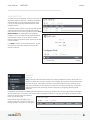
A virtual local area network, or VLAN, functions as
any other physical LAN, but it enables computers
and other devices to be grouped together even
if they are not physically attached to the same
network switch.
To enable a VLAN, select a VID (virtual LAN ID) and
a group of Ethernet ports through which users
can access the VLAN. Then go back up to the Local
Network Editor to attach your new VLAN to a
network. To use a VLAN, the VID must be shared
with another router or similar device so that
multiple physical networks have access to the one
virtual network.
Click Add to create a new VLAN interface. To edit
an interface, select the check box next to the
desired interface.
TUNNELS
IPSEC VPN
VPN (virtual private network) tunnels are used to establish a secure connection to a
remote network over a public network. For example, VPN tunnels can be used across
the Internet by an individual to connect to an office network while traveling, or by
two office networks to function as one network. The two networks set up a secure
connection across the (normally) unsecure Internet by assigning VPN encryption
protocols.
Cradlepoint VPN tunnels use IPsec (Internet Protocol security) to authenticate and encrypt packets exchanged
across the tunnels. To set up a VPN tunnel with a Cradlepoint router on one end, there must be another device
(usually a router) that also supports
IPsec on the other end.
IKE (Internet Key Exchange) is the
security protocol in IPsec. IKE has two
phases, phase 1 and phase 2. The router
©2015 Cradlepoint. All Rights Reserved. | +1.855.813.3385 | cradlepoint.com
37
User Manual / MBR1400
10/28/15
has several different security protocol options for each phase, but the default selections will be sufficient for
most users.
The VPN tunnel status page allows you to view the state of the VPN tunnels. If a tunnel fails to connect to the
remote site, check the System Logs for more information. You may double click on a cell to directly edit that
information.
Click Add to configure a new VPN tunnel; click Edit to make changes to an existing tunnel.
Add/Edit Tunnel – General
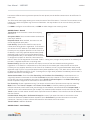
Tunnel Name: Give the tunnel a name that uniquely
identifies it.
Anonymous Mode: Select to allow remote connections
from any IP address.
Responder Mode: When enabled, the router will not
initiate negotiation with peers.
Local Identity: Specifies the identifier sent to the
remote host during phase 1 negotiation. If left blank it
will default to the IP address of the WAN connection.
Currently we only support identifiers in the form of an
IP address, a user-fully qualified domain name (user@
mydomain.com) or just a fully qualified domain name
(www.mydomain.com). If the remote side of the tunnel
is configured to expect an identifier, then both must
match in order for the negotiation to succeed. If NAT-T is being used, a single word (instead of an address) can
be used if a DynDNS connection is not being used.
Remote Identity: Specifies the identifier we expect to receive from the remote host during phase 1
negotiation. If no identifier is defined then no verification of the remote peer’s identification will be done.
Currently we only support identifiers in the form of an IP address, a user-fully qualified domain name (user@
mydomain.com) or just a fully qualified domain name (www.mydomain.com). If left blank we will default to the
IP address of the WAN connection. If NAT-T is being used, a single word (instead of an address) can be used if a
DynDNS connection is not being used.
Authentication Mode: Select from Pre-Shared Key and Certificate. Pre-Shared Key is used when there is a
single key common to both ends of the VPN. Certificate requires the creation of a set of certificates and a
private key that can be uploaded to the router. Select Enable Certificate Support in the Global VPN Settings
section to upload a single set of certificates for the router to use.
Pre-Shared Key: Create a password or key. The routers on both sides of the tunnel must use this same key.
Mode: Select from Tunnel, Transport or VTI-Tunnel. Tunnel Mode is used for protecting traffic between
different networks, when traffic must pass through an intermediate, untrusted network. Transport Mode is
used for end-to-end communications (for example, for communications between a client and a server). VTI
Tunnel creates a virtual tunnel interface with a specified virtual IP address. This interface can then be added to
the zone firewall.
Initiation Mode: Always On or On Demand. Always On is used if you want the tunnel to initiate the tunnel
connection whenever the WAN becomes available. Select On Demand if you want the tunnel to initiate a
connection if and only if there is data traffic bound for the remote side of the tunnel.
Tunnel Enabled: Enabled or Disabled.
Add/Edit Tunnel – Local Gateway
©2015 Cradlepoint. All Rights Reserved. | +1.855.813.3385 | cradlepoint.com
38
User Manual / MBR1400
10/28/15
IP Version: Select IPv4 or IPv6.
WAN Binding: WAN Binding is an optional parameter used to configure the VPN tunnel to ONLY operate when
the specified WAN device(s) are available and connected. An example use case is when there is a router with
both a primary and failover WAN device and the tunnel should only be used when the system has failed over to
the backup connection.
Make a selection for “When,” “Condition,” and “Value” to create a WAN Binding. The condition will be in the
form of these examples:
When
Condition
Value
Port
Is
USB Port 1
Type
Is not
WiMax
•
When:
•
•
•
•
•
•
•
•
•
Port – Select by the physical port on the
router that you are plugging the modem into
(e.g., “USB Port 2”).
Manufacturer – Select by the modem
manufacturer (e.g., “Cradlepoint Inc.”).
Model – Set your rule according to the
specific model of modem.
Type – Select by type of Internet source
(Ethernet, LTE, Modem, Wireless as WAN,
WiMAX).
Serial Number – Select a 3G or LTE modem by
the serial number.
MAC Address – Select a WiMAX modem by
MAC Address.
Unique ID – Select by ID. This is generated by
the router and displayed when the device is connected to the router.
Condition: Select “is,” “is not,” “starts with,” “contains,” or “ends with” to create your condition’s
statement.
Value: If the correct values are available, select from the dropdown list. You may need to manually input
the value.
Invert Binding: Advanced option that inverts the meaning of WAN Binding to only establish this tunnel when
the specified WAN Binding device(s) are NOT connected.
Add/Edit Tunnel – Local Networks
IP Version: Select IPv4 or IPv6.
The Network Address and the Netmask define what local devices have access to or can be accessed from the
VPN tunnel.
NOTE: the local network IP address MUST be different from the remote network IP address.
Optionally: A Port can be defined that will limit the traffic going through the VPN tunnel to only that port. If
the field is left blank, any port will be accepted by the tunnel.
Add/Edit Tunnel – Remote Gateway
Gateway: This value can be any of the following: an IPv4 address, an IPv6 address, or a fully qualified name in
©2015 Cradlepoint. All Rights Reserved. | +1.855.813.3385 | cradlepoint.com
39
User Manual / MBR1400
10/28/15
the form of “host.domain.com” (DNS names are caseinsensitive, so only lower case letters are allowed).
It is recommended that you use a dynamic DNS
hostname instead of the static IP address – by using
the dynamic DNS hostname, updates of the remote
WAN IP are compensated for while connecting to a
VPN tunnel.
Add/Edit Tunnel – Remote Networks
The Network Address and the Netmask define the
remote network address range that local devices will
have access to via the VPN tunnel.
NOTE: the remote network IP address MUST be
different from the local network IP address.
Optionally: A Port can be defined that will limit the
traffic going through the VPN tunnel to only that port. If the field is left blank, any port will be accepted by the
tunnel.
Add/Edit Tunnel – IKE Phase 1
IKE security has two phases, phase 1 and phase 2. You have the ability to distinctly configure each phase, but
the default settings will be sufficient for most users.
To set up a tunnel with a remote site, you need to
match your tunnel’s IKE negotiation parameters with
the remote site. By selecting several encryption,
hash, and DH group options, you improve your
chances for a successful tunnel negotiation. For
greatest compatibility, select all options; for greatest
security, select only the most secure options that
your devices support.
Exchange Mode: The IKE protocol has two modes
of negotiating phase 1 – Main (also called Identity
Protection) and Aggressive.
•
•
In Main mode, IKE separates the key information
from the identities, allowing for the identities of
peers to be secure at the expense of extra packet exchanges.
In Aggressive mode, IKE tries to combine as much information into fewer packets while maintaining
security. Aggressive mode is slightly faster but less secure.
Because it has better security, Main mode is recommended for most users.
Key Lifetime: The lifetime of the generated keys of phase 1 of the IPsec negotiation from IKE. After the time
has expired, IKE will renegotiate a new set of phase 1 keys.
Encryption, Hash, and DH Groups
Each IKE exchange uses one encryption algorithm, one hash function, and one DH group to make a secure
exchange.
Encryption: Used to encrypt messages sent and received by IPsec.
•
AES 128
©2015 Cradlepoint. All Rights Reserved. | +1.855.813.3385 | cradlepoint.com
40
User Manual / MBR1400
•
•
•
10/28/15
AES 256
DES
3DES
Hash: Used to compare, authenticate, and validate that data across the VPN arrives in its intended form and to
derive keys used by IPSec.
•
•
•
•
•
MD5
SHA1
SHA2 256
SHA2 384
SHA2 512
Note that some Encryption/Hash combinations (e.g., 3DES with SHA2 384/512) are computationally expensive,
impacting WAN performance. AES is as strong an encryption and performs much better than 3DES.
DH Groups: The DH (Diffie-Hellman) Group is a property of IKE and is used to determine the length of prime
numbers associated with key generation. The strength of the key generated is partially determined by the
strength of the DH Group. Group 5, for instance, has greater strength than Group 2.
•
•
•
Group 1: 768-bit key
Group 2: 1024-bit key
Group 5: 1536-bit key
In IKE Phase 1 you can only select one DH group if you are using Aggressive exchange mode.
By default, all the algorithms (encryption, hash, and DH groups) supported by the device are checked, which
means they are allowed for any given exchange. Deselect these options to limit which algorithms will be
accepted. Be sure to check that the router (or similar device) at the other end of the tunnel has matching
algorithms.
The algorithms are listed in order by priority. You can reorder this priority list by clicking and dragging
algorithms up or down. Any selected algorithm may be used for IKE exchange, but the algorithms on the top of
the list are more likely to be used more often.
Add/Edit Tunnel – IKE Phase 2
Perfect Forward Secrecy (PFS): Enabling this feature will require IKE to generate a new set of keys in phase
2 rather than using the same key generated in phase 1. Additionally, with this option enabled the new keys
generated in phase 2 are exchanged in an encrypted session. Enabling this feature affords the policy greater
security.
Key Lifetime: The lifetime of the generated keys of phase 2 of the IPsec negotiation from IKE. After the time
has expired, IKE will renegotiate a new set of phase 2 keys.
Phase 2 has the same selection of Encryption and DH Groups as phase 1, but you are restricted to only one
DH Group. Phase 2 and phase 1 selections do not have to match. For the Hash selection an added value of
SHA 256_128 (128-bit truncation) is avaliable. The original specification and the Cradlepoint default is 96-bit
truncation, but RFC4868 requires 128-bit. A VPN to newer Cisco or Juniper devices will typically require 128-bit.
Add/Edit Tunnel – Dead Peer Detection
Dead Peer Detection (DPD) defines how the router will detect when one end of the IPsec session loses
connection while a policy is in use.
Connection Idle Time: Configure how long the router will allow an IPsec session to be idle before beginning to
send Dead Peer Detection (DPD) packets to the peer machine. (Default: 30 seconds. Range: 10 – 3600 seconds.)
Request Frequency allows you to adjust the delay between these DPD packets. (Default: 15 seconds. Range: 2
– 30 seconds.)
©2015 Cradlepoint. All Rights Reserved. | +1.855.813.3385 | cradlepoint.com
41
User Manual / MBR1400
10/28/15
Maximum Requests: Specify how many requests to
send at the selected time interval before the tunnel
is considered dead. (Default: 5. Range: 2 – 10.)
Failback Retry Period: If you have VPN tunnel
failover/failback enabled (see below), set the time
period between each check on the primary network
after failover. (Default: 10 seconds. Range: 5 – 60
seconds.)
Failover Tunnel and Failback Tunnel: Use these
settings to create two tunnels – one as the primary
tunnel and one as the backup tunnel. To configure
tunnel failover/failback, complete the following steps:
1. Create two tunnels: one for primary and one
for backup. Make sure that both tunnels have
the same Remote Network and that both have Dead Peer Detection enabled.
2. Choose one to be the primary tunnel. Open the editor for this tunnel and make sure Tunnel Enabled is
selected. Then go to the Dead Peer Detection page. Under Failover Tunnel select the other tunnel you
have created.
3. Open the editor for the failover tunnel. Make sure Tunnel Enabled is not selected. On the Dead Peer
Detection page, set the Failback Tunnel to your primary tunnel.
Global VPN Settings
These settings apply to all configured VPN tunnels.
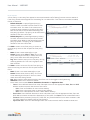
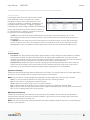
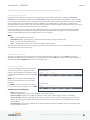
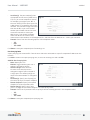
Enable VPN Service: Enabling VPN Service will allow you to load a certificate for VPN to the router.
Certificate Name: Select the Certificate Name.
IKE / ISAKMP Port: Internet Key Exchange / Internet Security Association and Key Management Protocol port.
(Default: 500. This is a standard VPN port that usually does not need to be changed.)
IKE / ISAKMP NAT-T Port: Internet Key Exchange /
Internet Security Association and Key Management
Protocol network address translation traversal port.
(Default: 4500. This is a standard VPN NAT-T port that
usually does not need to be changed.)
NAT-T KeepAlive Interval: Number of seconds between
sending NAT-T packets to keep the tunnel alive if no
other traffic is being sent. (Default: 20 seconds. Range:
0-3600 seconds. 20 seconds will be sufficient in almost
all cases.)
Tunnel Connect Retry: Number of seconds between
connection attempts. (Default: 30 seconds. Range: 10-255 seconds. 30 seconds will be sufficient in almost all
cases.)
GRE
Generic Routing Encapsulation (GRE) tunnels can be used to create a connection between two private
networks. Most Cradlepoint routers are enabled for both GRE and VPN tunnels. GRE tunnels are simpler to
configure and more flexible for different kinds of packet exchanges, but VPN tunnels are much more secure.
©2015 Cradlepoint. All Rights Reserved. | +1.855.813.3385 | cradlepoint.com
42
User Manual / MBR1400
10/28/15
In order to set up a tunnel you must configure the following:
•
•
•
Local Network and Remote Network addresses for the “Glue Network,” the network that is created by
the administrator that serves as the “glue” between the networks of the tunnel. Each address must be a
different IP address from the same private network, and these addresses together form the endpoints of
the tunnel.
Remote Gateway, the public facing WAN IP address that the local gateway is going to connect to.
Routes that allow you to configure what network traffic from local host(s) will be allowed through the
tunnel.
Optionally, you might also want to enable the tunnel Keep Alive feature to monitor the status of a tunnel and
more accurately determine if the tunnel is alive or not.
Click Add to configure a new GRE tunnel; click Edit to make changes to an existing tunnel.
Add/Edit Tunnel – General
Tunnel Name: Give the tunnel a name that
uniquely identifies it.
Tunnel Key: Enables an ID key for a GRE
tunnel, which can be used as an identifier
for mGRE (Multipoint GRE).
Local Network: This is the local side of
the “Glue Network,” a network created
by the administrator to form the tunnel.
The user creates the IP address inputted
here. It must be different from the IP
addresses of the networks it is gluing
together. Choose any private IP address
from the following three ranges that
doesn’t match either network:
•
•
•
10.0.0.0 - 10.255.255.255
172.16.0.0 - 172.31.255.255
192.168.0.0 - 192.168.255.255
Remote Network: This is the remote side
of the “Glue Network.” Again, the user
must create an IP address that is distinct from the IP addresses of the networks that are being glued together.
The Remote Network and Local Network values will be flipped when inputted for the other side of the tunnel
configuration.
Subnet Mask: This is the subnet mask for the Glue Network. The Local and Remote Network addresses must fit
with this mask. 255.255.255.0 is a logical choice for most users.
Remote Gateway: This is the public facing, WAN-side IP address of the network to which the local gateway is
going to connect.
TTL: Set the Time to Live (TTL), or hop limit, for the GRE tunnel.
MTU: Set the maximum transmission unit (MTU) for the GRE tunnel.
WAN Binding: WAN Binding is an optional parameter used to configure the GRE tunnel to ONLY operate when
the specified WAN device(s) are available and connected. An example use case is when there is a router with
both a primary and failover WAN device and the tunnel should only be used when the system has failed over to
the backup connection.
©2015 Cradlepoint. All Rights Reserved. | +1.855.813.3385 | cradlepoint.com
43
User Manual / MBR1400
10/28/15
Make a selection for “When,” “Condition,” and “Value” to create a WAN Binding. The condition will be in the
form of these examples:
When
Condition
Value
Port
Is
USB Port 1
Type
Is not
WiMax
•
When:
• Port – Select by the physical port on the router into which you are plugging the modem (e.g., “USB
Port 2”).
• Manufacturer – Select by the modem manufacturer (e.g., “Cradlepoint Inc.”)
• Model – Set your rule according to the specific model of modem
• Type – Select by type of Internet source (Ethernet, LTE, Modem, Wireless as WAN, WiMAX)
• Serial Number – Select a 3G or LTE modem by the serial number
• MAC Address – Select a WiMAX modem by MAC Address
• Unique ID – Select by ID. This is generated by the router and displayed when the device is connected
to the router.
•
Condition: Select “is,” “is not,” “starts with,” “contains,” or “ends with” to create your condition’s
statement.
Value: If the correct values are available, select from the dropdown list. You may need to manually input
the value.
•
Invert WAN Binding: Advanced option that inverts the meaning of WAN Binding to only establish this tunnel
when the specified WAN Binding device(s) are NOT connected.
Tunnel Enabled: Select to activate the tunnel.
Add/Edit Tunnel – Routes
Adding routes allows you to configure what types of network traffic from the local host or hosts will be
allowed through the tunnel.
Click Add Route to configure a new route. You will need to input the following information, defined by the
remote network:
•
•
Network Address – This is the network address that is the destination of the route. This should be set to
the network address at the remote side of the tunnel.
Netmask – This is the corresponding subnet mask of the network being defined (Default: 255.255.255.0).
You can set the tunnel to connect to a range of IP addresses or to a single IP address. For example, you could
input 192.168.0.0 and 255.255.255.0 to connect your tunnel to all the addresses of the remote network in
the 192.168.0.x range. Alternatively, you could select a single address by inputting that address along with a
Netmask of 255.255.255.255.
Add/Edit Tunnel – Keep Alive
GRE keep-alive packets can be enabled to be sent through the tunnel in order to monitor the status of the
tunnel and more accurately determine if the tunnel is alive or not.
GRE keep-alive packets may be sent from both sides of a tunnel, or from just one side.
Enabled: Select to enable GRE Keep Alive to continually send keep-alive packets to the remote peer.
Rate: Choose the length of time in seconds for each check (Default: 10 seconds. Range: 2 – 3600 seconds).
©2015 Cradlepoint. All Rights Reserved. | +1.855.813.3385 | cradlepoint.com
44
User Manual / MBR1400
10/28/15
Retry: Select the number of attempts
before the GRE tunnel is considered
down or up (Default: 3. Range: 1 – 255).
Failover Tunnel and Failback Tunnel:
Use these settings to create two
tunnels – one as the primary tunnel and
one as the backup tunnel. To configure
tunnel failover/failback, complete the
following steps:
1. Create two tunnels: one for primary
and one for backup. Make sure both
tunnels have Keep Alive enabled.
2. Choose one to be the primary
tunnel. Open the editor for this
tunnel and make sure Tunnel
Enabled is selected. Then go to the
Keep Alive page. Under Failover
Tunnel select the other tunnel you
have created.
3. Open the editor for the failover tunnel. Make sure Tunnel Enabled is not selected. On the Keep Alive page,
set the Failback Tunnel to your primary tunnel.
ROUTING
STATIC ROUTES
Add a new static route to the IP routing table or edit/remove an existing route.
Static routes are used in networks with more than one layer, such as when there
is a network within a network so that packet destinations are hidden behind an
additional router. Adding a static route is a way of telling the router about an
additional step that packets will need to take to reach their destination.
Click Add to create a new static route.
IP Version: Select IPv4 or IPv6. Depending on your selection, you have different options for defining the
address range.
IP/Network Address or IPv6 Address: The IP address of the target network or host. The IPv6 address field
includes CIDR notation to declare a range of addresses.
Netmask/Prefix: The Netmask, along with the IPv4 address, defines the network the computer belongs to
and which other IP addresses the computer can see in the same LAN. An IP address of 192.168.0.1 along
with a Netmask of 255.255.255.0 defines a network with 256 available IP addresses from 192.168.0.0 to
192.168.0.255.
Gateway or IPv6 Gateway: Specifies the next hop to be taken if this route is used. A gateway of 0.0.0.0 implies
there is no next hop, and the IP address matched is directly connected to the router on the interface specified:
LAN or WAN.
©2015 Cradlepoint. All Rights Reserved. | +1.855.813.3385 | cradlepoint.com
45
User Manual / MBR1400
10/28/15
Device: Select the network interface from the dropdown
menu (e.g. ethernet-wan). You can use this instead of defining
the IP address, especially in cases when the IP address is
changing.
Metric: Set the numerical priority of the route. Lower
numbers have higher priority.
Allow Network Access: (Default: Deselected.) Some static
routes will need an IP Filter Rule via the Firewall to allow
packets through the route without being blocked. Selecting
this option automatically creates this IP Filter Rule. If the IP/
Network Address falls outside the LAN IP range, you probably
need to select this option.
Distribute: Allow this static route to be distributed via a
routing protocol (BGP, OSPF, RIP, RIPng).
QOS
When QoS (Quality of Service, also known as “Traffic Shaping”) is enabled, the router will control the flow of
Internet traffic according to the user-defined rules. In other words, Traffic Shaping improves performance by
allowing the user to prioritize applications.
Enable QoS: Click on this box to open options for controlling Internet traffic. You can assign maximum Upload
Speed and Download Speed values and define your own Traffic Shaping rules.
WAN Profile Speeds
Upload Speed and Download Speed: Setting the Upload
Speed and Download Speed is required to control traffic
flow accurately. Adjust the sliding bar to restrict the
maximum upload and/or download speed for the Internet
source(s) you are using. For example, you might restrict
the upload speed to prioritize available bandwidth for
download or to reduce overall bandwidth use in order to
lower costs. It is recommended that you experiment with
different values for your particular Internet connection
for best results.
NOTE: Upload speed is the speed at which data can be
transferred to your ISP. Download speed is the speed at
which data can be transferred to you from your ISP. You
can test your connection speeds with a service such as
speedtest.net.
Queues
Queues and rules work in conjunction to prioritize bandwidth for the most critical operations. Multiple rules
©2015 Cradlepoint. All Rights Reserved. | +1.855.813.3385 | cradlepoint.com
46
User Manual / MBR1400
10/28/15
can be associated with one queue. Use
rules to associate your more critical
operations with queues that have
higher bandwidth settings. For example,
you might have two queues, one for
“critical” and one for “secondary” with
critical having most of the bandwidth
percentage. Use rules to associate your most important bandwidth needs (POS system, VoIP, etc.) with the
critical queue. Restrict the bandwidth available for less important functions with the secondary queue.
Assign percentages of both upload and download bandwidth to each queue. If you assign 80% download
bandwidth to the first queue, the next queue will be forced to be 20% or less.
Click Add to create a new Traffic Shaping/QoS queue.
Queue Name: Choose a name that is meaningful
to you.
DSCP (DiffServ) Tag: Differentiated Services
Code Point (DSCP) is the successor to TOS (Type
of Service). Use this field to ‘tag’ the traffic by
putting the value in the DSCP header of each IP
packet that flows through this queue. Use the
value of ‘0’ to clear the existing DSCP value in the
packet header.
DSCP Tagging is sometimes used so that other
networking equipment, upstream or post-NAT,
can do traffic shaping based on the DSCP Tags as
opposed to IP addresses or ports.
This setting is optional.
Upload Bandwidth
Enable Upload QoS: (Default: Enabled.) Deselect
if you want your rule to apply to download
traffic only. Leave this selected to include upload
restrictions with this queue.
Borrow Spare Bandwidth: (Default: Enabled.) When this is enabled, the interfaces/protocols associated with
this rule will borrow unused bandwidth from other rules. Disabling borrowing will restrict the traffic to the
specified bandwidth. Higher priority queues will be offered excess bandwidth first.
Upload Bandwidth: This is the percentage of the connected WAN upload bandwidth that will be reserved for
the specified traffic. The maximum value is adjusted to the remaining percentage after other rules receive their
share.
Upload Priority: The priority value has two different effects on traffic. Higher priority traffic is handled before
lower priority traffic, which can lead to shorter response times. Also, when spare bandwidth is available it is
offered to higher priority queues first. Move the slider to select from the following options (Default: Normal):
•
•
•
•
•
Lowest
Lower
Below Normal
Normal
Above Normal
©2015 Cradlepoint. All Rights Reserved. | +1.855.813.3385 | cradlepoint.com
47
User Manual / MBR1400
•
•
•
10/28/15
High
Higher
Highest
Click Next to continue to the next page.
Download Bandwidth
Enable Download QoS: (Default: Enabled.) Deselect if you want your rule to apply to upload traffic only. Leave
this selected to include download restrictions with this queue.
Borrow Spare Bandwidth: (Default: Enabled.) When this is enabled, the interfaces/protocols associated with
this rule will borrow unused bandwidth from other rules. Disabling borrowing will restrict the traffic to the
specified bandwidth. Higher priority queues will be offered excess bandwidth first.
Download Bandwidth: This is the percentage of the connected WAN upload bandwidth that will be reserved for
the specified traffic. The maximum value is adjusted to the remaining percentage after other queues receive
their share.
Download Priority: The priority value has two different effects on traffic. Higher priority traffic is handled
before lower priority traffic, which can lead to shorter response times. Also, when spare bandwidth is available
it is offered to higher priority queues first. Move the slider to select from the following options (Default:
Normal):
•
•
•
•
•
•
•
•
Lowest
Lower
Below Normal
Normal
Above Normal
High
Higher
Highest
Click Finish to save this queue.
Rules
A traffic shaping rule identifies a specific
message flow and assigns that flow to one of
the queues created above.
Click Add to create a new Traffic Shaping rule.
Traffic Shaping / QoS Rule Editor
The first page of the Traffic Shaping / QoS Rule
Editor allows you enable/disable the rule, name
the rule, specify a protocol for the rule, and
select a queue to associate the rule with.
Rule Enabled: (Default: Enabled.) Deselect
this to disable this rule. This can be useful for
quickly changing configurations. If both upload
QoS and download QoS are disabled then the
rule will disable automatically.
Rule Name: Create a name for the rule that is
meaningful to you.
©2015 Cradlepoint. All Rights Reserved. | +1.855.813.3385 | cradlepoint.com
48
User Manual / MBR1400
10/28/15
Protocol: The protocol used by the messages:
TCP/UDP, TCP, UDP, or ICMP. Select “Any” if your
rule does not control a specific type of message
that uses a specific protocol.
Queue Name: Select a queue to associate this
rule with.
Click Next to continue to the next page.
Use ports and/or IP addresses to define the
type(s) of traffic attached to this rule. Leaving
any field blank will match all values; all fields
are optional.
Source Port(s) and/or Destination Port(s): Enter
a port number between 1 and 65535. To enter
a single port number, input the number into
the left box. To enter a range of ports, fill in
both boxes separated by the colon. For example
“80:90” would represent all ports between 80
and 90 including 80 and 90 themselves.
Source IP Address, Source Netmask, Destination IP Address, and Destination Netmask: Specify an IP address or
range of IP addresses by combining an IP address with a netmask for either “source” or “destination” (or both).
Source vs. destination is defined by traffic flow. Leave these blank to include all IP addresses (such as if your
rule is defined by a particular port instead).
EXAMPLE: If you want to associate this rule with your guest LAN, you could input the IP address and netmask for
the guest LAN here (leaving the last slot “0” to allow for any user attached to the guest network):
•
•
Source IP Address: 192.168.10.0
Source Netmask: 255.255.255.0
Application Set: Application sets can be defined in the Application Sets tab of the Firewall Configuration
page. The application identification might not take place until multiple packets have already bypassed a rule.
Application sets require an active license to exist on the device for them to function.
DSCP (DiffServ): Differentiated Services Code Point (DSCP) is the successor to TOS (Type of Service). Use
this field to select traffic based on the DSCP header in each IP packet. This field is sometimes set by latency
sensitive equipment such as VoIP phones. This setting is optional.
DSCP Negate: When checked this rule will match on any packet that does not match the DSCP field.
Click Finish to save this rule.
DNS SERVERS
DNS, or Domain Name System, is a naming system that translates between domain names (www.cradlepoint.
com, for example) and Internet IP addresses (206.207.82.197). A DNS server acts as an Internet phone book,
translating between names that make sense to people and the more complex numerical identifiers. The DNS
page for the device has these distinct functions:
•
DNS Settings: By default your router is set to automatically acquire DNS servers through your Internet
provider (Automatic). DNS Settings allows you to specify DNS servers of your choosing instead (Static).
©2015 Cradlepoint. All Rights Reserved. | +1.855.813.3385 | cradlepoint.com
49
User Manual / MBR1400
•
•
•
10/28/15
Split DNS: Enable or disable the redirecting of specified domains to alternate DNS servers.
Dynamic DNS Configuration: Allows you to host a server (Web, FTP, etc.) using a domain name that you
have purchased (www.example.com) with your dynamically assigned IP address.
Known Hosts Configuration: Allows you to map a name (printer, scanner, laptop, etc.) to an IP address of a
device on the network.
DNS Settings
You have the option to choose specific DNS servers for your network instead of using the DNS servers
assigned by your Internet provider. The default DNS servers are usually adequate. You may want to assign DNS
servers if the default DNS servers are performing poorly, if you want WiFi clients to access DNS servers that
you use for customized addressing, or if you have a local DNS server on your network.
Mode: Automatic or Static (default: Automatic). Switching to “Static”
enables you to set specific DNS servers in the Primary DNS and
Secondary DNS fields.
Primary DNS and Secondary DNS: If you choose to specify your DNS
servers, then enter the IP addresses of the servers you want as your
primary and secondary DNS servers in these fields. The DNS server
settings will be pre-populated with public DNS server IP addresses.
You can override the IP address with any other DNS server IP address
of your choice. For example, Google Public DNS servers have the IP
addresses 8.8.8.8 and 8.8.4.4 while 4.2.2.2 and 4.2.2.3 are servers from
Level 3 Communications.
Force All DNS Requests To Router: Enabling this will redirect all DNS requests from LAN clients to the router’s
DNS server. This will allow the router even more control over IP addresses even when clients have their own
DNS servers statically set.
Split DNS
Split DNS allows you create two zones for the same
domain, one to be used by the internal network, the
other used by the external network. Split DNS directs
internal hosts to an internal domain name server for
name resolution and external hosts are directed to an
external domain name server for name resolution.
Primary Split DNS and Secondary Split DNS: If you
choose to specify your DNS servers, then enter the IP
addresses of the servers you want as your primary and secondary DNS servers in these fields. The Secondary
DNS is optional.
Domain: Click Add to add desired domain for Split DNS.
Dynamic DNS Configuration
The Dynamic DNS feature allows you to host a server (Web, FTP, etc.) using a domain name that you have
purchased (www.yourname.com) with your dynamically assigned IP address. Most broadband Internet Service
Providers assign dynamic (changing) IP addresses. When you use a Dynamic DNS service provider, you can enter
your host name to connect to your server, no matter what your IP address is.
•
•
Enable Dynamic DNS: Enable this option only if you have purchased your own domain name and registered
with a Dynamic DNS service provider.
Server Type. Select a dynamic DNS service provider from the dropdown list:
©2015 Cradlepoint. All Rights Reserved. | +1.855.813.3385 | cradlepoint.com
50
User Manual / MBR1400
•
•
•
•
•
10/28/15
• DynDNS
• DNS-O-Matic
• ChangeIP
• NO-IP
• Custom Server (DynDNS clone)
Custom Server Address. Only available if you
select Custom Server from the Server Address
dropdown list. Enter your custom DynDNS
clone server address here. For example: www.
mydyndns.org.
Use HTTPS: Use the more secure HTTPS protocol.
This is recommended, but can be disabled if not
compatible with the server.
Host name: Enter your host name, fully qualified.
For example: myhost.mydomain.net.
User name: Enter the user name or key provided
by the dynamic DNS service provider. If the
dynamic DNS provider supplies only a key, enter
that key for both the User name and Password
fields.
Password: Enter the password or key provided by the dynamic DNS service provider.
Advanced Dynamic DNS Settings
Update period (hours): (Default: 576) The time between periodic updates to the dynamic DNS, if your dynamic
IP address has not changed. The timeout period is entered in hours so valid values are from 1 to 8760.
Override External IP: The external IP is usually configured automatically during connection. However, in
situations where the unit is within a private network behind a firewall or router, the network’s external IP
address will have to be manually configured in this field.
You may find out what your external IP address is by going to http://myip.dnsomatic.com in a web browser.
Known Hosts Configuration
The Known Hosts Configuration feature allows you
to map a name (printer, scanner, laptop, etc.) to an
IP address of a device on the network. This assigns
a new hostname that can be used to conveniently
identify a device within the network, such as an
office printer.
Click Add to name a device in your network.
Fill in the following fields:
•
•
Hostname: Choose a name that is meaningful to you. No spaces are allowed in this field.
IP address: The address of the device within your network.
EXAMPLE: a personal laptop with IP address 192.168.0.164 could be assigned the name “MyLaptop.”
Since the assigned name is mapped to an IP address, the device’s IP address should not change. To ensure that
the device keeps the same IP address, go to NETWORKING > Local Networks > DHCP Server and reserve the IP
address for the device by selecting the device in the Active Leases list and clicking Reserve.
©2015 Cradlepoint. All Rights Reserved. | +1.855.813.3385 | cradlepoint.com
51
User Manual / MBR1400
10/28/15
WIFI AS WAN
WiFi as WAN uses an outside WiFi network
as its Internet source. When WiFi as WAN
is enabled, the router will find other WiFi
networks that you can select and connect
to. Unless a selected WiFi source is on an
unprotected network, you will need to know
its password or key.
To enable WiFi as WAN, first select the WiFi
radio:
•
WiFi Radio #1 (2.4 GHz)
All Cradlepoint routers and some other
routers use the same default IP address for
the primary network: 192.168.0.1. If you
attempt to set up WiFi as WAN and there
is an “IP conflict,” you need to change the
IP address. The router is attempting to use
the same IP address for both WAN and LAN,
which is impossible. Go to Network Settings
> WiFi / Local Networks. Select the network and click Edit. You can change the IP address under IPv4 Settings.
For example, you might change 192.168.0.1 to 192.168.1.1.
Saved Profiles
This is a list of WiFi networks that have already been configured as WAN sources. The router will attempt to
connect to any of these access points using the password you have configured. If more than one access point
is in range, then the router will connect with the highest priority network.
Network: The name (SSID, or Service Set Identifier) that is broadcast by the access point.
BSSID: The numeric ID of the network (Basic Service Set Identifier). This parameter is required when trying to
connect to a hidden network using WiFi as WAN. It is optional when connecting to a visible network. If it is
set in a profile, both the SSID and BSSID must match to connect to an access point. If the BSSID is not set in a
profile, then the router will connect to any access point that matches the given SSID.
Auth Mode: The type of encryption that is used by the network.
•
•
•
•
•
•
•
None
WEP Auto
WEP Open
WEP Shared
WPA1 Personal
WPA2 Personal
WPA1 & WPA2 Personal
You have two options for adding network
profiles:
•
•
Automatic – Select a WiFi network in Site
Survey and click Import
Manual – Click on Add under Saved
Profiles and input the required
information.
©2015 Cradlepoint. All Rights Reserved. | +1.855.813.3385 | cradlepoint.com
52
User Manual / MBR1400
10/28/15
Site Survey
This is a list of WiFi networks that the router can currently find, along with information about the network
such as its mode and channel. Click “Refresh” if a WiFi network you want to connect to is not listed. You can
sort the list based on any of the fields by clicking on the field name.
If you import a network from Site Survey, most of the information about the network will already be
completed. You need to input the password (if there is one) and then click submit to save the WiFi as WAN
profile.
Wireless Scan Settings
Scan Interval: How often WiFi as WAN scans
the environment for updates. (Default: 60
seconds. Range: 5–3600 seconds.)
Scan While Connected: Continue to scan
for WiFi as WAN profile updates when
connected. Each time a scan occurs the
wireless communication of the router will be
temporarily interrupted. Normally this should
be disabled.
WAN AFFINITY
WAN Affinity rules allow you to manage traffic in
your network so that particular bandwidth uses
are associated with particular WAN sources. This
allows you to prioritize bandwidth.
EXAMPLE: You could specify that your guest LAN
is only associated with your Ethernet connection
with no failover. Then if your Ethernet connection
goes down and the embedded modem connects for failover for your primary LAN, your guest LAN will not take
bandwidth from your primary LAN, saving you money.
Click Add to open the WAN Affinity Policy Editor and create a new WAN Affinity rule.
Name: Give a name for your rule that is meaningful to you.
DSCP (DiffServ): Differentiated Services Code Point is the successor to TOS (Type of Service). Use this field
to select traffic based on the DSCP header in each IP packet. This field is sometimes set by latency sensitive
equipment such as VoIP phones. If you know specific DSCP values, you can input one here.
DSCP Negate: When checked this rule will match on any packet that does NOT match the DSCP field.
Protocol: Select from the dropdown list to specify the protocol for a particular data use. Otherwise, leave
“Any” selected.
•
•
•
•
•
•
Any
ICMP
TCP
UDP
GRE
ESP
©2015 Cradlepoint. All Rights Reserved. | +1.855.813.3385 | cradlepoint.com
53
User Manual / MBR1400
•
10/28/15
SCTP
Source IP Address, Source Netmask, Destination
IP Address, and Destination Netmask: Specify
an IP address or range of IP addresses by
combining an IP address with a netmask for
either “source” or “destination” (or both). Source
vs. destination is defined by traffic flow. Leave
these blank to include all IP addresses (such as if
your rule is defined by a particular port instead).
EXAMPLE: If you want to associate this rule
with your guest LAN, you could input the IP
address and netmask for the guest LAN here
(leaving the last slot “0” to allow for any user
attached to the guest network):
•
•
Source IP Address: 192.168.10.0
Source Netmask: 255.255.255.0
Failover: (Default: Selected.) When this is selected and traffic from the chosen WAN device for this rule is
interrupted, the router will fail over to another available WAN device. Deselect this option to restrict this
traffic to only the selected WAN interface.
When
Condition
Value
Port
Is
USB Port 1
Type
Is not
WiMax
•
When:
•
•
•
•
•
•
•
•
•
Port – Select by the physical port on the router that you are plugging the modem into (e.g., “USB Port
2”).
Manufacturer – Select by the modem manufacturer (e.g., “Cradlepoint Inc.”).
Model – Set your rule according to the specific model of modem.
Type – Select by type of Internet source (Ethernet, LTE, Modem, Wireless as WAN, WiMAX).
Serial Number – Select a 3G or LTE modem by the serial number.
MAC Address – Select from a dropdown list of attached devices.
Unique ID – Select by ID. This is generated by the router and displayed when the device is connected
to the router.
Condition: Select “is,” “is not,” “starts with,” “contains,” or “ends with” to create your condition’s
statement.
Value: If the correct values are available, select from the dropdown list. You may need to manually input
the value.
Load Balance Algorithm: Select the Load Balance Algorithm for this WAN Affinity rule from the following
dropdown options:
•
•
•
Round-Robin: Evenly distribute each session to the available WAN connections.
Rate: Distribute load based on the current upload and download rates. A WAN device’s upload and
download bandwidth values can be set in CONNECTION MANAGER.
Spillover: This was the default algorithm in older (version 3) firmware. Load is always given to devices with
the most available bandwidth. The estimated bandwidth rate is based on a combination of the upload and
download configuration values and the observed capabilities of the device.
©2015 Cradlepoint. All Rights Reserved. | +1.855.813.3385 | cradlepoint.com
54
User Manual / MBR1400
•
10/28/15
Data Usage: This mode works in concert with the Data Usage feature. The router will make a best effort to
keep data usage between interfaces at a similar percentage of the assigned data cap in the data usage rule
for each interface, rather than distributing sessions based solely on bandwidth. For proper functioning you
need to create data usage rules for each WAN device you will be load balancing. Make certain to select the
“Use with Load Balancing” checkbox in the data usage rule editor.
CLIENT DATA USAGE
Client Data Usage displays upload and download
traffic for each LAN client. Click Enable Client Data
Usage Monitoring Service to begin tracking this
information. This data is not retained between
router reboots.
For each client this shows: Name, IP address, MAC
address, amount of data uploaded (MB), amount of
data downloaded (MB), and when traffic was last
sent or received for that client (“Last Traffic”).
The names that are shown are received during a DHCP exchange. If a client disconnects and reconnects with a
new IP address there will be an additional entry in this list.
Pressing Reset Statistics will restart all counters at 0.
©2015 Cradlepoint. All Rights Reserved. | +1.855.813.3385 | cradlepoint.com
55
User Manual / MBR1400
SECURITY
10/28/15
IDENTITIES
Identities are reusable groups of items that are added to filter policy rules. A
match on any single item in the group will cause the rule to match. Identities are
referenced in rules by their name. Choosing descriptive names like “NW Sales
Team” or “Engineering” will aid in understanding existing rules and in choosing
identities for new rules.
HOST ADDRESSES
A Host identity can contain IPv4, IPv6, and Fully Qualified Domain Name
addresses. A single identity can contain a combination of IPv4 and IPv6
addresses. IPv4/6 addresses cannot be combined with FQDN addresses in the
same identity.
IP addresses are entered using CIDR notation, e.g. 1.2.3.4/32 and
0123:4567::CDEF/128. FQDN addresses are entered with at least one dot
separating a top-level domain from a root zone, e.g. cradlepoint.com.
To add a Host Address Identity, click Add.
PORTS
A port identity member can be entered as a single Start port number or as a port range by entering both a
Start and End port number.
To add a Port Identity, click Add.
MAC ADDRESSES
MAC addresses are entered in the form aa:bb:cc:dd:ee:ff.
To add a MAC Address Identity, click Add.
ZONE FIREWALL
ZONE DEFINITION
A Zone is a group of network interfaces. By default all interfaces within
a zone are allowed to initialize network communication with each other,
however any network traffic initialized outside of a zone to the interfaces
within the zone will be denied.
To add a zone, click Add.
©2015 Cradlepoint. All Rights Reserved. | +1.855.813.3385 | cradlepoint.com
56
User Manual / MBR1400
10/28/15
FILTER POLICIES
A Filter Policy is a one-way filter applied to initialized network traffic flowing from one zone to another. A
Filter Policy needs to be assigned to a Forwarding for it to take effect. Filter Policies can either be Added,
Edited, or Removed.
•
•
Default Allow All is a preconfigured policy to
allow all traffic initialized from one zone to flow
to another zone. The state of the connection is
tracked to allow responses to traverse the zones
back to the source. LAN to WAN forwardings use
this policy by default. The policy can be removed or
altered to filter the traffic flow.
Default Deny All is a preconfigured policy to deny
all traffic initialized from one zone to be blocked
to another zone. WAN to LAN forwardings use this
policy by default. The policy can be removed or
altered to filter the traffic flow.
Click Add to create a new filter policy, or select an
existing policy and click Edit to open the filter policy
editor.
•
•
•
Name: Create a name meaningful to you.
Action: Choose either Allow or Deny. This is the
action taken by the firewall if none of the filter
policy rules match the traffic being filtered.
Log: When checked, every rule in the policy will log
matching packets as if the rule’s Log option had
been selected.
Click Add to create a new rule for this filter policy, or
select an existing rule and click Edit to open the Rule
Editor.
•
•
•
•
•
Name: Create a rule name meaningful to you.
Action: Choose either Allow or Deny. This is the
action taken by the firewall if the rule criteria
match the traffic being filtered.
Log: When checked, each packet matching this filter rule will be logged in the System Log.
IP Version: Select the IP version to match.
Enter match criteria under Source, Destination, Protocols and Application Sets.
• Source: Select defined identities or enter individual criteria for the appropriate Host, Port and MAC
address columns to match the source of the traffic.
• Host: Enter an IP address or select a host identity.
• Port: Enter a port, port range, or select a port identity.
• MAC: Enter a MAC address or select a MAC address identity.
• Destination: Select defined identities or enter individual criteria for the appropriate Host, Port and
MAC address columns to match the destination of the traffic. See Source for the column definitions.
• Protocols: Select protocols (such as TCP, UDP, GRE, etc) from the defined list or enter a numeric code
for other protocols to match traffic of that protocol.
• Application Sets: Select the defined application set or sets to match traffic related to those sets.
©2015 Cradlepoint. All Rights Reserved. | +1.855.813.3385 | cradlepoint.com
57
User Manual / MBR1400
10/28/15
ZONE FORWARDING
Forwardings define how Filter Policies affect traffic
flowing between zones in one direction. Simply
configure the Source Zone, Destination Zone, and
Filter Policy to define a Forwarding. Forwardings can
be Added, Edited, Removed, or Toggled. Toggling a
Forwarding will either enable or disable the Forwarding.
Source and Destination zones are chosen from the list
of Zone Definitions. In addition, two special zones can
be selected for forwarding endpoints:
•
•
The All zone will match any traffic handled by the router and is used as an endpoint for IP Filter
Rules migrated from previous firmware versions. User editable zones are preferred when adding new
forwardings.
The Router zone will match any traffic initialized from or directed to router services and can be used
to filter router service traffic. An example of traffic initialized by a router service would be the ECM
Management service. An example of traffic destined to a router service would be the SNMP service.
OPTIONS
Firewall Options
•
•
Anti-Spoof: Anti-Spoof checks help protect against malicious users faking the source address in packets
they transmit in order to either hide themselves or to impersonate someone else. Once the user has
spoofed their address they can launch a network attack without revealing the true source of the attack or
attempt to gain access to network services that are restricted to certain addresses.
Log Web Access: Enable this option to create a syslog record of web (IP port 80) access. Each entry will
contain the the IP address of the server and the client. Note that this may create a lot of log entries,
especially on a busy network. Sending the system log to a syslog server is recommended.
Application Gateways
Enabling an application gateway makes pinholes thru the firewall. This may be required for some applications
to function, or for an application to improve functionality or add features.
NOTE: Exercise caution in enabling application gateways as they impact the security of your network.
•
•
•
•
•
PPTP: For virtual private network access using Point to Point Tunneling Protocol.
SIP: For Voice over IP using Session Initiation Protocol.
TFTP: Enables file transfer using Trivial File Transfer Protocol.
FTP: To allow normal mode when using File Transfer Protocol. Not needed for passive mode.
IRC: For Direct Client to Client (DCC) transfer when using Internet Relay Chat. You may wish to forward TCP
port 113 for incoming identd (RFC 1413) requests.
DMZ (Demilitarized Zone)
A DMZ host is effectively not firewalled in the sense that any computer on the Internet may attempt to
remotely access network services at the DMZ IP address. Typical uses involve running a public web server,
supporting older games, or sharing files.
NOTE: As with port forwarding, caution should be used when enabling the DMZ feature as it can threaten the
security of your network.
©2015 Cradlepoint. All Rights Reserved. | +1.855.813.3385 | cradlepoint.com
58
User Manual / MBR1400
10/28/15
NETWORK PREFIX TRANSLATION
Network Prefix Translation is used in IPv6 networks to translate one IPv6 prefix to another. IPv6 prefix
translation is an experimental specification (RFC 6296) trying to achieve address independence similar to NAT
in IPv4. Unlike NAT, however, NPT is stateless and preserves the IPv6 principle that each device has a routable
public address. But it still breaks any protocol embedding IPv6 addresses (e.g. IPsec) and is generally not
recommended for use by the IETF. NPT can help to keep internal network ranges consistent across various IPv6
providers, but it cannot be used effectively in all situations.
The primary purpose for Cradlepoint’s NPT implementation is for failover/failback and load balancing setups.
LAN clients can potentially retain the original IPv6 lease information and may experience a more seamless
transition when WAN connectivity changes than if not utilizing NPT.
Mode:
•
•
•
•
None – No translation is performed
Load Balance Only – (Default) Only translate networks when actively load balancing
First – Use the first IPv6 prefix found
Static – Always use a static IPv6 translation (input the prefix here)
Transitioning from short prefix to a longer prefix (such as from /48 to /64) is not without problems, as some of
the LANs may lose IPv6 connectivity.
REMOTE ACCESS RESTRICTION
Add any IPv4 addresses that need access to remote administration to this list. Clicking Add will allow the
addition of IP address and netmask pairs to the administration filter. Edit will allow you to change settings for
the selected address. Remove will remove a selected entry.
PORT FORWARD & PROXY
A port forwarding rule allows traffic from
the Internet to reach a computer on the
inside of your network. For example, a port
forwarding rule might be used to run a Web
server.
NOTE: Exercise caution when adding new
rules as they impact the security of your
network.
Click Add to create a new port forwarding
rule, or select an existing rule and click Edit.
Add/Edit Port Forwarding Rule
•
•
•
•
•
Name: Name your rule.
Enabled: Toggle whether your rule is enabled. Selected by default.
Use Port Range: Changes the selection options to allow you to input a range of ports (if desired).
Internet Port(s): The port number(s) as you want it defined on the Internet. Typically these will be the
same as the local port numbers, but they do not have to be. These numbers will be mapped to the local
port numbers.
Local Computer: Select the IP address of an attached device from the dropdown menu, or manually input
the IP address of a device.
©2015 Cradlepoint. All Rights Reserved. | +1.855.813.3385 | cradlepoint.com
59
User Manual / MBR1400
•
•
10/28/15
Local Port(s): The port number(s) that
corresponds to the service (Web server,
FTP, etc.) on a local computer or device.
For example, you might input “80” in
the Local Port(s) field to open a port for
a Web server on a computer within your
network. The Internet Port(s) field could
then also be 80, or you could choose
another port number that will be used
across the Internet to access your
Web server. If you choose a number
other than 80 for the Internet Port,
connections to that number will be mapped to 80 – and therefore the Web server – within your network.
Protocol: Select from the following options in the dropdown menu:
•
•
•
TCP
UDP
TCP & UDP
Click Save to save your completed port forwarding rule.
Port Proxying Rules
A port proxying rule allows traffic from the local LAN to be redirected to a specific computer/IP address on the
Internet.
Click Add to create a new port proxying rule, or select an existing rule and click Edit.
Add/Edit Port Proxying Rule
•
•
•
•
•
•
•
Name: Name your rule.
Enabled: Toggle whether your rule is
enabled. Selected by default.
Use Port Range: Check this box
to create a rule which proxies a
contiguous range of ports instead of
a single port. The remote port(s) will
require the same number of contiguous
ports.
Local Port(s): Specify the IP port(s) on
the LAN to proxy to a remote computer.
Remote Computer: Specify the remote
computer to receive proxied traffic.
Remote Port(s): Specify the IP port
(first if a range) on the remote computer to receive proxy traffic.
Protocol: Select the IP protocol traffic to proxy from the following options in the dropdown menu:
•
•
•
TCP
UDP
TCP & UDP
Click Save to save your completed port proxying rule.
©2015 Cradlepoint. All Rights Reserved. | +1.855.813.3385 | cradlepoint.com
60
User Manual / MBR1400
10/28/15
NAT
Zone NAT is similar to Port Forwarding and provides that functionality by mapping ports available on interfaces
associated with the Zone to ports available on local clients. Zone NAT also has the ability to map many types
interfaces selectable via a Zone. For example, GRE interfaces can be used to port forward traffic from the GRE
endpoints to local client thereby limiting exposure to the
local LAN while still gaining the benefits of GRE.
Click Add to create a Zone NAT.
•
•
•
•
•
•
Source Zone Name: The Zone created in Zone Firewall.
Select the Zone to NAT.
Original Destination IP: Specify which inbound traffic to
this router will have the destination IP translated to an
internal network.
Inbound Port(s): Specify the IP port(s) on the inbound
traffic to forward to a local computer.
Local Computer: Specify the local computer to receive
forwarded traffic.
Local Port(s): Specify the IP port (first if a range) on the
local computer to receive forwarded traffic.
Protocol: Select the IP protocol traffic to forward.
Dynamic 1:1 NAT
Dynamic NAT allows translating the destination ip of
incoming network traffic to a local network. All ports and
protocols will be forwarded. Netmasks should generally
match. If the local network range is larger than the incoming
destination range then network traffic will begin using
port overloading. One-to-One NAT can be accomplished by
specifying a host address or a /32 cidr address.
Click Add to create a Dynamic 1:1 NAT.
CONTENT FILTERING
WEBFILTER SETTINGS
General Settings
Enbable Webfilter: Selecting “Enable Webfilter” will enable the webfiltering
service. This is used to enable or disable all router-based webfiltering and
forwarding.
Filter HTTPS: Selecting “Filter HTTPS” enables redirection of all port 443
traffic into the proxy. The proxy will then extract the host name from
the SNI (Server Name Indication). If SNI is unavailable then the original
destination IP address is used for filtering. No decoding of the SSL/TLS
session is done.
Upstream Proxy Settings
©2015 Cradlepoint. All Rights Reserved. | +1.855.813.3385 | cradlepoint.com
61
User Manual / MBR1400
10/28/15
Enabled: Select whether the use of an Upstream Proxy
server is enabled.
Proxy Address: The Proxy Address is the address the desired
HTTP proxy is hosted at. Addresses can be input as host
names or as ip addresses. If the proxy is unavailable HTTP
traffic will fail to cross the network and a notification page
will be shown.
HTTP Port: The port the HTTP Proxy is listening on.
HTTPS Port (Optional): The port for the proxy to forward
HTTPS traffic to. HTTPS is not transparently intercepted and
must have the LAN clients configured to use the Cradlepoint
router as a proxy for HTTPS to work properly.
MAC WEB FILTER RULES
MAC Address WebFilter Rules allow you to control
access from a specific MAC address to external
domains or websites. To add a rule, click Add.
•
•
•
•
•
MAC Address: Enter MAC Address.
Filter Action: Select Block or Allow.
Domain/URL/IP: Enter the Domain Name or
URL (address) of the website you wish to
control access for, e.g. www.google.com. To
make sure the full domain is blocked, enter
the most inclusive domain (e.g. google.com
will effectively block www.google.com as
well as maps.google.com and images.google.
com). Alternatively you can use an IP address,
e.g. 8.8.8.8, or address range written in CIDR
notation, e.g. 8.8.8.0/24.
Rule Priority: Higher number rules overrule
lower number rules.
Enabled: A rule can be enabled or disabled by
selecting or deselecting the checkbox.
Use MAC Address WebFilter Defaults together
with MAC Address WebFilter Rules to control website access for specific MAC addresses. By default, each MAC
address is allowed website access. Click Add/Edit
to change this setting for a MAC address.
Input the MAC Address and Default Action you
would like to apply to that MAC address.
Default Action: Select from the following
dropdown options:
•
•
Allow Access (default)
Block Access
When a network is set to Allow Access, it will
allow access to sites not specifically blocked in
©2015 Cradlepoint. All Rights Reserved. | +1.855.813.3385 | cradlepoint.com
62
User Manual / MBR1400
10/28/15
the WebFilter Rules. When a network is set to Block Access, it will block access to sites not specifically allowed
in the WebFilter Rules.
NETWORK WEB FILTER RULES
Domain / URL filter rules allow you to control
access from your network to any external domain
or website. Rules are assigned to a specific LAN
network and the highest priority rule will have
precedence when there is a conflict. Addresses can
be added by URL/Domain name or by IP address.
IP address ranges can be filtered by using CIDR
notation, e.g. 4.2.2.2/24.
Exceptions to existing rules can be created by
adding another rule with higher priority. For
example if access to maps.example.com is desired,
but example.com is blocked with a priority of 50.
The addition of an allow rule for maps.example.
com with a priority of 49 or less will allow access.
When creating rules keep in mind that some sites
use multiple domains so each domain may need a
rule added to produce the desired behavior.
To add a Network Web Filter Rule, click Add.
Default Network Filter Settings
When a network is set to Allow (Blacklist) it will
allow access to those sites not blocked in the
Filter Rules. Selecting Block (Whitelist) will only
allow access to websites with an Allow action in
the Filter rules, all other sites will be blocked.
Selecting to Filter URLs by IP Address will cause
the router to perform a DNS lookup on URL entries
and the IP addresses will be appended to the
appropriate block/allow list. This can have side
effect of being very strict and sites that are hosted across many domains may need every domain added the list
for full functionality.
The settings can be changed by selecting a network and clicking the Edit button.
©2015 Cradlepoint. All Rights Reserved. | +1.855.813.3385 | cradlepoint.com
63
User Manual / MBR1400
10/28/15
CLOUD-BASED FILTERING
Select a third-party Cloud Provider from the dropdown list.
•
•
•
Umbrella by OpenDNS
Zscaler Secure Web Gateway
Zscaler Internet Security
Umbrella by OpenDNS
Umbrella by OpenDNS is a cloud-based web filtering and security
solution that protects you online by filtering websites. Go to http://
www.opendns.com/business-security for information about Umbrella.
Enter your Umbrella account information in order to use these content
filtering settings.
OpenDNS ISP Filter Bypass Algorithm: It is possible that your Internet
Service Provider (ISP) uses the port that OpenDNS is configured to
access, port 53, which will prevent OpenDNS filtering. If OpenDNS does
not appear to be working correctly, enabling this will attempt to bypass
those ports when using an OpenDNS content filtering level.
Zscaler
Zscaler is a cloud-based web filtering and security provider that offers
several plan options. Depending on your Zscaler implementation, this
could include:
•
•
•
•
•
•
•
•
•
•
•
Global Cloud Platform
Real-Time Reporting
Behavioral Analysis
URL Filtering
Advanced Threat Protection
Inline Anti-Virus & Anti-Spyware
Web 2.0 Control
Data Loss Prevention
Bandwidth Management
Web Access Control
And more…
NOTE: Zscaler requires a feature license. Go to SYSTEM > Feature
Licenses to enable this feature.
Enter your Zscaler account information to enable these settings. Input
local network information (Network Address and Netmask) to assign
your Zscaler implementation to one or more local network(s).
©2015 Cradlepoint. All Rights Reserved. | +1.855.813.3385 | cradlepoint.com
64
User Manual / MBR1400
10/28/15
CERTIFICATE MANAGEMENT
LOCAL CERTIFICATES
This is a table of local certificates, including certificate details.
• Name: Friendly description of the certificate.
• Location: The certificate issuer’s locality (city, town, etc.)
• Organization Information: The organization to which the certificate issuer
belongs
• Common Name: Name used to match authentication credentials
To add a local certificate, click Add.
Remove a local certificate by selecting the certificate and clicking the
Remove button.
©2015 Cradlepoint. All Rights Reserved. | +1.855.813.3385 | cradlepoint.com
65
User Manual / MBR1400
10/28/15
CERTIFICATE SIGNING REQUEST
Request a certificate signature from a remote CA. Using an established, third-party CA increases the likelihood
that your certificate will be trusted by others (see security issues for self-signed certificates for more
information).
Generate a certificate signing request (CSR) by selecting a certificate from the dropdown list (Certificate Name
field) and downloading the CSR. The CSR can then be sent to a remote CA for a signature. Once the certificate
has been signed, import the certificate in PEM or PKCS #12 format.
When you export the CSR, select a Digest, or cryptographic hash function. These are listed in order of increasing
security. More security requires more router resources.
•
•
•
MD5
SHA-128
SHA-256
PEM
PEM is a container format for encoding data – in this case,
X.509 certificates. PEM was originally designed for encoding
email (PEM stands for Privacy-enhanced Electronic Mail), but
it has never been widely used for that purpose. The format is
much more common for encoding digital certificates.
The PEM format uses Base64 and DER (Distinguished Encoding
Rules) encoding.
To import, choose a certificate file in PEM format from your
computer or local device and upload it to the router. Give the
certificate a name that is meaningful to you.
To export, select a local certificate from the dropdown list and
download it to your computer or local device in PEM format.
PKCS12
PKCS #12 is one of the public-key cryptography standards. PKCS #12 files bundle public and private certificate
keys in an archive file format. The PKCS #12 container format is more secure than the PEM container format
because it is protected by an encryption key.
To import, choose a certificate file in PKCS #12 format from your computer or local device and upload it to the
router. Give the certificate a name that is meaningful to you. PKCS #12 files are protected by a passphrase – you
must know this key to import the file.
©2015 Cradlepoint. All Rights Reserved. | +1.855.813.3385 | cradlepoint.com
66
User Manual / MBR1400
10/28/15
To export, select a local certificate from the dropdown list
and download it to your computer or local device in PKCS
#12 format. When you export this file, you must create a
passphrase to protect it. This key is required for future use of
the file.
©2015 Cradlepoint. All Rights Reserved. | +1.855.813.3385 | cradlepoint.com
67
User Manual / MBR1400
10/28/15
SYSTEM
ADMINISTRATION
ROUTER SECURITY
When the router
is configured to
use the advanced
security mode,
several aspects
of the routers
configuration
and networking functionality will be extended to support high security
environments. This includes support for multiple user accounts, increased
password security and additional network spoofing filters. If you plan
to use your router in a PCI DSS compliant environment this option is
mandatory.
REMOTE ADMIN
Remote Management allows a user to enable incoming WAN pings or change settings for the router from the
Internet using the router’s Internet address.
Allow WAN pings – When enabled the functionality allows an external WAN client to ping the router.
Allow Remote Web Administration – When remote administration is enabled it allows access to these
administration web pages from the Internet. With it disabled, you must be a client on the local network to
access the administration website. For security, remote access is usually done via a non-standard http port.
Additionally, encrypted connections can be required for an added level of security.
•
•
•
Require HTTPS Connection – Requiring a secure (https) connection is recommended
HTTP Port: Default – 8080. This option is disabled if you select “Require Secure Connection”
Secure HTTPS Port – Default: 8443.
©2015 Cradlepoint. All Rights Reserved. | +1.855.813.3385 | cradlepoint.com
68
User Manual / MBR1400
10/28/15
NOTE: You can restrict remote access to only specified IP
addresses in SECURITY > Zone Firewall > Remote Access
Restriction.
Allow Remote SSH Access – This will enable SSH access
to the router from the Internet. It is only available
when SSH access is enabled in the Local Management
tab. Some carriers block the remote SSH access ports.
If a ping to the router’s WAN port does not work, it is
unlikely that remote SSH access will work.
FEATURE LICENSES
Some Cradlepoint features may require a license. These
features are disabled by default. To obtain a feature
license, contact your Cradlepoint sales representative.
Once you have obtained the feature license file, upload
the file to enable the feature. A reboot is required after
uploading a feature license file.
SYSTEM CLOCK
Enabling NTP will tell the router to get its system time
from a remote server on the Internet. If you do not
enable NTP then the router time will be based on when
the router firmware was built, which is guaranteed to
be wrong. Whenever the Internet connection is reestablished and once a week thereafter the router will
ask the server for the current time so it can correct
itself.
You then have the option of selecting an NTP server and
adjusting the NTP server port. Select the NTP server
from the dropdown list. Any of the given NTP servers
will be sufficient unless, for example, you need to
synchronize your router’s time with other devices in a
network.
•
•
Time Zone – Select from a dropdown list. Setting your Time Zone is required to properly show time in your
router log.
Daylight Savings Time – Select this checkbox if your location observes daylight saving time.
LOCAL MANAGEMENT
•
Enable Internet Bounce Pages – Bounce pages show up in your web browser when the router is not
connected to the Internet. They inform you that you are not connected and try to explain why. If you
©2015 Cradlepoint. All Rights Reserved. | +1.855.813.3385 | cradlepoint.com
69
User Manual / MBR1400
•
•
•
•
•
•
•
•
•
•
10/28/15
disable bounce pages then you will just get the usual
browser timeout. In the normal case when the router is
connected to the Internet you don’t see them at all.
Reboot Count – Track number of router reboots.
Enable Login Banner – Add the CLI banner to the router’s
login page.
Local Domain – The local domain is used as the suffix for
DNS entries of local hosts. This is tied to the hostnames
of DHCP clients as DHCP_HOSTNAME.LOCAL_DOMAIN.
System Identifier – This is a customizable identity that
will be used in router reporting and alerting. The default
value is the product name and the last three characters
of the MAC address of the router.
Asset Identifier – This is a customizable string that will
be used in router reporting and alerting.
Require HTTPS Connection – Check this box if you want
to encrypt all router administration communication.
Secure HTTPS Port – Enter the port number you want to
use. The default is 443.
Enable SSH Server – When the router’s SSH server is
enabled you may access the router’s command line
interface (CLI) using the standards-based SSH protocol. Use the username “admin” and the standard system
password to log in.
SSH Server Port – Default: 22.
Automatically Set System Identifier – This will automatically set the system ID to the name of the first
client that gets a DHCP lease. This feature cannot be used with email alerts but alerts can be sent to ECM.
GPS
If you have an attached device with GPS support, you can enable a graphical view of your router’s location,
which appears in STATUS > GPS. SIM-based models with GPS support require that the SIM be inserted. Some
carriers disable GPS support in otherwise supported
modems. If you encounter issues with obtaining
a fix, contact your carrier and ensure that GPS is
supported.
Enable GPS – Enable support for querying GPS
information from capable modems.
Send to Client(s)
•
•
•
Enable this Server - Enables a local server to
which clients can connect and recieve GPS
sentences.
Server Name - Your server’s name should
include only Aa-Zz, numerals, and ‘_’.
Enable GPS server on LAN - Enables a server
on the LAN side of the firewall which will
periodically send GPS sentences to TCP
connected clients.
©2015 Cradlepoint. All Rights Reserved. | +1.855.813.3385 | cradlepoint.com
70
User Manual / MBR1400
•
•
10/28/15
Enable GPS server on WAN - Enables a server on the WAN side of the firewall which will periodically send
GPS sentences to TCP connected clients.
Port - Choose a port between 1 and 65535.
Send to Server(s)
•
•
•
•
•
•
•
Enable this client - Enables periodic reporting
of GPS sentences to a remote server. The
router will buffer GPS sentences if errors are
encountered or if the Internet connection goes
down, and send the buffered sentences when
the connection is restored.
Client name - Your client’s name should include
only Aa-Zz, numerals, and ‘_’.
Server - Remote server hostname or IP.
Port - Remote server port.
Specify Time Interval - Restricts the GPS
sentence reporting to a remote server to a
specific time interval.
Start Time - Reporting start time.
End Time - Reporting end time.
SMS
SMS (Short Message Service, or text messaging) requires a cellular modem with an active data plan. SMS is not
designed to be a full remote management feature: SMS allows you to connect to the router for a few simple
queries or commands with a text messaging service (e.g., from your phone). A modem that does not have an
active data connection may still be reachable
by SMS because Internet traffic and SMS
traffic operate on separate channels, so SMS
can be used to bring an offline router back
online.
SMS is enabled on the router by default.
However, it only works if SMS is supported
and enabled on the modem. Most modems
have SMS enabled by default, but the carrier
may charge a fee for each text message sent
or received. Contact your carrier to review
these fees and/or to enable an SMS plan.
Important notes about SMS:
•
•
•
•
Messages are limited to 160 characters.
SMS is not a guaranteed delivery protocol. The carriers do not guarantee that the SMS message will be
delivered to the modem or that the modem’s response will be delivered to the sender. This means an
administrator might have to send messages multiple times before the desired action is performed.
SMS is a slow protocol. It can take seconds or up to a few minutes for messages to be delivered.
SMS messages are not encrypted; they are sent in full readable text over the network.
Enable SMS support – SMS support is enabled by default on the router. Deselect this to disable.
©2015 Cradlepoint. All Rights Reserved. | +1.855.813.3385 | cradlepoint.com
71
User Manual / MBR1400
10/28/15
Password – By default, the password is the last eight characters of the router’s MAC address (i.e., the Default
Password on the product label). You can change this password to anything between 1 and 16 characters. It
should be long enough to be useful for security but short enough to easily type into your phone (or other
texting client).
White List – This list is blank by default, which means that the router will accept SMS messages from any phone
number. Leaving this blank is unsecure, so Cradlepoint recommends that you add phone numbers to this list.
Once any numbers are listed, only those numbers have the ability to connect to the router via SMS.
SYSTEM LOGGING
Logging Level: Setting the log level controls which
messages are stored or filtered out. A log level of
Debug will record the most information while a log
level of Critical will only record the most urgent
messages. Each level includes all messages from
all of the levels below it on the list (e.g. “Warning”
includes all “Error” and “Critical” messages as
well).
•
•
•
•
•
Debug
Info
Warning
Error
Critical
Enable Logging to a Syslog Server: Enabling this
option will send log messages to a specified
Syslog server. After enabling, type the Hostname
or IP address of the Syslog server (or select from the dropdown menu).
•
•
•
Syslog Server Address: Select the Hostname or IP address from the dropdown menu, or type this in
manually.
Include System ID: This option will include the router’s “System ID” at the beginning of every log message.
This is often useful when a single remote Syslog server is handling logs for several routers.
Include UTF8 Byte Order Mark: The log message is sent using UTF-8 encoding. By default the router will
attach the Unicode Byte Order Mark (BOM) to the Syslog message in compliance with the Syslog protocol,
RFC5424. Some Syslog servers may not fully support RFC5424 and will treat the BOM as ASCII text, which
will appear as garbled characters in the log. If this occurs, disable this option.
Log to attached USB stick: Only enable this option if instructed by a Cradlepoint support agent. This will write a
very verbose log file to the root level of an attached USB stick. Please disable the feature before removing the
USB stick, or you may lose some logging data.
Verbose modem logging: Only enable this option if instructed by a Cradlepoint support agent.
Create support log: This functionality allows for a quick collection of system logging. Create this log file when
instructed by a Cradlepoint support agent.
ROUTER SERVICES
By default, router services (Enterprise Cloud Manager, NTP, etc.) connect to the router via the WAN. In some
setups it makes sense to use the LAN instead. For example, if your router is used strictly for 3G/4G failover
behind another router, you may not want to use 3G/4G data unnecessarily. Select Use LAN Gateway to set your
router services to connect via the LAN.
©2015 Cradlepoint. All Rights Reserved. | +1.855.813.3385 | cradlepoint.com
72
User Manual / MBR1400
10/28/15
LAN Gateway Address: Input the IP address of the
LAN side connection. If this is a 3G/4G failover router
operating behind another router, the LAN Gateway
Address is the IP address of that other router.
DNS Server and Secondary DNS Server: The primary
and secondary DNS server numbers match the static
DNS values (set at NETWORKING > DNS Servers). You
can leave the default values or set them manually here.
(Changing these values also changes the static DNS
values.)
ENTERPRISE CLOUD MANAGER
Cradlepoint Enterprise Cloud Manager (ECM) is a cloud-based management service for configuring, monitoring,
and organizing your Cradlepoint routers. Key features include the following:
•
•
•
•
Group based configuration management
Health monitoring of router connectivity and data usage
Remote management and control of routers
Historical record keeping of device logs and status
Registering Your Router – Once you have signed up for ECM, click on the Register Router button to begin
managing the router through ECM. Input your ECM Username and ECM Password and click Register. You have now
registered the device with Enterprise Cloud Manager.
Suspending the ECM Client – Click on the Suspend Client button to stop communication between the device and
ECM. Suspending the client will make it stop any current activity and go dormant. It will not attempt to contact
the server while suspended. This is a temporary setting that will not survive a router reboot; to disable the
client altogether use the Advanced Enterprise Cloud Manager Settings panel (below).
Enterprise Cloud Manager Settings (Advanced)
• Enabled: Enable the ECM client to
contact the server. While this box
is unchecked, the ECM client will
never attempt to contact the server.
(Default: Enabled)
• Server Host:Port: The DNS hostname
and port number for your ECM server.
(Default: stream.cradlepoint.com)
• Session Retry Timer: How long to wait,
in seconds, before starting a new ECM
session following a connection drop
or connectivity failure. Note that this value is a starting point for an internal backoff timer that prevents
superfluous retries during connectivity loss.
• Unmanaged Checkin Timer: How often, in seconds, the router checks with ECM to see if the router is
remotely activated. Note that this value is a starting point for an internal backoff timer that reduces
network usage over time.
• Maximum Alerts Buffer: The maximum number of alerts to buffer when offline.
©2015 Cradlepoint. All Rights Reserved. | +1.855.813.3385 | cradlepoint.com
73
User Manual / MBR1400
10/28/15
DEVICE ALERTS
The Device Alerts submenu choice allows you to receive email notifications of specific system events. YOU MUST
ENABLE AN SMTP EMAIL SERVER TO RECEIVE ALERTS.
Alerts can be included for the following:
•
•
•
•
•
•
•
•
•
•
•
•
•
•
Firmware Upgrade Available: A
firmware update is available for this
device.
System Reboot Occurred: This router
has rebooted. This depends on NTP
being enabled and available to report
the correct time.
Unrecognized MAC Address: Used with
the MAC monitoring lists. An alert is
sent when a new unrecognized MAC
address is connected to the router.
WAN Device Status Change: An
attached WAN device has changed
status. The possible statuses are
plugged, unplugged, connected, and
disconnected.
Configuration Change: A change to the
router configuration.
Login Success: A successful login
attempt has been detected.
Login Failure: A failed login attempt
has been detected.
Account Locked: Account has been
locked due to excessive failed login attempts.
IP Address Banned: An IP address has been banned.
VPN Tunnel Goes Down: Sends an alert when a VPN tunnel goes down.
Feature License Expiration: Sends an alert when a feature license is about to expire.
Router SDK Application: A router SDK Application may send an alert.
Full System Log: The system log has filled. This alert contains the contents of the system log.
Recurring System Log: The system log is sent periodically. This alert contains all of the system events since
the last recurring alert. It can be scheduled for daily, weekly and monthly reports (Frequency). You also
choose the Time you want the alert sent.
SMTP Mail Server
Since your router does not have its own email server, to receive alerts you must enable an SMTP server. This is
possible through most email services (Gmail, Yahoo, etc.)
Each SMTP server will have different specifications for setup, so you have to look those up separately. The
following is an example using Gmail:
•
•
•
•
•
•
Server Address: smtp.gmail.com
Server Port: 587 (for TLS, or Transport Layer Security port; the router does not support SSL).
Authentication Required: For Gmail, mark this checkbox.
User Name: Your full email address
Password: Your Gmail password
From Address: Your email address
©2015 Cradlepoint. All Rights Reserved. | +1.855.813.3385 | cradlepoint.com
74
User Manual / MBR1400
•
10/28/15
To Address: Your email address
Once you have filled in the information for the SMTP server, click on the “Verify SMTP Settings” button. You
should receive a test email at your account.
Delivery Options (Advanced)
Email Subject Prefix: This optional string is prefixed to the alert subject. It can be customized to help you
identify alerts from specific routers.
Retry Attempts: The number of attempts made to send an alert to the mail server. After the attempts are
exhausted, the alert is discarded.
Retry Delay: The delay between retry attempts.
SERIAL REDIRECTOR
A single USB Serial device can be used to establish a serial link to a host port on the router. The USB Serial
device can also be accessed by running “serial” from an SSH session.
Telnet to Serial Configuration
• Enabled: Enabling Telnet to Serial will start a Telnet server that
passes its connection to the serial adapter. Enabling this service
is not necessary when accessing serial through SSH.
• LAN: Enable serial redirector for LAN connections.
• Authenticated LAN: Enable serial redirector for Authenticated
LAN connections. You must be logged into the router to use the
redirector.
• WAN: Enable serial redirector for WAN connections.
• Server Port: Enter a port number for the redirector to use. (Default: 7218)
SNMP CONFIGURATION
SNMP, or Simple Network Management Protocol, is an Internet standard protocol for remote management. You
might use this instead of Enterprise Cloud Manager if you want to remotely manage a set of routers that include
both Cradlepoint and non-Cradlepoint products.
SNMP Configuration
•
Enable SNMP: Selecting “Enable SNMP” will reveal the router’s SNMP configuration options.
Network Settings
• Enable SNMP on LAN: Enabling SNMP on LAN will make SNMP services available on the LAN networks
provided by this router. SNMP will not be available on guest or virtual networks that do not have
administrative access.
• LAN port #: Use the LAN port # field to configure the LAN port number you wish to access SNMP services on.
(Default: 161)
©2015 Cradlepoint. All Rights Reserved. | +1.855.813.3385 | cradlepoint.com
75
User Manual / MBR1400
•
•
•
10/28/15
Enable SNMP on WAN: Enabling
SNMP on WAN will make SNMP
services available to the WAN
interfaces of the router.
WAN port #: Use the WAN port # field
to configure which publicly accessible
port you wish to make SNMP services
available on. (Default: 161)
SNMP Version
• SNMPv1: SNMP version 1 is the
most basic version of SNMP.
SNMPv1 will configure the
router to transmit with settings
compatible with SNMP version 1
protocols.
• SNMPv2c: SNMP version 2c has
the same features as v1 with
some additional commands.
SNMPv2c will configure the
router to use settings and data
formatting compatible with
SNMP version 2c.
• SNMPv3: SNMP version 3
includes all prior features with
security available. SNMPv3 is the
most secure setting for SNMP. If
you wish to configure traps then you must use SNMP version 3.
SNMP v1 & v2c Settings
• Get community string: The “Get community string” is used to read SNMP information from the router. This
string is like a password that is transmitted in regular text with no protection.
• Set community string: The “Set community string” is used when writing SNMP settings to the router. This
string is like a password. It is a good idea to make it different than the “Get community string.”
SNMPv3
If you select SNMPv3, you have several additional configuration options for added security.
•
•
•
•
•
•
•
•
•
•
Authentication type: Select the authentication and encryption type that will be used when connecting to
the router from the following dropdown list. These settings must match the configuration used on any
SNMP clients.
MD5 with no encryption
SHA with no encryption
MD5 with DES encryption
SHA with DES encryption
MD5 with AES encryption
SHA with AES encryption
Username: Enter the Username configured on your SNMP host in the username field.
Password: Enter the Password for your SNMP host in the password and verify password fields. This
password must be at least eight characters long.
Enable SNMP traps: Enabling traps will allow you to configure a destination server, community, and port for
trap notifications. Trap notifications are returned to the server with SNMPv1.
©2015 Cradlepoint. All Rights Reserved. | +1.855.813.3385 | cradlepoint.com
76
User Manual / MBR1400
•
•
•
10/28/15
Trap community string: The trap notifications will be returned to the trap server using this SNMPv1 trap
community name.
Address for trap server: Enter the address of the host system that you want trap alerts sent to.
Trap server port #: Enter the port number that the remote host will be listening for trap alerts on. (Default:
162)
General Settings
System information via SNMP is Read-Writable by default. However, if a value is set here, that field will become
Read Only.
•
•
•
System Contact: Input the email address of the system administrator.
System Name: Input the router’s hostname.
System Location: Input the physical location of the router. This is simply a string for your own information.
SYSTEM CONTROL
SYSTEM SOFTWARE
This allows the administrator to load new firmware onto the router to
add new features or fix defects. If you are happy with the operation of
the router, you may not want to upgrade just because a new version is
available. Check the firmware release notes (cradlepoint.com/firmware)
for information to decide if you should upgrade.
Shows the number of the
current firmware and the
date it was updated.
Available Firmware Version:
If there is a new firmware
version available, this will
list the version number. Click
“Check Again” to have the router check for the newest firmware.
Automatic Firmware Check: Automatically check for new firmware
updates once daily.
Manual Firmware Upload: Upload the router firmware from an
attached computer. (Go to cradlepoint.com/firmware to download
the firmware.)
System Config Save/Restore
Download Settings: Click on “Dowload Settings” to save your current
settings to a file on a computer.
Restore Settings: Click on “Restore Settings” to restore your
previous settings from a file on a computer.
Firmware Management
Load new firmware and restore your previous settings from a file on
a computer without rebooting between steps.
©2015 Cradlepoint. All Rights Reserved. | +1.855.813.3385 | cradlepoint.com
77
User Manual / MBR1400
10/28/15
MODEM FIRMWARE
Modems: Select desired modem.
Current Firmware Version: Shows the number of the
current firmware and the date it was updated.
Available Firmware Version: If there is a new firmware
version available, this will list the version number. Click
“Check Again” to have the router check the newest
firmware.
Automatic Firmware Check: Automatically check for new
firmware updates once daily.
Manual Firmware Upload: Upload the router firmware
from an attached computer.
DEVICE OPTIONS
Reboot Options
•
•
•
Reboot the Device: Manually restart the
router.
Factory Reset Router: Reset the router to its
original settings. Once reset your SSID and
admin password will match the sticker on
the bottom of the router.
Device Console: Access router’s command line
interface (CLI) console.
Scheduled Reboot
•
•
Scheduled Reboot: Router will restart at
user-specified time.
Enable Watchdog Reboot: Router will restart
when it determines an unrecoverable error
condition has occurred.
DIAGNOSTICS
Ping Test
A simple test to check Internet connectivity. Type the Hostname or IP address of the computer you want to ping
and click the ‘Ping’ button.
Speed Test
• Tests Against Cradlepoint Server - Up to ten speed tests are permitted against a Cradlepoint server.
• WAN Device - The WAN Device that is selected will have the test run on it. If no device is selected then the
highest priority connected device will be used.
• Custom Server - Type the Hostname or IP address of the server to which you wish to perform a test. If left
empty the test will be done to a Cradlepoint server.
• Custom Port (Optional) - The port to which the test is directed.
©2015 Cradlepoint. All Rights Reserved. | +1.855.813.3385 | cradlepoint.com
78
User Manual / MBR1400
•
•
•
10/28/15
Max Duration - The Max Duration is the Maximum
amount of time for which the test should be run.
The test may finish sooner if sufficient data is
collected.
Data Limit - The Data Limit is the limit of how
much data will be transferred while measuring the
connection speed; this should be limited to reduce
the expense of a speed test. Setting the limit to
0 will cause the test to run until enough data is
collected or the duration limit is met.
Test Type - Select the type of test you would like
to run. TCP Upload will test speed going to the
server, TCP Download will test speed coming to
the client, and UDP will measure the speed going
to the server.
SETUP WIZARDS
ECM REGISTRATION
To register the router with
Cradlepoint ECM you must first
have an account. If you need
to create an account you can
signup at cradlepoint.com.
Once you’ve created an
account, or if you already have
one, you can enter your ECM
username and password to
register the router.
FIRST TIME SETUP
Administrator Password and Time Zone
Enter a password for the administrator who will have full access to the router’s management interface.
You can use the default password on the back of your product, or you can create a custom Administrator
Password.
©2015 Cradlepoint. All Rights Reserved. | +1.855.813.3385 | cradlepoint.com
79
User Manual / MBR1400
10/28/15
Configuring Your Wireless Network
• Wireless Network Name - When you are browsing for
available wireless networks, this is the name that
will be broadcast from this router. This name is also
referred to as the SSID. For security purposes, it is highly
recommended you change the pre-configured wireless
network name.
• Enable Guest Network - If the guest network is enabled,
anyone can connect to the special guest network
which allows limited connectivity to the Internet while
preventing access to your local network.
• Security Mode
• Best (WPA2): Select this option if your wireless
adapters support WPA2-only mode. This will connect
to most new devices and is the most secure, but
may not connect to older devices or some handheld
devices such as a PSP.
• Good (WPA1 & WPA2): Select this option if your
wireless adapters support WPA or WPA2. This is the
most compatible with modern devices and PCs.
• Poor (WEP): Select this option if your wireless
adapters only support WEP. This should only be
used if a legacy device that only supports WEP
will be connected to the router. WEP is insecure
and obsolete and is only supported in the router
for legacy reasons. The router cannot use 802.11n
modes if WEP is enabled; router WiFi performance
and range will be limited.
• None (OPEN): Select this option if you do not want
to activate any security features.
• WPA Password - The WPA Password must be between 8 and 64 characters long. A combination of upper
and lower case letters along with numbers and special characters is recommended to prevent hackers from
gaining access to your network.
Configuring Your APN and Modem Authentication
If you are using a SIM-based modem (LTE/GSM/HSPA) with
your Cradlepoint router you may need to configure the APN
before it will properly connect to your carrier. Wireless
carriers offer several APNs so check with your carrier to
confirm the appropriate one to use. You can use the default
password on the back of your product, or you can create a
custom Administrator Password.
NOTE: DO NOT USE THIS APN WIZARD if you have already
configured an APN. Any specific modem settings will not
be overwritten by this generic APN setup. Leave this
setting as default and after finishing this Wizard go to the
CONNECTION MANAGER page, select your modem, and edit
the settings. The SIM PIN/APN tab has more available settings than are provided here.
Some modems require a username and password to be entered to authenticate with a carrier. Do not fill in the
following fields unless you are sure your modem needs authentication.
©2015 Cradlepoint. All Rights Reserved. | +1.855.813.3385 | cradlepoint.com
80
User Manual / MBR1400
•
•
•
10/28/15
Authentication Protocol
Username
Password
Enable and Configure Failure Check
Failure check will test the connection to verify the WAN
device is connected.
•
•
•
Idle Check Interval: Set the number of seconds the
router will wait between checks to see if the WAN is
still available.
Failure Check:
• Off: Once the link is established the router takes no
action to verify that it is still up.
• On: Modems will be set to use the Passive DNS
failure check type. Ethernet and WiFi as WAN
connections will be set to use Active Ping.
Ping IP Address: This IP address must be an address
that can be reached through your WAN connection
(modem/Ethernet). Some ISPs/Carriers block certain
addresses, so choose an address that all of your WAN
connections can use.
Summary
Review your settings and click Finish to exit or Back to edit.
IP PASSTHROUGH SETUP
IP passthrough takes a 3G/4G WAN data source (USB, ExpressCard, or Cradlepoint business-grade modem) and
passes the IP address through to Ethernet LAN.
Enabling IP passthrough will make many changes to your router configuration. Please review this list and ensure
they are compatible with how the router will be used.
•
•
•
•
•
•
•
All Ethernet ports will be set to LAN
All network groups except the primary network group will be removed
All WAN devices will have Load Balance disabled and the highest priority device will be used
All Wireless interfaces will be removed from the primary network group
All Router based VPN and GRE services will be disabled
The Routing Mode will be set to IP Passthrough
The Subnet Selection Mode will be set to “Automatically Create Subnet” unless overridden via the Subnet
Selection Mode dropdown
Any Ethernet WAN connections should be disconnected before IP passthrough is enabled.
©2015 Cradlepoint. All Rights Reserved. | +1.855.813.3385 | cradlepoint.com
81
User Manual / MBR1400
10/28/15
APPENDIX
SAFETY, REGULATORY, AND WARRANTY GUIDE
This important Product Information and Safety Guide contains safety, handling, disposal, regulatory, trademark, copyright, and software
licensing information. To avoid injury, read all safety information below and operating instructions before using the device.
FEDERAL COMMUNICATION COMMISSION INTERFERENCE STATEMENT
This equipment has been tested and found to comply with the limits for a Class B digital device, pursuant to Part 15 of the FCC Rules.
These limits are designed to provide reasonable protection against harmful interference in a residential installation. This equipment
generates, uses and can radiate radio frequency energy and, if not installed and used in accordance with the instructions, may
cause harmful interference to radio communications. However, there is no guarantee that interference will not occur in a particular
installation. If this equipment does cause harmful interference to radio or television reception, which can be determined by turning the
equipment off and on, the user is encouraged to try to correct the interference by one of the following measures:
•
•
•
•
Reorient or relocate the receiving antenna
Connect the equipment into an outlet on a circuit different from that to which the receiver is connected
Increase the separation between the equipment and receiver
Consult the dealer or an experienced radio/TV technician for help
FCC CAUTION
Any changes or modifications not expressly approved by the party responsible for compliance could void the user’s authority to operate
this equipment.
This device complies with Part 15 of the FCC Rules. Operation is subject to the following two conditions: (1) This device may not cause
harmful interference, and (2) this device must accept any interference received, including interference that may cause undesired
operation.
FCC STATEMENT
For product available in the USA/Canada market, only channel 1-11 can be operated. Selection of other channels is not possible.
This device is restricted for indoor use.
FCC RADIATION EXPOSURE STATEMENT
This equipment complies with FCC radiation exposure limits set forth for an uncontrolled environment. This equipment should be
installed and operated with minimum distance 20 cm between the radiator and your body.
This device and its antenna(s) must not be co-located or operating in conjunction with any other antenna or transmitter except in
accordance with FCC multi-transmitter product procedures.
To comply with FCC regulations limiting both maximum RF output power and human exposure to RF radiation, the maximum cellular
antenna gain must not exceed 3 dBi.
To comply with FCC regulations limiting both maximum RF output power and human exposure to RF radiation, the maximum WiFi antenna
gain must not exceed 5 dBi.
INDUSTRY CANADA STATEMENT
This device complies with Industry Canada license-exempt RSS standards. Operation is subject to the following two conditions: (1) this
device may not cause interference, and (2) this device must accept any interference, including interference that may cause undesired
operation of the device.
©2015 Cradlepoint. All Rights Reserved. | +1.855.813.3385 | cradlepoint.com
82
User Manual / MBR1400
10/28/15
INDUSTRY CANADA RADIATION EXPOSURE STATEMENT
This equipment complies with IC radiation exposure limits set forth for an uncontrolled environment. This equipment should be installed
and operated with a minimum distance of 20 cm between the radiator and your body.
This radio transmitter (IC: 6921A-S4A525A) has been approved by Industry Canada to operate with the antenna types listed below with
the maximum permissible gain and required antenna impedance for each antenna type indicated. Antenna types not included in this list,
having a gain greater than the maximum gain indicated for that type, are strictly prohibited for use with this device.
For product available in the USA/Canada market, only channel 1-11 can be operated. Selection of other channels is not possible.
The device for the band 5150-5250 MHz is only for indoor usage to reduce potential for harmful interference to co-channel mobile
satellite systems.
This device and its antenna(s) must not be co-located or operating in conjunction with any other antenna or transmitter except in
accordance with IC multi-transmitter product procedures.
These devices have been designed to operate with cellular antennas having a maximum gain of 3 dBi. Antennas having a higher gain are
strictly prohibited per regulations of Industry Canada. The required antenna impedance is 50 ohms.
These devices have been designed to operate with WiFi antennas having a maximum gain of 5 dBi. Antennas having a higher gain are
strictly prohibited per regulations of Industry Canada. The required antenna impedance is 50 ohms.
DÉCLARATION D’INDUSTRIE CANADA
Le présent appareil est conforme aux CNR d’Industrie Canada applicables aux appareils radio exempts de licence. L’exploitation est
autorisée aux deux conditions suivantes: (1) l’appareil ne doit pas produire de brouillage, et (2) l’utilisateur de l’appareil doit accepter
tout brouillage radioélectrique subi, même si le brouillage est susceptible d’en compromettre le fonctionnement.
Pour les produits disponibles aux États-Unis/Canada du marché, seul le canal 1 à 11 peuvent être exploités. Sélection d’autres canaux
n’est pas possible.
Les dispositifs fonctionnant dans la bande 5150-5250 MHz sont réservés uniquement pour une utilisation à l’intérieur afin de réduire les
risques de brouillage préjudiciable aux systèmes de satellites mobiles utilisant les mêmes canaux.
NOTE IMPORTANTE (POUR L’UTILISATION DE DISPOSITIFS MOBILES): DÉCLARATION
D’EXPOSITION AUX RADIATIONS
Cet équipement est conforme aux limites d’exposition aux rayonnements IC établies pour un environnement non contrôlé. Cet
équipement doit être installé et utilisé avec un minimum de 45 cm de distance entre la source de rayonnement et votre corps.
Cet appareil et son antenne(s) ne doit pas être co-localisés ou fonctionnement en association avec une autre antenne ou transmetteur.
Le présent émetteur radio (IC: 6921A-S4A525A) a été approuvé par Industrie Canada pour fonctionner avec les types d’antenne énumérés
ci-dessous et ayant un gain admissible maximal et l’impédance requise pour chaque type d’antenne. Les types d’antenne non inclus dans
cette liste, ou dont le gain est supérieur au gain maximal indiqué, sont strictement interdits pour l’exploitation de l’émetteur.
RECYCLING AND ENVIRONMENTAL INFORMATION
To find information on Cradlepoint’s commitment to our environment and how to responsibly recycle or recover Cradlepoint products at
the end of their useful life, please visit cradlepoint.com.
SAFETY AND HAZARDS
Under no circumstances should the device be used in any areas:
(a) where blasting is in progress,
(b) where explosive atmospheres may be present, or
(c) that are near (i) medical or life support equipment, or (ii) any equipment which may be susceptible to any form of radio interference.
In such areas, the device MUST BE POWERED OFF AT ALL TIMES (since the device otherwise could transmit signals that might interfere
with such equipment).
In addition, under no circumstances should the device be used in any aircraft, regardless of whether the aircraft is on the ground or in
flight. In any aircraft, the device MUST BE POWERED OFF AT ALL TIMES since the device otherwise could transmit signals that might
interfere with various onboard systems on such aircraft.
Furthermore, under no circumstances should the device be used by the driver or operator of any vehicle. Such use of the device will
detract from the driver’s or operator’s control of that vehicle. In some jurisdictions, use of the device while driving or operating a vehicle
constitutes a civil and/or criminal offense.
©2015 Cradlepoint. All Rights Reserved. | +1.855.813.3385 | cradlepoint.com
83
User Manual / MBR1400
10/28/15
Due to the nature of wireless communications, transmission and reception of data by the device can never be guaranteed, and it is
possible that data communicated or transmitted wirelessly may be delayed, corrupted (i.e., contain errors), or totally lost.
The device is not intended for (and Cradlepoint recommends the device not be used in any) critical applications where failure to transmit
or receive data could result in property damage or loss or personal injury of any kind (including death) to the user or to any other party.
Cradlepoint expressly disclaims liability for damages of any kind resulting from:
(a) delays, errors, or losses of any data transmitted or received using the device; or
(b) any failure of the device to transmit or receive such data.
WARNING: This product is only to be installed by qualified personnel.
Purchaser agrees to indemnify Cradlepoint against any liability or damages caused to third parties as a result of Purchaser’s misuse or
misapplication of the Cradlepoint product.
OPEN SOURCE SOFTWARE
This product contains software distributed under one or more of the following open source licenses: GNU General Public License Version
2, BSD License, Net-SNMP License, and PSF License Agreement for Python 3.3. For more information on this software, including licensing
terms and your rights to access source code, contact Cradlepoint at cradlepoint.com/opensource.
WARRANTY INFORMATION
Cradlepoint, Inc. warrants this product against defects in materials and workmanship to the original purchaser (or the first purchaser in
the case of resale by an authorized distributor) for a period of one (1) year from the date of shipment. This warranty is limited to a repair
or replacement of the product, at Cradlepoint’s discretion as purchaser’s sole and exclusive remedy. Cradlepoint does not warrant that
the operation of the device will meet your requirements or be error free.
LIMITATION OF CRADLEPOINT LIABILITY
The information contained in this Safety, Regulatory, and Warranty Guide is subject to change without notice and does not represent
any commitment on the part of Cradlepoint or its affiliates. CRADLEPOINT AND ITS AFFILIATES HEREBY SPECIFICALLY DISCLAIM LIABILITY
FOR ANY AND ALL: (A) DIRECT, INDIRECT, SPECIAL, GENERAL, INCIDENTAL, CONSEQUENTIAL, PUNITIVE OR EXEMPLARY DAMAGES, INCLUDING
WITHOUT LIMITATION FOR LOSS OF PROFITS OR REVENUE OR OF ANTICIPATED PROFITS OR REVENUE ARISING OUT OF THE USE OR INABILITY
TO USE THE DEVICE, EVEN IF CRADLEPOINT AND/OR ITS AFFILIATES HAVE BEEN ADVISED OF THE POSSIBILITY OF SUCH DAMAGES, AND EVEN
IF SUCH DAMAGES ARE FORESEEABLE; OR (B) CLAIMS BY ANY THIRD PARTY. NOTWITHSTANDING THE FOREGOING, IN NO EVENT SHALL THE
AGGREGATE LIABILITY OF CRADLEPOINT AND/OR ITS AFFILIATES ARISING UNDER OR IN CONNECTION WITH THE DEVICE, REGARDLESS OF THE
NUMBER OF EVENTS, OCCURRENCES, OR CLAIMS GIVING RISE TO LIABILITY, EXCEED THE PRICE PAID BY THE ORIGINAL PURCHASER OF THE
DEVICE.
PRIVACY
Cradlepoint collects general data pertaining to the use of Cradlepoint products via the Internet including, by way of example, IP address,
device ID, operating system, browser type and version number, etc. To review Cradlepoint’s privacy policy, please visit cradlepoint.com/
privacy.
OTHER BINDING DOCUMENTS; TRADEMARKS; COPYRIGHT
By activating or using your MBR1400 device, you agree to be bound by Cradlepoint’s Terms of Use, User License and other applicable
Legal Policies.
© 2015 Cradlepoint, Inc. All rights reserved. Cradlepoint is not responsible for omissions or errors in typography or photography.
Cradlepoint, MBR1400, and the Cradlepoint logo are trademarks of Cradlepoint, Inc. in the US and other countries. Other trademarks are
property of their respective owners.
ROUTER COMMUNICATION/DATA USAGE
The factory default configuration of the router is set to communicate with Cradlepoint and other resources at regular intervals to
access the latest firmware and modem updates, clock synchronization (NTP), and Enterprise Cloud Manager (ECM) membership. Such
communication may result in data usage and applicable charges regardless of whether the router uses a wired or wireless Internet
connection. To avoid such data usage and potential charges, consult the following Knowledge Base article:
http://knowledgebase.cradlepoint.com/articles/support/router-communication-data-usage
©2015 Cradlepoint. All Rights Reserved. | +1.855.813.3385 | cradlepoint.com
84