1
DSL-2640T ADSL 2+ Router User Guide
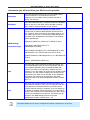
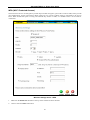
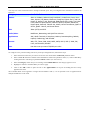
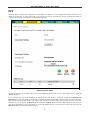
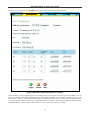
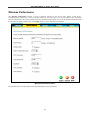
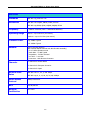
Performance Parameter
Description
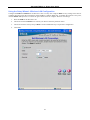
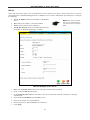
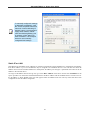
Beacon Interval
Beacons are emitted from the router in order to synchronize the wireless
network. You may set the Beacon Interval range between 20-100
microseconds per beacon sent. The default is 100.
DTIM Period
DTIM (Delivery Traffic Indication Message) Period is a countdown informing
clients of the next window for listening to broadcast and multicast
messages. The default setting is 3.
Hidden SSID
Choose Enabled to STOP broadcasting the SSID across the network. When
this is enabled, the SSID willl be hidden from roaming devices. Choose
Disabled if you want to broadcast the SSID over the network.
Antenna transmit power
Allows the user to adjust the transmit power of the router. A high transmit
power allows a greater area range of accessibility to the router. When
multiple overlapping access points are present, it may be desirable to
reduce transmition power.
RTS Threshold
The RTS (Request to Send) Threshold controls the size of data packets
issued to a RTS packet. A lower level will send packets more frequently
which may consume a great amount of the available bandwidth. A high
threshold will allow the router to recover from interference or collisions
which is more prevalent in a network with high traffic or high
electromagnetic interference. The default setting is 2347.
Frag Threshold
The fragmentation threshold will determine if packets are to be fragmented.
Packets over the 2346 byte limit will be fragmented before transmission.
2346 is the default setting.
b/g Mode
The access point can be forced to operate in g mode or b mode to
associate with exclusively 802.11b or 802.11g devices. Additional options
include b+ and g+, these are enhanced higher speed operation modes for
802.11b and 802.11g devices that support it.
User Isolation
When User Isolation is enabled, peer-to-peer communication is disabled.
This prevents unicasts from one wirless station to another in the same BSS.
QoS Support
Select to enable wireless QoS priority (IEEE 802.11e) support.
86