1
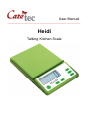
Caution: Please note the filling capacity when you reach the desired weight. 4.8: Adding Weight Heidi enables you to add weight and recall both, value added as well as the total weight (value saved). Put a weighing sample on the plate and press key 3 (top key on the right hand side of the surface) after the weight has been announced. The already applied weight will then be saved. When adding weight Heidi will not only announce the value of the weight added, but also indicate the total saved weight. After removing everything from the scale the last saved value is announced. To add weight more than once, repeat the process accordingly. To delete the value saved, press and hold key 3. 4.9: Settings To switch between the weighing units, simultaneously press key 1 and key 3. 5: Safety Instructions Do not expose the device to high humidity, extremely high or low temperatures or any dust or dirt. The operating temperature of the device lies between +5 and +30°C. If any liquid enters the device, remove the batteries, path the case dry with a cloth and let the device dry completely. Place the device on a horizontal, stable and non-slippery surface, such as a kitchen counter. If you do not use the device for an extended period, remove the batteries to avoid leakage. When inserting the batteries pay attention to the correct polarity. This kitchen scale is designed to support a maximum load of 5 kilogrammes. Never exceed the allowed maximum weight! When not in use, do not place any items on the weighing plate. Serviceability and measurement accuracy may be impaired by electromagnetic fields (e.g. by using a cell phone in direct proximity of the device). 8