1
TM
User Manual
WIRING & FUNCTIONS
Different applications require different functions. It is highly recommended to determine
and configure the required functions prior to Installation; (refer to ‘CONTROL CABLE’ section).
Pre-Installation
Wiring & Functions
Vehicle Roof Installation
LIGHTBAR WIRING
Adjustable Feet
POWER CABLE
RED
RED
Permanent Mount
Strap Kit Mount
to + VDC with 40A fuse
BLACK
BLACK
Flat Surf Installation
Narrow Surface Mount
Wide Surface Mount
CONTROL CABLE
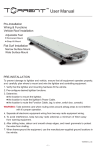
PRE-INSTALLATION
To prevent damage to lightbar and vehicle, ensure that all equipment operates properly,
and c arefully plan where to mount and wire the lightbar and controlling equipment:
1. Verify that the lightbar and mounting hardware fit the vehicle.
2. Pre-configure desired lightbar functions.
3. Determine:
the location to mount the lightbar.
the location to route the lightbar’s Power Cable.
the location to route the Function Cable, (eg. to siren, switch box, console).
WARNING: Take extreme care when routing wires around airbag areas to not interfere
with it’s proper operation.
4. Separate all electronic equipment wiring from two-way radio equipment wiring.
5. To avoid interference, keep two-way radio antennas a minimum of 50cm away
from warning equipment.
6. After drilling holes, deburr and smooth sharp edges, and insert grommets to protect
the wires from chafing.
7. When frame-ground the equipment, use the manufacturer-supplied ground locations in
the vehicle.
to chassis ground
BROWN
PINK
RED
GRAY
ORANGE
BLUE
BROWN-BLK
ORANGE-BLK
BLUE-BLK
YELLOW
GREEN
RED-BLK
YELLOW-BLK
GREEN-BLK
PURPLE
Activate Warning Mode
Tail (Steady Burn 50%)
PS Brake (Steady Burn 100%)
DS Brake (Steady Burn 100%)
Rear "Left Arrow"
Rear "Right Arrow"
Take Downs
Right-Side Alley Lights
Left-Side Alley Lights
Flash Pattern
Hi/Low Power
Flashing TDs & Alleys
Front cutoff
Rear cutoff
Lighthead Group Selection
optional (for use with switch panel)
Functions are activated by applying + VDC to a control wire.
POWER CABLE
1. Route Power Cable to the vehicle firewall towards the battery.
2. Follow factory wiring harness through the firewall. It may be necessary to drill a hole
in the firewall. Ensure that there are no components that could be damaged from
the drilling.
3. Route the cable to the battery.
4. Splice the 2 RED wires to form a single wire.
5. Install a 40Amp fuse (user-supplied) on the end of RED wire, then connect to battery.
6. Splice the 2 BLACK wires to form a single wire.
7. Connect BLACK wire to the factory chassis ground adjacent to the battery.
NOTE: make sure that all wires of power cable are securely connected to power source.
TORRENT_v.ST1
TORRENT_v.ST1
-1-
-2-