1
tree is shown below. The structure of models B and C is characterized by graphic menus.
1. Press on the parameters area. A screen containing the data of the maneuver and the following
keys appears:
Return to the previous screen.
Change the maneuver.
View the
diagnostic of selected maneuver
Print out the report for the selected maneuver
Save
the maneuver in the database. Use
or
to view the remaining parameters that have been
selected
(C) Viewing the DIAGNOSIS:
key to switch between diagnoses.
Database
SPIROMETRY
Customization
SpO2
Maintenance
Printing
To facilitate navigation through the menus, the equipment is provided with
DO NOT use sharp
instruments that may
damage the screen
We recommend using the pointer to select the character (number or letter)
to fill in the numeric or alphanumeric fields.
1. Select the maneuver you wish to save.
DESCRIPTION OF CERTAIN FIELDS
key to view the message SELECT BASE
3. Press the
key in the SELECT BASE, area to view the message MANEUVER N.: X SAVED
To save a test in PREbronchodilation for comparison with POSTbronchodilation mode, follow
the same steps described above, but at step 2. press the
key to view the message
MANEUVER PRE N.: X SAVED
(E) PRINTING a maneuver:
Code. This is a 10-character numeric or alphanumeric field, depending
on the customized option, for the patient’s code.
Name. A 20-character alphanumeric field for the patient’s name.
This field can be omitted if desired.
Age. Number of years, between 4 and 100.
1. Make sure that the printer is properly connected and ready to operate and select the maneuver you
wish to print.
2. Press the
Bronchodilation
a Pointer to select the icons (keys) that appear on the screen.
(D) SAVING a test to the DB (internal DataBase):
2. Press the
Operation Mode
Calibration
1. Press the
key to view the screen that displays the diagnosis, (one of the two diagnostic
screens types provided with the equipment will appear, depending on the mode selected)
or
FUNCTIONS TREE
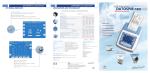
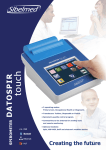
To better understand the structure of the DATOSPIR MICRO spirometer, the first level of the functions
(B) VIEWING THE RESULTS of the maneuver:
2. Use the,
Information regarding the STRUCTURE OF THE SPIROMETER
key and a progress bar will appear indicating that the printing process is activated
Sur. A 25-character alphanumeric field for the patient’s surname(s). This field can be omitted if desired.
Cm. Height between 50 and 230.
Kg. Weight in kg between 15 and 200.
Sex. Male or Female.
Technician. A 10-character numerical field for the code of the technician performing the test. This field
can be omitted if desired.
(F) DELETING a maneuver:
I. Fuma. Between 0 and 200. The Smoker Index equals the number of cigarettes the patient smokes
per day divided by 20 and multiplied by the number of years the patient has been smoking
1. Select the maneuver you wish to delete.
2. Then press
to view the message YOU ARE GOING TO DELETE THE MANEUVER! ARE YOU SURE?
3. If you are sure, press the
key to view the message MANEUVER N.: X DELETED, indicating that
the selected maneuver has been deleted.
Et. F. Between 80% and 120%. The Ethnic Factor is used in populations that do not have their own
certain percentage. This factor MUST BE 100 % WHEN NOT APPLIED.
key to access the patient data screen.
2. Enter the new patient data or modify existing patient data and press the key
C/d. Number of cigarettes smoked per day. This helps to calculate the COPD index parameter.
reference parameters and use existing population parameters that are adjusted according to a
(G) Para CAMBIAR de paciente:
1. Press the
(cigarettes per day x years smoking / 20). This field can be omitted if desired.
OTHER DATA OF INTEREST
.
The FVC and FEV1 REFerence parameters appear on the top right-hand
This option allows you to enter a new patient or modify existing patient data.
side, depending on the patient data entered in the equipment.
If you have modified existing patient data, the changes will be applied and the patient’s parameters
will be calculated again.
M1 This indicates the .maneuver .selected, and *: indicates the .current maneuver.
www.sibelmed.com
www.sibelmed.com
WARNING: As soon as the technician presses the
key, the patient has 30 seconds to begin the
maneuver. If the patient does not begin the maneuver during this time, the equipment switches to
standby and the key must be pressed again.