1
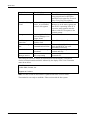
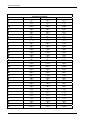
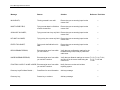
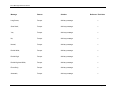
Error Message Resolution Guide
Message
Reason
Solution
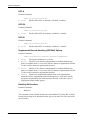
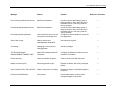
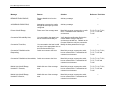
Edit License Key;
Menu Option.
Advisory message.
---
Run Site Survey;
Menu Option.
Advisory message.
---
Switch Client Modes;
Menu Option.
Advisory message.
---
Run TwinClient;
Menu Option.
Advisory message.
---
Exit to OS;
Menu Option.
Advisory message.
---
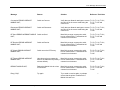
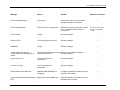
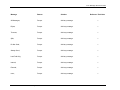
Printer may not be\nplugged in
or\nturned on!;
Can not print.
Check cable, battery, communication
settings and paper in the printer.
---
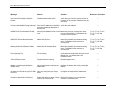
OUT OF RANGE OF BASE;
Mobile Unit out of the coverage
area.
Most likely a range, access point, radio,
host or network issue. Troubleshoot the
customer’s environment.
T1113, T1114, T1161,
T1171, T1187 and
T1194
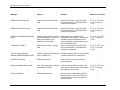
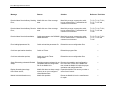
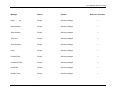
CONNECT SERIAL CABLE;
Serial cable not connected to the
Mobile Unit.
Check cable, battery and communication
settings for the Mobile Unit.
---
REMOVE SERIAL CABLE;
Remove serial cable from to the
Mobile Unit.
Check cable, battery and communication
settings for the Mobile Unit.
---
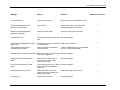
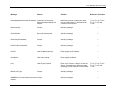
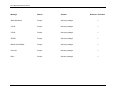
PLACE IN CRADLE;
Place the Mobile Unit in the cradle. Advisory message.
PowerNet Twin Client Reference • May, 2006
Reference Tech Note
---
11-9