1
pyrocore Documentation, Release 0.6.1
(continued from previous page)
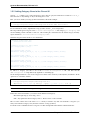
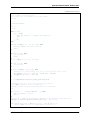
target="/var/torrent/backups/untied/$(dirname "$metafile")"
echo -e "\nMoving '$metafile'..."
mkdir -p "$target"
mv -n "$metafile" "$target"
continue
elif test $RC -ne 0; then
break
fi
echo -n '.'
done )
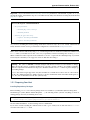
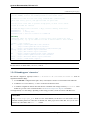
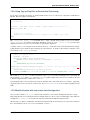
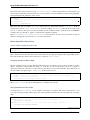
The loop is not optimized for speed, but then you don’t need to call this very often.
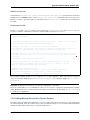
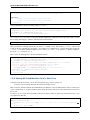
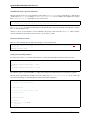
On a related note, to list all the metafiles that an item is still tied to but that don’t exist anymore, use this command:
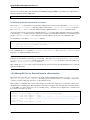
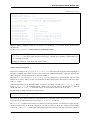
rtcontrol -q 'metafile=!' --call \
'test -f "{{ item.metafile }}" || echo "{{ item.metafile }}"'
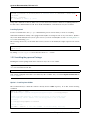
To make the untied state visible in the client, call this:
rtcontrol -q 'metafile=!' --call \
'test -f "{{ item.metafile }}" || rtxmlrpc -q d.delete_tied "{{ item.hash }}"'
1.5.11 Safely Remove One Tracker’s Items
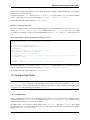
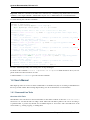
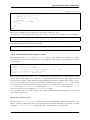
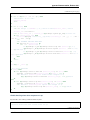
The following uses the --alter option of rtcontrol v0.6.1 to select and then remove all items of a specific
tracker (named DEAD here), but only when there are no open duplicates of those items, i.e. it excludes any seeds active
on other trackers.
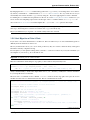
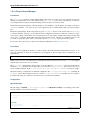
tracker=DEAD
rtcontrol alias=$tracker --stop -ortcontrol alias=$tracker -A dupes+ -V
rtcontrol views=rtcontrol is_open=yes -A dupes+ -V --alter remove
rtcontrol --from rtcontrol // --cull --yes
rtcontrol alias=$tracker --delete --yes
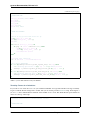
After stopping all items, the second rtcontrol command selects the primary target set of items to delete – if there
were no dupes, directly adding -cull instead of -V to that command would do the job. This simple way would
remove the data of actively seeding duplicates though, making them non-viable – and that is what we want to avoid.
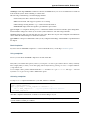
So the second command removes active seeds from the first result that was stored in the rtcontrol view. For that,
we select the active items in the initial result, add any dupes of those, and then take out that subset using --alter
remove. Note that views=rtcontrol is used instead of --from rtcontrol, because otherwise --anneal
doesn’t work correctly (see the warning at Annealing Results for details).
Now, the reduced result set is culled, leaving the active dupes and their data untouched. Finally, left-overs from the
target tracker are just deleted.
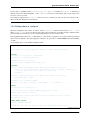
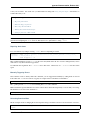
More Choices to Alter a View
The other choice for --alter is append, which can be used to incrementally assemble filter results into a view.
While you can also combine filters using OR, this way helps in some situations where that is not possible – especially
when using --anneal or --select, options that apply to all results within one command call.
1.5. Tips & How-Tos
45