1
March 2005
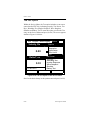
The Sort Menu
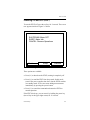
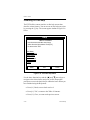
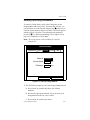
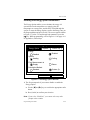
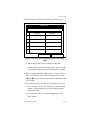
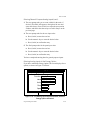
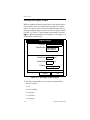
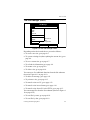
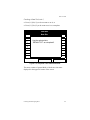
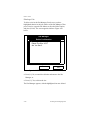
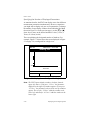
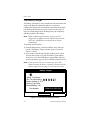
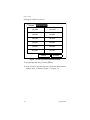
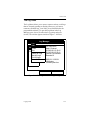
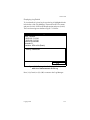
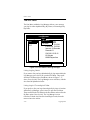
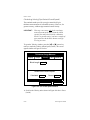
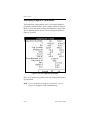
The Sort Menu within the Log Manager allows you to arrange
your log list either alphabetically (By Name) or chronologically
(By Date).
File
Log
Log Manager
View Sort
AAA
BBB
CCC
Info: AAA.LOG
bBy Name
State: Finished
By Date
S:03/01/01 13:13:41
E:03/01/01 13:23:41
Interval: 10 Seconds
Records:51
03/01/01 13:23:21
1216 bytes
109568 bytes free
Refresh
Exit
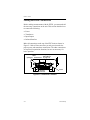
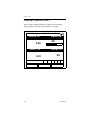
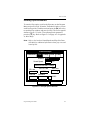
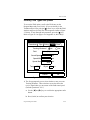
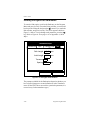
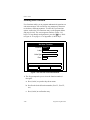
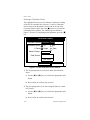
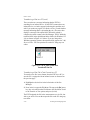
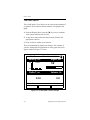
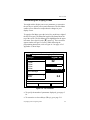
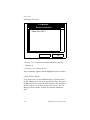
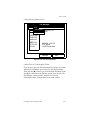
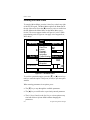
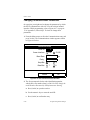
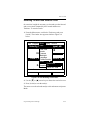
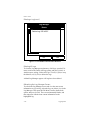
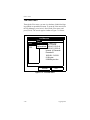
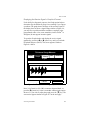
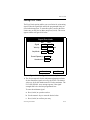
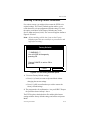
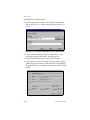
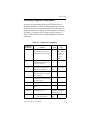
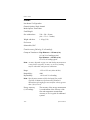
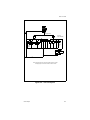
Figure 7-17: Sort Menu in the Log Manager
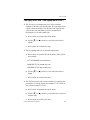
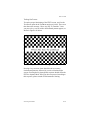
Listing Logs by Name
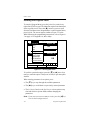
If you want to list your logs alphabetically by log name within the
Log Manager, press [MENU] to open the File Menu. Then scroll
from the File Menu to the Sort Menu, shown in Figure 7-17
above. Press [ENTER]. The Log Manager screen refreshes, with the
sites listed in alphabetical order.
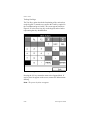
Listing Logs in Chronological Order
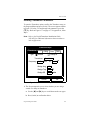
If you prefer to list your logs chronologically by time of creation
within the Log Manager, press [MENU] to open the File Menu.
Then scroll from the File Menu to the Sort Menu, and scroll to the
By Date option. Press [ENTER]. The Log Manager screen
refreshes, with the sites listed in chronological order, from the
most recent to the earliest.
7-24
Logging Data