1
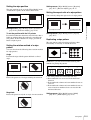
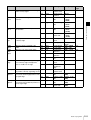
Setting the wipe position
The wipe position can be set in the [Wipe Modify] menu
or with the X-Y pointer in the menu control block.
Settings menu: [Wipe Modify] menu > [Rotation]
(page II-17), [Rotation Adjust] (page II-17)
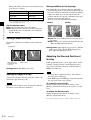
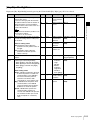
Setting the aspect ratio of a wipe pattern
You can freely change the aspect ratio of a wipe pattern.
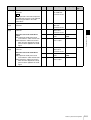
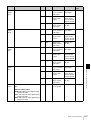
Positioner Off
Positioner On
To set the position with the X-Y pointer
Press the POS button in the menu control block so that it
lights up and then adjust the position by controlling the
X-Y pointer. If the F1 button is lit orange, press the F1
button to light it green.
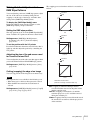
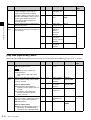
Setting the rotation method of a wipe
pattern
Aspect Adjustment Off
Aspect Adjustment On
Settings menu: [Wipe Modify] menu > [Aspect]
(page II-17)
Replicating a wipe pattern
Chapter 2 Video Switching
Settings menu: [Wipe Modify] menu > [Positioner]
(page II-16), [Positioner Adjust] (page II-16)
The same pattern can be placed up to 63 times either
horizontally or vertically, or in both directions.
You can select from the following three rotation methods
for wipe patterns.
Angle
Performs the wipe with the pattern inclined at a fixed
angle.
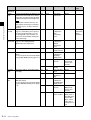
Multi Function Off
Multi Function On
Furthermore, you can select from the following four
methods for placing the patterns.
1
Angle Off
2
3
4
Angle On
Speed
Rotates the pattern at a fixed speed during the transition.
1: All of the patterns are oriented the same way
2: Even numbered rows are moved in the horizontal
direction
3: Even numbered columns and even numbered rows are
reversed
4: Even numbered columns and even numbered rows are
reversed and even numbered rows are moved in the
horizontal direction
Magnitude
Rotates the pattern at only the set angle for one transition.
Settings menu: [Wipe Modify] menu > [Multi]
(page II-17), [Multi Adjust] (page II-17)
Setting Wipes
II-11