1
s
Video Switching
Chapter
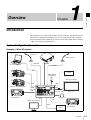
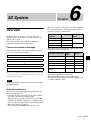
This unit includes three video composition blocks: M/E (Mix/Effect), Aux1, and Aux2. You can also apply transitions
between the buses of each block.
Video input
Chapter 2 Video Switching
Overview
Video output
PGM Bus
Preview
PST Bus
M/E
(Mix/Effect)
Key Fill Bus
Program
Key Source Bus
Aux1 Preview
Aux1 PGM Bus
Aux1
Aux1 PST Bus
Aux1 Program
Aux2 Preview
Aux2 PGM Bus
Aux2
Aux2 PST Bus
Aux2 Program
In the M/E block, you can add a variety of video effects while switching the video, as well as use keys to compose video.
Although you cannot add wipe and key effects in the Aux blocks, video can be switched via mixing in these blocks. (See
“AUX Mixing” (page II-9))
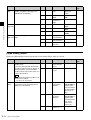
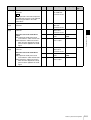
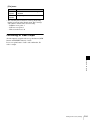
Transition, effect, and key adjustments and settings are
performed in the following menus.
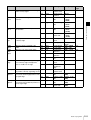
Menu
Description
Reference
page
Misc
Set general transition settings
(e.g., transition rates, color
backgrounds).
II-8
Effect
Set the transition type.
II-8
Set the wipe.
II-10
Set the DME wipe.
II-12
Set the key.
II-19
Key
Overview
II-7