1
About This Manual
This manual describes how to make adjustments and
settings to enable you to use the advanced features of this
unit.
For the basic operating procedures of the unit, see to “Operating
Instructions (Volume I Basic Operation).”
How to View This Manual
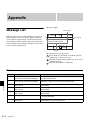
About setting values
The setting values shown in bold are the factory default
settings.
Examples:
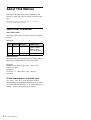
Knob
Parameter Meaning
Setting range
V3
Format
Signal format
108059, 108050,
720p59, 720p50,
480i59, 576i50,
Test1, Test2, Test3
V4
Aspect
Aspect ratio
16:9, 4:3
About references
References to the Operating Instructions (Volume I Basic
Operation) are indicated by the c mark as follows.
Example 1:
Channel faders (c Basic Operation: “Names and
Functions of Parts”)
Example 2:
For details, see “Effect Pattern List” (c Basic
Operation).
To find information on a specific topic
See “Index” (page II-59) at the end of this manual.
The index indicates whether the information can be found
in “Volume I Basic Operation” or “Volume II Advanced
Settings” and the corresponding page numbers.
II-4
About This Manual