1
Chapter
8
Performance Data
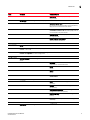
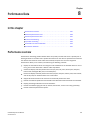
In this chapter
• Performance overview. . . . . . . . . . . . . . . . . . . . . . . . . . . . . . . . . . . . . . . . . .
• Real-time performance data. . . . . . . . . . . . . . . . . . . . . . . . . . . . . . . . . . . . .
• Historical performance data . . . . . . . . . . . . . . . . . . . . . . . . . . . . . . . . . . . . .
• End-to-end monitoring. . . . . . . . . . . . . . . . . . . . . . . . . . . . . . . . . . . . . . . . . .
• Top Talker monitoring . . . . . . . . . . . . . . . . . . . . . . . . . . . . . . . . . . . . . . . . . .
• Thresholds and event notification . . . . . . . . . . . . . . . . . . . . . . . . . . . . . . . .
• Connection utilization . . . . . . . . . . . . . . . . . . . . . . . . . . . . . . . . . . . . . . . . . .
297
303
307
312
316
321
327
Performance overview
Performance monitoring provides details about the quantity of traffic and errors a specific port or
device generates on the fabric over a specific time frame. You can also use performance to indicate
the devices that create the most traffic and to identify the ports that are most congested.
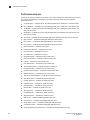
Performance allows you to monitor your SAN using the following methods:
• Display the connections which are using the most bandwidth on the selected device or one of
the F_ports on the device with a feature called Top Talkers.
• Gather and display real-time performance data (FC ports, ISL ports, Device ports, GE ports,
FCIP tunnels, Managed HBA ports, and 10 GE ports).
• Persist and display historical performance data (FC ports, ISL ports, Device ports, FCIP tunnels,
and 10 GE ports) for selected fabrics or the entire SAN.
•
•
•
•
•
Support End-to-End monitors for real-time and historical performance data.
Enforce user-defined performance thresholds and notification when thresholds are exceeded.
Display percentage utilization for FC and FCIP links.
Provide user-defined aging scheme (5 minutes, 30 minutes, 2 hours and 1 day granularity).
Provide enhanced performance reports.
DCFM Enterprise User Manual
53-1001357-01
297