1
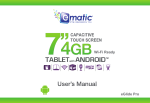
Azpen User Guide
Contents
1. Safety instruction....................................................................................... 3
1.1 Right Place .............................................................................................. 3
1.2 Battery ...................................................................................................... 3
1.3 Alternating Current ........................................................................... 3
1.4 Using Tablet .......................................................................................... 3
2. Getting started .......................................................................................... 4
2.1 Power on and off ................................................................................ 4
2.2 Using the touch screen ....................................................................5
2.3 Battery and charging ......................................................................... 6
2.4 Status bar icons and indicators ................................................... 7
2.5 Shortcut icon ......................................................................................... 8
2.6 Lock screen ....................................................................................... 10
2.7 Change the wallpaper .................................................................. 13
2.8 Manage downloads ....................................................................... 13
4. Settings ....................................................................................................... 20
4.1 Wireless & networks ....................................................................... 20
4.2 Data usage ........................................................................................... 21
4.3 More ........................................................................................................ 22
4.4 Sound ...................................................................................................... 22
4.5 Display ................................................................................................... 23
4.6 Storage .................................................................................................. 23
4.7 Apps ........................................................................................................ 24
4.8 PERSONAL ............................................................................................. 25
4.9 Language & input ............................................................................. 28
4.10 Backup & reset ................................................................................ 29
4.11 Accounts & sync ............................................................................. 30
4.12 Date & time ........................................................................................ 31
4.13 Accessibility ....................................................................................... 31
4.14 Printing ................................................................................................. 32
4.15 About Tablet ...................................................................................... 32
Troubleshooting........................................................................................... 33
FAQ .................................................................................................................... 36
3. Main menu ................................................................................................. 14
3.1 Applications install and uninstall ............................................. 14
3.2 Camera .................................................................................................. 16
3.3 Music ...................................................................................................... 16
3.4 Videos .................................................................................................... 17
3.5 Pictures .................................................................................................. 18
3.6 File management .............................................................................. 18
3.7 Recording ............................................................................................. 19
-1-
-2-