1
Table of Contents
CHAPTER 1 INTRODUCTION
1
Overview ................................................................................................................................................. 1
Features.................................................................................................................................................................2
Important Battery Information ..............................................................................................................................3
When to Use This Guide.......................................................................................................................................3
Document Conventions.........................................................................................................................................4
Components ........................................................................................................................................... 5
Front......................................................................................................................................................................5
Back ......................................................................................................................................................................6
Scanner / Imager Aperture ....................................................................................................................................7
Trigger Handle ......................................................................................................................................................7
Handstrap ..............................................................................................................................................................8
I/O Port and Cables ...............................................................................................................................................9
MX8 AC Adapter................................................................................................................................................10
Quick Start............................................................................................................................................ 11
Troubleshooting ..................................................................................................................................................12
Related Manuals for Startup................................................................................................................................12
Entering the AppLock Activation Key................................................................................................................12
Hotkey..............................................................................................................................................................12
Touch ...............................................................................................................................................................12
Hardware Setup.................................................................................................................................... 13
Installing Trigger Handle (Optional)...................................................................................................................13
Installing the Handstrap ......................................................................................................................................14
Inserting a Fully Charged Battery .......................................................................................................................15
About Lithium-Ion Batteries ............................................................................................................................15
Connecting an External Power Supply (Optional) ..............................................................................................16
Putting it all together …. ..................................................................................................................................16
Assembling the 5V AC Power Adapter ...........................................................................................................16
Connecting the Multipurpose USB / Power Cable...........................................................................................17
Connecting the Multipurpose RS-232 / Power Cable ......................................................................................18
Connecting the Audio Cable and a Headset .....................................................................................................19
Adjust Microphone and Secure the Cable .....................................................................................................19
Power Key............................................................................................................................................. 20
Tapping the Touchscreen with a Stylus ............................................................................................ 21
Keypad Shortcuts ................................................................................................................................................21
Software Setup..................................................................................................................................... 22
Touchscreen Calibration .....................................................................................................................................22
Set Time Zone (Optional) ...................................................................................................................................22
Enter Owner Information (Optional)...................................................................................................................22
Set the Display Backlight Timer .........................................................................................................................22
Set the MX8 Power Schemes Timers..................................................................................................................23
Set The Audio Speaker Volume..........................................................................................................................24
Using the Keypad.............................................................................................................................................24
Using the Touchscreen.....................................................................................................................................24
Applying the Protective Film to the Display.......................................................................................................25
Copy the MX8 LXEbook to the MX8 (Optional) ...............................................................................................25
Wireless Client and Network Setup ................................................................................................... 26
Terminal Emulation Setup................................................................................................................... 26
Installing User Certificates and Private Keys ................................................................................... 27
User Certificate ...................................................................................................................................................27
E-EQ-MX8RG-A
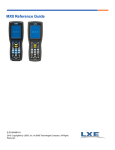
MX8 Reference Guide