1
PRI GSM Gateway
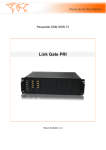
Link Gate PRI
User manual v1.0
Basic general features................................................................................................................. 5
Description ................................................................................................................................. 6
1
CPU Board Description.................................................................................................. 6
1.1
RJ45 pin setting...................................................................................................... 6
2
GSM peripheral Board ................................................................................................... 7
Software ..................................................................................................................................... 7
3
File.................................................................................................................................. 8
3.1
New ........................................................................................................................ 8
3.2
Open ....................................................................................................................... 8
3.3
Save ........................................................................................................................ 8
3.4
Save as.................................................................................................................... 8
3.5
Close....................................................................................................................... 8
3.6
Download from Link Gate PRI .............................................................................. 8
3.7
Upload to Link Gate PRI........................................................................................ 8
3.8
Recent file .............................................................................................................. 8
3.9
Quit......................................................................................................................... 8
4
View ............................................................................................................................... 9
4.1
Toolbar ................................................................................................................... 9
4.2
Status ...................................................................................................................... 9
5
Options ........................................................................................................................... 9
5.1
Interface.................................................................................................................. 9
5.2
Password................................................................................................................. 9
5.3
Language ................................................................................................................ 9
6
Service............................................................................................................................ 9
6.1
Reset ....................................................................................................................... 9
6.2
Update firmware..................................................................................................... 9
6.3
System Monitor ...................................................................................................... 9
7
Configuration ............................................................................................................... 10
7.1
ISDN..................................................................................................................... 10
7.1.2
Common ....................................................................................................... 10
•
Dial tone ....................................................................................................... 10
•
Wait for dialing ............................................................................................ 10
•
Time to save smart callback ......................................................................... 10
7.1.3
Lines ............................................................................................................. 11
Protocol .................................................................................................................... 11
•
Signalization................................................................................................. 11
L1 Parameters........................................................................................................... 11
•
CRC4............................................................................................................ 11
L3 Parameters........................................................................................................... 11
•
Upwards channel selection (A side)............................................................. 11
•
Downwards channel selection (B side) ........................................................ 12
•
Cyclic channel selection............................................................................... 12
Channel’s Blocking .................................................................................................. 12
Expert Settings ......................................................................................................... 12
•
L1 Parameters............................................................................................... 12
•
Long Haul..................................................................................................... 12
•
RJ45 pin setting............................................................................................ 12
•
L2 Parameters............................................................................................... 12
7.1.4
Synchronization............................................................................................ 12
7.2
GSM ..................................................................................................................... 13
7.2.1
GSM Modules .............................................................................................. 13
Assignment to GSM groups ..................................................................................... 13
SIM card................................................................................................................... 13
•
PIN code....................................................................................................... 13
•
Day of credit restoration (1-31).................................................................... 13
•
Credit to restore............................................................................................ 14
•
Remaining credit .......................................................................................... 14
•
First count (in seconds) ................................................................................ 14
•
Next count (in seconds)................................................................................ 14
7.2.2
GSM Outgoing Group.................................................................................. 14
From the first............................................................................................................ 14
Cyclic ....................................................................................................................... 14
By remaining credit.................................................................................................. 15
7.2.3
GSM Incoming Group.................................................................................. 15
Mode......................................................................................................................... 15
•
Receive All................................................................................................... 15
•
Ignore All ..................................................................................................... 15
•
Receive and reject ........................................................................................ 16
•
Receive and ignore ....................................................................................... 16
•
Callback and receive .................................................................................... 16
•
Callback and reject ....................................................................................... 16
•
Callback and ignore...................................................................................... 16
Waiting for DISA (0 – 60 seconds).......................................................................... 16
Minimal extension length......................................................................................... 16
Maximal extension length ........................................................................................ 16
Prefix ........................................................................................................................ 16
Extensions ................................................................................................................ 16
7.3
LCR (Least Cost Routing).................................................................................... 17
7.3.1
CLIP Table ................................................................................................... 17
7.3.2
Routing Table............................................................................................... 18
Default routing profile.............................................................................................. 18
•
Number......................................................................................................... 18
•
Number modification ................................................................................... 18
•
Outgoing targets list ..................................................................................... 18
•
Max. digits to dial......................................................................................... 19
Routing profile ......................................................................................................... 19
7.4
CLIP from GSM................................................................................................... 19
List of GSM numbers............................................................................................... 19
8
Diagnostics ................................................................................................................... 20
8.1
ISDN lines ............................................................................................................ 20
8.2
GSM modules....................................................................................................... 20
Appendix .................................................................................................................................. 21
9
Technical Conditions for Installation........................................................................... 21
9.1
Subrack................................................................................................................. 21
9.2
GSM ..................................................................................................................... 21
9.3
PRI Interface(s) .................................................................................................... 21
9.4
Temperature ......................................................................................................... 21
9.5
Remote Control Line types .................................................................................. 21
Link Gate PRI
3
Dear customer,
We congratulate you on purchase our product. Our wish is to make you satisfied with the PRI
Gate completely and for a long time.
! Important!
Before you start installing this product, check whether the delivery is complete and read this
manual thoroughly. The manufacturer cannot be held responsible for any damages that
occurred due to incorrect use of this product in contradiction to this manual. The guarantee
terms do not cover damages of the product caused by rough handling, incorrect storage or by
exceeding the quoted technical parameters.
Link Gate PRI
4
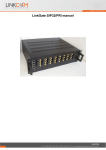
GSM Gateway Link Gate PRI
is a compact highly sophisticated system. It
supports full remote supervision and configuration via an IP network or USB port. The
system has been designed and works with a lot of highly sophisticated functions, which make
it fully client-oriented and highly reliable in cooperation with both GSM networks and ISDN.
Configuration alterations can be made without resetting, i.e. under full operation.
Basic general features
•
•
•
•
•
•
•
•
•
•
•
•
•
Connection to the exchange through ISDN E1 interface with DSS1 signaling or QSIG
Connection to DTMF extension line through direct dialing
Connection directly to the operator or the determined line
Connection to the operator after a time period elapse (adjustable) to select an extension
line
Transfer of the number of the calling subscriber in the exchange (CLIP)
Limitation of outgoing calls in GSM network
Limitation of incoming calls from GSM network
Priority connection through each of GSM module (LCR)
Setting own time rate by 1 second or only in case of establishing connection
Selection of the GSM service provider separately for each GSM module
SIM card protection using PIN
Detailed gate parameters setting from PC through a program for Windows 98/2000/XP
Power supply 8-12 V DC
Note: Cross reference are written cursive (Italic), and underline.
Link Gate PRI
5
Description
The system is integrated in a 19“ sub rack of the height of 3U and depth 360 mm. The front
side is open, equipped with guides for plug-in boards with front panels.
1
CPU Board Description
The CPU board contains a powerful processor system controlling the whole system. The
board is designed on a 4-layer PCB of the size of 280x100mm. CPU board contains also four
primary rate (PRI, E1) ISDN interfaces and PCM bus switching and timing circuit. E1-A
interface is designed for connection to PBX and LCR functions is activated on this port. E1-B
is designed for connection to PSTN and all calls from this port will be routed to E1-A port.
Ports E1-C and E1-D are in present time reserved for future applications. Each of these
interfaces can be configured as TERMINAL or as NETWORK independently and each of
these interfaces can be configured as a input of clock synchronization with defined priority.
An USB interface, an Ethernet connector (10/100 Base-T), and four RJ45 connectors with
pair of E1 line status LED indicators are located on the front panel.
GREEN
YELLOW
LIGHT
FLASH
LIGHT
DARK
DARK
DARK
DARK
DARK
SOMETIMES
FLASH
FLASH
LIGHT
DARK
Description of LED value
Description
Connection is OK
No datalink connection (Layer 2)
Connection is OK, lines is not synchronized (slip)
Signal is present but it is not OK
No signal
Line is not in configuration
LED LAN indicates LAN connection (LED is green – connection is OK, yellow LED flash
when LAN is under way).
1.1
RJ45 pin setting
Swapping of the transmitting and receiving connector pair can be made either automaticaly
according NT or TE configuration setting or manualy according user setting. For this
Link Gate PRI
6
selection is not need to switch any jumpers on CPU board – all can be made using Link Gate
PRI configuration software.
2
GSM peripheral Board
The GSM board contains four GSM modules (Siemens TC35i), circuits for their connection to
the PCM bus, and DTMF receivers. The board is designed on a 4-layer PCB of the size of
280x100mm. Four antenna connectors and 4 GSM status indicators are located on the front
panel.
LED Color
GREEN LIGHT
GREEN FLASH
RED FLASH
ORANGE FLASH
Possible statuses of indication LED diodes
Description
connection in process (call)
module logged in the network, rest condition
GSM module is not presented
ERROR
Software
Link Gate PRI Configuration
This program allows you to configure and control your gateway. In top menu you can set all
parameters throuth items File, View, Options, and Service. First you install proper interface in
menu Option Interface to configure other items. Some parameters you can set throuth the use
of item in toolbar (New, Open, Save,Download from Link
Gate PRI Link Gate PRI, and Upload to ).
Section File allows you to define New file of configuration
and save it as a *.cfg or Open an existing configuration file.
After setting configuration you can Save it or Save as. This
configurate file you can retain in Upload to . Setting of
configuration you can read from the gateway throught item
Download from Link Gate PRI PRI. You can see recent
saved files (max 6) in section Recent file. There is an item
for program end too (section Quit).
Section View allows you to display or not Toolbar and
Status bar.
Section Options allows you to set Interface,
Password and Language.
Link Gate PRI
7
Section Service contains commands for the gateway as Reset, Update firmware, and allows
display and System Monitor (available only if the Link Gate PRI is connected).
3
File
Section File allows you to define New File of configuration and save it as a *.cfg or open an
existing configuration file. After setting configuration you can save it or upload to gateway.
Contains an item for program end too.
3.1
New
In this pane you can create the new
configuration and load default setting in
the tree and set or change it.
3.2
Open
Program opens a file from a folder
selected by you.
3.3
Save
Program saves a file of configuration.
3.4
Save as
Program saves the file into a folder
selected by you.
3.5
Close
Terminates setting configuration.
3.6
Download from Link Gate PRI
If you extract from Menu File this item
you
can
download
last-saved
configuration file from gateway.
3.7
Upload to Link Gate PRI
This item allows you to save your
configuration file to gateway.
3.8
Recent file
There are recent saved files of configuration (last 6).
3.9
Quit
Terminates the program.
Link Gate PRI
8
4
View
4.1
Toolbar
Display or hide toolbar with items New, Open, Save, Download from Link Gate PRI, Upload
to and inofmation about
programm.
4.2
Status
Display or hide status line
on the bottom of pane.
5
Options
This section is used for setting Interface, Password, Language and Date and Time.
5.1
Interface
Select COM port
Choose proper COM port, which makes
communication gateway with your PC.
5.2
Password
You can set or change password for
access to gateway. Password is saved in Link Gate PRI.
5.3
Language
English.
6
Service
Contains commands for the gateway (available only if the Link Gate PRI is connected).
6.1
Reset
System restarts the gateway and initializes all Gateway boards (the gateway communication is
not discontinued but all current calls and SMS to be sent are terminated!).
6.2
Update firmware
System writes firmware (file *.LMF) into Gateway.
6.3
System Monitor
This pane is used for storing traces from ISDN layers (sending and receiving messages) for
possible check in case of problems.
Link Gate PRI
9
7
Configuration
In the bookmark of Configuration you can set Link Gate PRI gateway parameters as
ISDN,
ISDN
This pane contains setting of ISDN line. You can set Common properties, options for each
line and Synchronization.
7.1.2
•
Common
Dial tone
No dial tone
Gateway will not send any dial tone towards PBX on empty SETUP (in case that receive
SETUP message without called party number).
Continuous tone
Gateway sends continuous dial tone.
Tone Morse A
Selection of type of dial tone (330 ms pulse, 330 ms pause, 660 ms pulse, 660 ms pause).
• Wait for dialing
Time (in seconds) to wait for next digit. This timeout causes the end of dialing from PBX.
• Time to save smart callback
Time (in hours) for saving callback information in Link Gate PRI smart callback table. ‘0’
means that smart callback function is disabled.
Link Gate PRI
10
7.1.3
Lines
In this section you can set options for each line (PBXE1-A, PSTNE1-B, E1C, E1D).
Protocol
In this section you can set protocol.
• Signalization
You can define type of signalization: DSS1 (ITU-T Q.931), Q-SIG or disabled.
You can configure the line as network (NT) or terminal (TE).
L1 Parameters
• CRC4
Parameter for activating/deactivating CRC of Layer 1 on PRI ISDN interface.
L3 Parameters
Defines way of occupation of B-channels on PRI interface.
• Upwards channel selection (A side)
Gateway will occupy channels from channel 1 to 32.
Link Gate PRI
11
• Downwards channel selection (B side)
Gateway will occupy channels from channel 32 to 1.
• Cyclic channel selection
Gateway will occupy channels from last engaged +1/-1 channel.
Channel’s Blocking
This setting allows to block unused channel.
Expert Settings
This pane contains other parameters of lines. This
setting is not recommended to change.
• L1 Parameters
Parameters for L1 layer.
• Long Haul
This setting is not recommended to change (only the
Gateway is placed far away from PBX approximately
300m and PBX takes part of it).
• RJ45 pin setting
You can choose from 3 options of RJ45 pin setting: According to the protocol, Always TE or
Always NT.
• L2 Parameters
This setting is not recommended to change.
TEI selection (0-127)
Gateway identification address (0 by default, 127 max.)
Signaling HDLC channel (1-31)
Gateway identifies HDLC channel (16 by default).
7.1.4
Synchronization
You can set a synchronization clock accordance order in table Order of synchronization.
You can add
or reduce
any of E1 links and move up
or down
their sequence. First line in the pane Order of synchronization has the highest priority.
Link Gate PRI
12
7.2
GSM
This section defines properties for GSM modules. There are displayd 4 modules for each
module card (max 4 modules x 8 card).
7.2.1
GSM Modules
Defines assignment GSM modules to GSM group and allows setting SIM card.
Assignment to GSM groups
It is possible to set each module (0-32) and assign its GSM Incoming Group and GSM
Outgoing Group.
SIM card
In this window we can set:
• PIN code
Set number of PIN code for SIM card. Length of PIN code is 4.
• Day of credit restoration (1-31)
Set day of month when credit is automatic restoring.
Link Gate PRI
13
• Credit to restore
Set amount of credit (in minutes), which is restoring.
• Remaining credit
Set amount of remaining minutes, which you do not spend, these will be rolled over to the
next month and added to your credit.
• First count (in seconds)
Length of the first period. After this timeout Gateway uses parameter “next count” to
calculate the length of the call. (1 to 250 seconds).
• Next count (in seconds)
Length of the next period (1 to 250 seconds)
Parameters First count and Next count are used for account of the real length of the call from the view
of GSM operator.
Example 1: If the call is charged per second - set both parameters to 1.
Example 2: If you are charged immediately after answering a call for the whole first minute
and then second by second - set first count to 60 and next count to 1.
Proper setting of these parameters helps you to keep real record of the minutes spent and
charged for each SIM.
7.2.2
GSM Outgoing Group
In this section you can set rules for outgoing call from ISDN PRI to GSM networks.
From the first
SIM card will be switched from the first to the last in its group.
Cyclic
SIM card will be switched from last engaged +1.
Link Gate PRI
14
By remaining credit
The gateway routes calls as in the cyclic mode but selects the GSM modules according to the
least number of called minutes instead of cyclically.
7.2.3
GSM Incoming Group
In this section you can set rules for outgoing call from ISDN PRI to GSM networks.
Mode
Mode, how Gateway answers to incoming calls from GSM network.
• Receive All
All incoming calls will be routed to ISDN interface according to following parameters.
Reject All
By selecting this item you barring GSM incoming calls (the calling subscriber gets the busy
tone).
• Ignore All
By selecting this item you ignore GSM incoming calls (but the calling subscriber gets the
ringing tone).
Link Gate PRI
15
• Receive and reject
By selecting this item you barring GSM incoming calls (the calling subscriber gets the busy
tone) except calls, which CLIP are at list of GSM numbers (see section List of GSM numbers).
• Receive and ignore
By selecting this item you ignore GSM incoming calls (but the calling subscriber gets the
ringing tone) except calls, which CLIP are at list of GSM numbers (see section List of GSM
numbers).
• Callback and receive
You can activate callback (see section List of GSM numbers) in GSM incoming group which
can use callback function, other calls will be routed to ISDN interface.
• Callback and reject
You can activate callback (see section List of GSM numbers) in GSM incoming group, which
can use callback function, other calls will be rejected.
• Callback and ignore
You can activate callback (see section List of GSM numbers) in GSM incoming group, which
can use callback function, other calls will be ignored.
Waiting for DISA (0 – 60 seconds)
This is interval how long gateway will wait for DISA (Direct Inward System Access). If there
is 0, calls will be routed immediately to ISDN interface.
Minimal extension length
Minimum of DTMF digits in DTMF dial-in.
Maximal extension length
Maximum number of digits which be DTMF-dialed for incoming calls. After the last DTMF
dialing, which is the maximum, an ISDN call is made automatically with the currently
selected DISA (or DTMF prefix if necessary).
Prefix
Prefix, which the gateway adds before dialed DTMF numbers.
Extensions
If the parameter Waiting for DISA (0 – 60 seconds) is setting in 0 or number of called digits is
less then Minimal extension length call is routed to extension entered in this table (in order).
Maximal count of this extension is 5 extensions.
Link Gate PRI
16
7.3
LCR (Least Cost Routing)
A fully intelligent LCR function is the basic tool, allowing to route outgoing ISDN calls to
GSM networks (or ISDN network) by the called number prefix, and calling party number and
GSM module load in the particular group. Least cost routing (LCR) is the process that
provides customers with cheap telephone calls. Each outgoing call from gateway interface
will be routed to GSM network according to CLIP Table and. Routing Table Gateway at each
call check line to line and in case that called prefix is same as prefix stored in Routing Table
the call will be routed via defined GSM group(s) or via E1-B interface.
7.3.1
CLIP Table
The Link Gate PRI stores a list of telephone numbers that are known to be charged at far
greater prices. In this table is possibe to create different Routing profile for sorted subscribers.
Any calls of this type are not routed via Default routing profile, but via your own defined
Routing profile.
Link Gate PRI
17
7.3.2
Routing Table
This is pane with Default routing profile and others routing profiles. You can Add, Edit or
delete any items in this table.
Default routing profile
You can set all routing item Number, Number modification and Outgoing targets list by
pressing button Add:
• Number
You can define digits of this routing.
• Number modification
You can define length of cut digits and digits for
inserting before called number.
• Outgoing targets list
You can choose one or more outgoing GSM group(s)
and add to this list. It is possible to choose also routing
via PSTN at the end of listing group(s). It means that in
case that call is not possible to make via any outgoing
GSM groups from this list, call will be routed via
PSTN (E1-B interface). Maximum number of outgoing
targets is five.
Link Gate PRI
18
• Max. digits to dial
You can define length of digits, which will be sent. ‘0’ means that length of called number is
unknow and end of dial is recognized after timeout defined in Wait for dialing. This
parameter can make the call arrangement faster.
Routing profile
There is information about each routing profile (1-254) setting in CLIP Table. Parameters are
the same as the Default routing profile.
7.4
CLIP from GSM
You can add, change or delete GSM numbers to List of GSM numbers.
List of GSM numbers
This is list of numbers using in GSM Incoming Group.
Link Gate PRI
19
8
Diagnostics
In the bookmark of diagnostics you can see status of ISDN lines and GSM modules.
8.1
ISDN lines
This pane displays status of lines from E1 to E4.
Free space signalizes OK parameter of actual line.
Red indicator signalizes ERROR.
Bue indicator signalizes WARNING.
8.2
GSM modules
This pane displays status and credit of GSM modules.
Link Gate PRI
20
Appendix
9
Technical Conditions for Installation
9.1
Subrack
Dimensions (W x H x D)
Weight (full configuration)
Power supply
Power input
482 x 133 x 360 mm (19“ x 3U x 360 mm)
13.8 Kg
110-120V AC , 220-240V AC/ 50-60Hz optional
max. 380VA
9.2
GSM
Mobile network type
Transmission output per channel
VF connector
GSM phase 2/2+
900MHz / 2W, 1800MHz / 1W
GSC RF connector 50 Ω
GSM boards with Siemens TC35i
9.3
PRI Interface(s)
Interface
Signaling
Type (NT or TE)
TEI number
Clock (master or slave)
Connector
D channel timeslot
1-4 x ISDN PRI
Q.931-EDSS1, Q-SIG
NT/TE
0 – 63
Master/Slave
RJ 45
16
9.4
Temperature
Working temperature range
Relative humidity max.
Air – condition
0°C to + 50°C
95% at 40°C
optional
9.5
Remote Control Line types
Type of line
Link Gate PRI
USB2.0
Ethernet10/100 BaseT
21