1
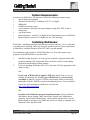
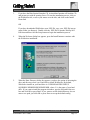
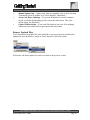
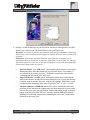
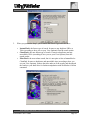
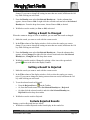
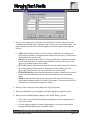
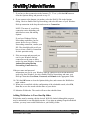
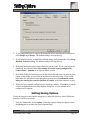
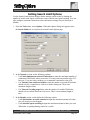
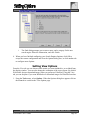
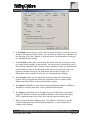
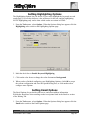
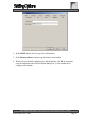
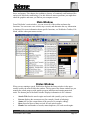
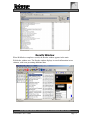
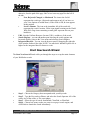
4. On step 2 of the Wizard type in your keywords, and select what operator (All of the
Words, Any of the Words, The Exact Phrase) you would like to use.
Keywords - are words or phrases that associate with specific information. Entering a
keyword for a search tells the search engines to look for all occurrences of that word
or phrase.
Search For refers to the operators (Boolean Logic) that search engines use to
determine what type of operator is necessary to perform a search. (And, Or, Phrase)
All search engines use one, two, or all types of operators to describe the relationship
between the various terms in a search.
•
•
•
All of the Words is an AND search. Choosing this option narrows your search,
finding only those sites that contain all of your search terms. For example, if
you entered the keywords “fast cars”, WebSeeker would only return results
containing both keywords “fast” and “cars”.
Any of the Words is an OR search. This option returns more results than an
AND search because it finds all sites that contain any one of your search terms.
Using the same keywords “fast cars” with the OR operator, WebSeeker would
return all results containing either one of keywords “fast” or “cars”, or both.
The Exact Phrase is a PHRASE search. This choice controls the order and
proximity of the search terms, finding only sites that contain all of your search
terms in the exact order you typed them, with no intervening words or phrases.
Again, using the keywords “fast cars”, this time with the PHRASE operator,
WebSeeker would only return results containing the word “fast” immediately
followed by the word “cars”.
BLUE SQUIRREL SOFTWARE – www.bluesquirrel.com - 686 E. 8400 South, Sandy, UT 84070
WebSeeker User’s Guide
Page 21