1
Tool Programming
The word tool is used in lack of a better word to describe the collection of
functions used to perform a specific task on a time series.
A tool may contain of one, two or more functions. All functions belonging to
a tool are stored in a separate folder under the
analysethis_v02\Tools folder. The
analysethis_v02\Application folder contains the main window
function, plot and file selection functions and some common tasks. Normally
it is not necessary to edit or change anything here, but you might want to use
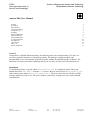
some of the standard functions included. As an example of a tool consider
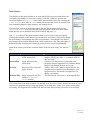
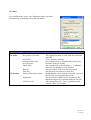
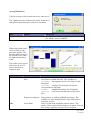
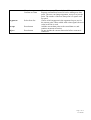
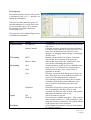
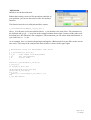
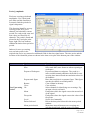
the folder named LoadData_v01 wit files shown to the right.
The folder must contain a function stored in an m-file with the same name as
the tool. This function sets the parameters of the tool. It must accept the
syntaxes:
[h,p]=toolname
[h,p]=toolname(p)
The first syntax is used when the tool is added in the To Do list, the second is called when the edit
button in the To Do section is pressed. The return variables are:
h Function handle
p Any type
The function handle to the function that is actually doing
the job. Function handles are created by h= @function
name
A single variable containing all parameters for the
function h. It can be any type, use struct or cell array if
you need to store parameters of different type.
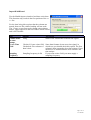
The return variables are stored in the main window and in the setup file. Since LoadData_v01
GUI there is also a fig-file with the same name. The DataFileIO.m is a remnant from earlier
version and is not used.
The remaining functions are the functions that can actually read a file on the disk and return a time
signal to the main window. Which one is actually called depends on the handle returned above. Since
these functions are reading a file their syntax are:
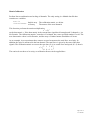
s=functionname(file,p);
Variables are
file string
p
Any type
s
struct
File name of data file, with full path
The parameter list
A struct with fields:
s.t:
Nx1 vector with sample times
s.data
NxM matrix of measurements
s.Fs
scalar with sampling frequency in Hz
s.channelnames 1xN cellarray with the channel names
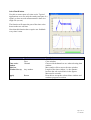
The struct s is the native format of a AnalyseThis time signal, with N samples and M channels. The
fields listed here are mandatory. A field s.source will be added containig parts of the filename for
later tracking of file source. Additional fields can be added for special purposes.
Page 3 of 16
user manual