1
Sigenae
February 2006 Edition
III.4.e. Spot detection
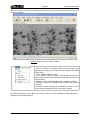
The spot detection is the method used to define if a spot is found (red) or estimate (green). A spot is
recognize as one if its form fit the model.
You can call it on a selected a grid. Indeed, a selected grid becomes orange, so you don't see the
spot nature.
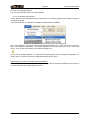
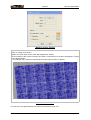
The “Spots detection” sub-menu contains two different algorithms, the “2 profiles” and the “4 profiles”
algorithms. The default algorithm is the “4 profiles” one (in bold in the menu). You can also call it
thanks to the toolbar icon :
If you click on “Default algorithm”, it is launch without propose you to change parameters. To modify
them, you need to choose the “4 profiles” menu.
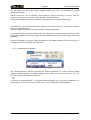
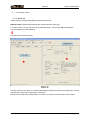
The “2 profiles” and the “4 profiles” spot detection algorithms are similar. The difference is that profiles
of spots used to search the center of the spot since the center of the research zone are diagonal lines
(for the “2 profiles” detection) and diagonals + vertical + horizontal lines (for the “4 profiles” detection).
2 profiles
4 profiles
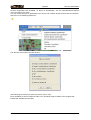
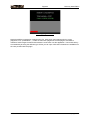
These two methods progress rapidly and give you the percentage of detected spot in the status bar:
III.5. The table
When a grid is open, the main window is split into two parts, giving you access to a table view of the
spot informations.
This table is synchronized with the alignment. So coordinates have been updated by the move of the
grid. However, no new columns are added.
AGScan User Manual
page 26/46