Download User Manual and Instructions

Transcript
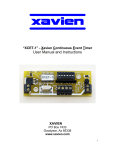
“XSSRT-1” - Xavien Single Stage Rocket Timer
User Manual and Instructions
XAVIEN
PO Box 7433
Goodyear, Az 85338
www.xavien.com
1
System Overview
The “XSSRT-1” is a precise 1 second to 63 seconds single stage timing system used to
control the ignition system in a rocket. Time settings are set using a 6-position DIP
switch that eases programming. It runs off of an external DC power supply ranging from
+7V to +15V, a 9V alkaline battery is ideal for powering the “XSSRT-1”. Various igniters /
electric matches may be used because of the versatility and design of the “XSSRT-1”.
Specifications
Battery
Dimensions
Weight
Nominal Battery Load
Delay Settings
external 7-15 VDC
0.95” (+/- 0.05”) W x 2.5” (+/- 0.02”) L
14.2 grams
15mA
1 second to 63 seconds (in 1 sec. increments)
Operational Overview
Figure 1 depicts the component layout of the “XSSRT-1”. The switches are labeled 1
through 6 accordingly. The ON position for the switches are labeled at the top of each
DIP switch pack.
Figure 1. “XSSRT-1” Assembly.
MCU
DIP Switch
XSSRT-1
WWW.XAVIEN.COM
RED "ARMED" LED
2003
XAVIEN
Igniter / Electric
Match
Battery Battery +
FS1 FS2
"FAILSAFES"
Figure 2 gives a close look at the DIP switches and explains time value of each switch.
Table 1 gives examples of various time settings. For example, to get a delay of 10
seconds you would turn ON switch 2 and switch 4 (2 seconds + 8 seconds = 10
seconds), rest would be OFF. The timing begins counting down as soon as BOTH
failsafes are “OPEN” (disabled). If the unit is powered up with both failsafes “OPEN”, the
unit begins counting down immediately. Make sure failsafes are in place BEFORE
applying power to the unit.
2
Figure 2. DIP Switch with all switches in the OFF position.
ON
1
2
3
4
5
6
Switch
Time Value
1
2
3
4
5
6
1 second
2 seconds
4 seconds
8 seconds
16 seconds
32 seconds
** IMPORTANT**: Switches MUST be set prior to turning power
on to “XSSRT-1”. The MCU ONLY reads the switch settings on
power up. If changes need to be made, turn unit OFF, set
switches and cycle power back ON.
Table 1 (Example of delay settings)
Switch Setting
[ 1, 2, 3, 4, 5, 6 ]
Off-Off-Off-Off-Off-Off
On-Off-Off-Off-Off-Off
Off-On-Off-Off-Off-Off
On-On-Off-Off-Off-Off
Off-On-Off-On-Off-Off
Off-Off-Off-Off-On-Off
Off-On-On-Off-On-Off
On-On-Off-Off-Off-On
Off-Off-Off-On-Off-On
On-On-On-On-Off-On
On-On-Off-Off-On-On
Off-Off-On-On-On-On
On-On-On-On-On-On
Time Delay
Delay = 1 second (default)
Delay = 1 second
Delay = 2 seconds
Delay = 3 seconds
Delay = 10 seconds
Delay = 16 seconds
Delay = 22 seconds
Delay = 35 seconds
Delay = 40 seconds
Delay = 47 seconds
Delay = 51 seconds
Delay = 60 seconds
Delay = 63 seconds
3
“XSSRT-1” FAILSAFES:
The “XSSRT-1” has two failsafes to protect against accidental timer countdowns. The failsafes
are “ENABLED” when “FS1” and “FS2” are connected together as in figure 3. The unit will NOT
begin countdown until BOTH failsafes have been “DISABLED” (OPENED). When FS1 is
OPENED after power-up, assuming BOTH failsafes are connected, the RED “ARMED” LED will
come on letting the user know it is “ARMED”.
Figure 3. FAILSAFES “ENABLED”.
"FAIL-SAFES"
FS1 FS2
Jumper wires
Once a failsafe has been “DISABLED” (opened), the only way to reset the failsafe is to turn the
power off. Once this is done you can “ENABLE” the failsafe and turn the power back on. We at
XAVIEN have had good luck using “solder” as the jumper wires for the failsafes. Place the length
of solder directly under the engine, when it ignites it will melt the solder and countdown will begin.
You can also use the “pull pin” technique or “break wire” technique. Figure 4 shows an “XDSRT1” set-up using both failsafes with the “pull pin” and “break wire” technique. To “ARM” the timers
you turn the key lock switch “OFF”, once this is done the RED “ARMED” LED should activate
assuming you have the power from the battery connected and turned on. Once the rocket takes
off the FS2 connection will be broken (OPENED) and countdown will begin. Make sure you
remove the “key” of the key lock switch before the rocket is launched.
Figure 4. Basic timer configuration.
PYROTECHNIC
DEVICES
S-1
S-2
RED LED turns on
when timer is "ARMED"
(FS1 OPEN)
ST-2
ST-1
"XDSRT-1"
XAVIEN
www.xavien.com
"KEY LOCK"
TO ARM / DISARM
TIMER - FS1
Wire loops back where
it can be pulled OPEN
by the rocket after
launch. Wire is 2
pieces that have
exposed copper
twisted together. - FS2
4
** IMPORTANT**: All connections (FAILSAFE settings and switch
position) must be set BEFORE you apply power to the “XSSRT-1”.
Pyrotechnic Installation:
The “XSSRT-1” has been tested using various igniters and electric matches. To install a
pyrotechnic device onto the “XSSRT-1” you simply unscrew the terminals located as in figure 5.
The terminals are screw based terminal blocks for easy access and reliability. User does not
need to worry about which terminal goes to which leg of the igniter / electric match. Make sure
you hand tighten screw terminals after igniter / electric match has been installed.
Figure 5. Pyrotechnic device install location.
Igniter / Electric
Match
Recommended igniter / electric matches:
The “XSSRT-1” has been tested using the Daveyfire 28B, 28BR and OXRAL igniters / electric
matches. It is recommended that you test the model you are using to insure proper ignition
occurs. We here at XAVIEN have used igniters / electric matches that are easily available to us
for testing. If you are using something different than what is listed and want to make sure it will
work before buying a “XSSRT-1” email us, and we will look into testing a unit using your model of
igniter / electric match. Our time is limited so no guarantees on how fast we can do this.
5
Battery Connections:
The “XSSRT-1” was designed to operate using a 9V alkaline battery. We here at XAVIEN
recommend using a switch (3A MAX CURRENT) to insure ease of use when powering the unit up
and down. We have equipped the unit with a small green power indicator so the user can easily
identify when the unit has power applied. It is recommended that the user do tests using their
igniter / electric match configurations before “assuming” anything will work. This will help to insure
that the “XSSRT-1” and your configuration will work to your expectations. In figure 6 we have a
basic diagram of the battery connections that are recommended by us. It is always a good idea
to insure you have a fresh (new) battery before any launches occur. After all, the cost of a
battery is nothing compared to the time and money spent on many of our users rockets.
Figure 6. Recommended battery connections.
"XSSRT-1"
2003
XAVIEN
+
POWER SWITCH
9V ALKALINE
BATTERY
"GREEN" POWER
LED
-
Setup Sequence:
This is the recommended sequence for setting up the “XSSRT-1”.
1. Make sure unit is NOT powered up, if it is turn it OFF,
2. Set DIP switches to desired time delay.
3. Install failsafes, making sure screw terminals are not loose, hand tighten only.
4. Install igniter / electric match, making sure screw terminals are not loose, hand
tighten only.
5. Install a fresh 9V battery, making sure screw terminals are not loose, hand tighten
only. Reversing the polarity of the battery can damage the “XSSRT-1”, when
installing the battery refer to figure 1 for the correct polarity.
6. If green LED is ON, turn switch to OFF position if you will not be immediately
launching your rocket. This saves on the life of the battery. When you are ready to
launch, turn switch to ON position, the “XSSRT-1” is ready to go.
6
Mounting / Installation
The “XSSRT-1” must be installed securely to prevent the unit from being damaged during use.
Since this unit does not depend on a “g-switch”, orientation of the unit is very flexible. The
mounting holes are 0.125”; this allows various size screws to be used. Just verify the clearance of
both the screw and the head to insure a proper fit without damaging the unit.
XSSRT-1
0.5" (12.7mm)
0.475" (12.07mm)
2.05" (52.07mm)
2.5" (63.49mm)
OUTPUT
URGENT: The “XSSRT-1” MUST be protected from ejection charge and
motor residue. These are corrosive and over time can damage the
“XSSRT-1”. If this occurs, the warranty does not cover this type of
damage.
Igniter / Electric Match Sources:
Manufacturers:
• Daveyfire
7311 Greenhaven Drive, Suite 100
Sacramento, CA 95831
www.daveyfire.com
•
Luna Tech / OXRAL
148 Moon Drive
Owens Cross Roads, AL 35763
www.oxral.com
www.pyropak.com
7
** Handling Precautions **
These units are sensitive to damage from ESD and should always be handled in a properly
grounded environment; damage from ESD is not covered under the warranty. Never transport or
handle a rocket with an “XSSRT-1” that is powered up and connected to live pyrotechnic charges.
When installing an “XSSRT-1” to igniters, make sure unit is powered off. Before cycling power ON
verify that both failsafes are ARMED to prevent accidental discharge.
!! Product Disclaimer and Limit of Liability !!
Since the use and application of this equipment are beyond our control, the purchaser or user
agrees to hold “XAVIEN” and their agents from any and all legal claims, demands, actions, debts,
liabilities, judgments, costs and attorney fees arising out of, claimed on account of, or in any
manner predicted upon loss or damage to property of, or injuries to or death of, any and all
persons arising out of the use of this equipment. Due to the nature of electronic devices, the
application and environments for these devices, the possibility of failure can never be completely
ruled out. It is the responsibility of the purchaser or user of this equipment to properly test and
simulate the actual conditions under which the device is intended to be used to ensure the
highest degree of reliability, safety and success.
!! Product Warranty !!
The “XSSRT-1” has a warranty of 1 year starting from date of purchase as long as all the
guidelines have been followed that are outlined is this document. Any improper use or
carelessness on the part of user will void the warranty. If your unit has problems send an email to:
[email protected]
Once this has been done, XAVIEN will send you a return material authorization (RMA) number
that you need to include with your unit. DO NOT send any units back to XAVIEN without this
RMA number, if we receive product with no RMA it will NOT be accepted and mailed back
unrepaired.
Revision History
PCB REV: 1.00A
FW REV: 1.00A
DOC REV: 1.01A
DATE: 08/15/2003
DATE: 08/15/2003
DATE: 08/09/2005 [UPDATED LOGO]
8