1
Front screw terminal cover
(optional)
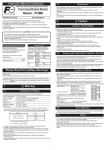
Please prepare power cables and crimp terminals of the size indicated below.
Power cable
- Front terminal block
BUS
L.RUN
Cable type
Thermocouple (Compensation lead wire)
Power supply
PUM-C
PWR
STATION No.
x10
7 8
5 6
- Dimensions
Crimp terminal size
Wiring
LOADER
9 0 1
When mounting controllers inside a cabinet with screws, connect the base parts of
controllers first.
- Fixing screws are not included. Please prepare screws as required.
1. Refer to the figure below for the mounting
(30)
screw hole size to decide the mounting position.
2-M3
9±0.2
4
- Fixing with screws
Mounting
2 3
5 6
4
5 6
4
21
21
50
5 6
4
2 3
6
DB
(100)
88.5 ±0.2
x1
11
11
CC-Link
DG
12
100
SLD
22
22
12
23
23
13
24
24
14
25
15
26
16
27
17
28
18
29
19
30
20
25
Vacant
4. Fixate the base parts onto the mounting position inside the cabinet with screws.
(mm)
5. Attach the main units to the base parts.
Cautions when mounting
In order to aid heat dissipation, 30mm of clearance (50mm recommended) above and
under the controllers should be provided.
STATION No.
x10
7 8
LOADER
1
2
3
4
5
4 5 6
PWR
PUM-A
COM
LOADER
7
8
Contents
Module type
Advanced communication module
Communication function
CC-Link communication
Instruction manual
Japanese
English
C
L
STATION
x1
Power Terminal
345
F012
OUT3
OUT4
E
7 8
2. Connect controllers with each other using
side connectors.
Y crimp terminal
9 10
OUT2
8 9A
67
SD
RD
6
Y Y 1 - 0
OUT1
L.ERR
9 0 1
30 or more
BUS
Ring crimp terminal
Enhanced communication module (CC-Link)
- Base part (power terminal)
PUM-C
PWR
L.RUN
9 0 1
1. Check that locking tabs are pulled down
(released).
φ3.2mm
Model code
P U M
- Connecting controllers
0.8 N•m
Vacant
* This terminating resistance is different from the CC-Link terminating resistance
(this is the terminating resistance for inter-module communication).
Install the resistance (100Ω) supplied with this controller.
4 5 6
(30)
[mm]
3. Connect base parts. Push up to fasten all the locking tabs.
Main unit (when detached from the base part)
When locking tab is released
(when mounting / dismounting to / from DIN rails)
30
2 3
(8)
2. Remove the main units from the base part.
See [How to detach the base part]
Terminal
screw size M3
+0.7
+0.2
2 3
5
Terminal
screw
size M3
(3)
FG
Screw tightening torque
0.25 to 1.25mm2
A
B
BCD
6.1
DIN rail
Cable size
Internal Communication
Terminating Resistance
(option)*
3.2mm
LOADER
Crimp terminal
6.0mm or less
DA
PUM-C
x1
7 8
2 3
RD
7 8
9 0 1
1.5
SD
RD
6.0mm or less
STATION No.
x10
7 8
L.ERR
SD
85
9 0 1
BUS
L.ERR
2 3
PWR
L.RUN
(10)
Base part
(when detached from
the main unit)
9 0 1
Terminal block
(when detached
from the
main unit)
30
Size
1.25mm2 or less
1.25mm2 or less
DC 24V (‑)
DC 24V (+)
Accessories (Optional)
Side connector
30 or more
Note: The power cables more than one should not be connected.
1
PUM-A
COM
LOADER
STATION
345
OUT3
OUT4
STATION
345
F012
OUT4
F012
OUT3
E
OUT2
E
5 6
4
PWR
OUT1
BCD
2 3
5 6
LOADER
7 8 9A
4
PUM-A
COM
OUT2
BCD
x1
7 8
PWR
OUT1
6
2 3
SD
RD
LOADER
7 8 9A
Hook the back
of controller
PUM-C
STATION No.
x10
7 8
6
1. Pull down the locking tab of the
base part. Hook the back of the
controller onto the upper part of
DiN rail.
2. Push the controller in the
direction of arrow 2.
BUS
L.ERR
9 0 1
- Mounting to DIN rails
PWR
L.RUN
9 0 1
3. After mounting connected controllers onto
DIN rail, make sure to push up all locking
tabs. Controllers are fastened to DIN rail and
to each other.
4. All connected controllers are connected to
power supply via side connectors if one of
controllers is directly connected to them.
DIN rail
Locking tab
3. Push up the locking tab to fasten
the controller to DIN rail.
- When connecting controllers after
attaching to DIN rail, push up
the locking tab after connecting
controllers.
How to detach the base part
1. Press the lock lever on the top of the
controller.
Lock lever
2. Pull down the upper part of main unit.
When attaching controllers to DIN rails, we recommend to attach side connecting
terminal covers (right and left 1set), then end plates (option) to the ends of the right
most and left most controllers.
PUM-E
PWR
LOADER
COM
STATION
345
Di1
Di2
Di3
Di4
Di5
Di6
Di7
Di8
Do1
Do2
Do3
Do4
Do5
Do6
Do7
Do8
PUM-E
LOADER
DIN rail mounting
end plate
STATION
F012
Do1
Do2
Do3
Do4
Do5
Do6
Do7
Do8
345
Main
7 8 9A
Di1
Di2
Di3
Di4
Di5
Di6
Di7
Di8
E
COM
F012
PWR
LOADER
345
4
5
6
7
8
A
A
A
L
0
0
0
0
2
3
4
1
General Specification
Contents
DIN rail mounting end plate
Side connecting terminal cover (right & left 1 set)
Front face screw terminal cover
Loader connecting cable (RS-232C)
Power Supply
Power Consumption
Dimensions
:DC24V±10%
:Maximum 3.2W (135mA) [when DC24V is applied]
:30 (W) × 100 (H) × 85 (D) mm (excluding the terminal cover and a
projection)
Weight
:Approx. 200 g
Installation method
:Mounting on the wall or, install in the cabinet with the DIN rail with M3
screws
Ambient temperature * :-10 to 50 degrees C
*"Ambient temperature" is the temperature underneath the controller
inside equipment or the cabinet where the controller is installed.
Ambient humidity
:90% RH or less (non condensing)
Memory backup
: Nonvolatile memory (EEPROM) backup
No.of updates : 100,000
Communication function
Compliant version
:CC-Link Ver.2.00 / 1.10
Station type
:Remote device station
Communication speed and distance
625kbps
2.5Mbps
900m or less
400m or less
5Mbps
200m or less
10Mbps
100m or less
No. of stations occupied / Station No.: 4 stations / Settable Station No. 1 to 61
Communication data length
6
F012
PUM-E
STATION
7 8 9A
Do1
Do2
Do3
Do4
Do5
Do6
Do7
Do8
7 8 9A
OUT4
Di1
Di2
Di3
Di4
Di5
Di6
Di7
Di8
E
COM
345
F012
PWR
LOADER
STATION
6
OUT3
E
PUM-A
COM
OUT2
E
5 6
4
PWR
OUT1
6
2 3
5 6
LOADER
7 8 9A
4
PUM-C
BCD
x1
6
2 3
RD
7 8
BCD
STATION No.
x10
7 8
9 0 1
SD
BCD
BUS
L.ERR
BCD
PWR
L.RUN
9 0 1
DIN rail mounting
end plate
3
*For more details, refer to “CC-Link Cable Wiring Manual” issued by CC-Link Partner Association.
- When attaching the main unit to the
base part, take the reverse procedure
to removing the main unit from the
base part.
- Make sure that the lock lever of the
main unit is fitted into the base part.
- Attaching end plates
Specification
Communication
156kbps
speed
Communication 1200m or less
distance
3. Detach the cutout on the lower end
of back of the main unit from the
projection on the base part.
2
P U M Z *
Locking tab
Projection
No.of stations occupied / Remote input/output
Extended cyclic
(RX/RY)
Remote register
(RWr/RWw)
4 stations occupied x 1
4 stations occupied x 2
4 stations occupied x 4
16 words each
32 words each
64 words each
Connecting cable
Connecting method
Terminating resistance
128 bit each
256 bit each
512 bit each
Control module
(PUM-A) No. of
connectable units
2 or 4 units
4 or 8 units
8 or 16 units
: Ver.1.10 compliant CC-Link special cable
: M3 screw terminal block
: External (110 ohm, 1/2W)
Head Office
Gate City Osaki East Tower 11-2, Osaki 1-chome, Shinagawa-ku, Tokyo 141-0032, Japan
http://www.fesys.co.jp/eng
Side connecting terminal cover
(right & left 1 set)
-3-
-4-