1
Microcontroller Technical Information
CP(K), O
QB-V850MINI
On-Chip Debug Emulator for V850 Microcontrollers
Document No.
ZBG-CD-06-0097
Date issued
December 8, 2006
Issued by
Development Tool Group
Multipurpose Microcomputer Systems Division
4th Systems Operations Unit
NEC Electronics Corporation
Usage Restrictions
Related
documents
Notification
classification
QB-V850MINI User’s Manual:
U17638EJ1V0UM00
√
1/1
Usage restriction
Upgrade
Document modification
Other notification
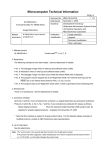
1. Affected product and version
Product
Generic Name
QB-V850MINI
MINICUBE
Control CodeNote
B
Remark
Control code A is not affected by restriction added in this
document.
Note For the identification method for the control code, see the attachment.
2. New restriction
Restriction No. 2 has been added. See the attachment for details.
• No. 2 Bug related to heating due to defective parts being mounted
3. Workarounds
See the attachment.
4. Modification schedule
Products in which No. 2 is corrected are scheduled for release as follows.
Newly shipped products:
Shipments as of December 2006 (control code: C)
Upgrade for already shipped products: Available from early December, 2006
* Note that this schedule is subject to change without notice. For the detailed release schedule of
modified products, contact an NEC Electronics sales representative.
5. List of restrictions
See the attachment.
ZBG-CD-06-0097
Attachment 1/3
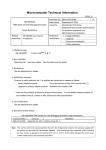
Notes on Using QB-V850MINI
This document describes the following items. Refer to the user’s manual of the emulator for cautions on
using the emulator.
• Restrictions not applicable to the target device but applicable to the emulator.
• Restrictions applicable to both the target device and emulator but correction is planned only for the
emulator.
• Devices supported by QB-V850MINI
Refer to the following documents for the restrictions in the target device.
• User’s manual of target device
• Restrictions notification document for target device
ZBG-CD-06-0097
Attachment 2/3
1. Product Version
Control CodeNote
Remark
−
A
B
Change of board (no functional differences)
−
C
Note The “control code” is the second digit from the left in the 10-digit serial number printed on the
sticker attached to the bottom side of MINICUBE (if it has not been upgraded).
If the product has been upgraded, the control code can also be checked with the following
methods while the debugger is running.
• When using ID850QB
Click the [Help] menu and then click the About submenu to display the About dialog box.
“X” in “MINICUBE V850 **** X **.**” is the control code.
• When using Green Hills Software (GHS)’s debugger MULTI®
Execute the version command of 850eserv.
“X” in “MINICUBE Control Code=X” is the control code.
MULTI> target version
850eserv Version: 3.2346 (for MULTI V4.0.x)
IE type=MINICUBE (RCU1)
Executor Version=V850 G2 Executor V1.63 Copyright 2004
Device File Format Version=V2.18
Device File File Version=V1.00
MINICUBE Control Code=A
MINICUBE Firmware Version=V1.11
Control Board Version=V1.00
MINICUBE Board Version=V1.00 (FPGA Version=1.00)
MULTI is a registered trademark of Green Hills Software, Inc. in the United States.
ZBG-CD-06-0097
Attachment 3/3
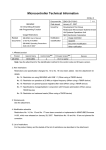
2. Product History
No.
Control Code
Bugs and Changes/Additions to Specifications
1
Restriction when performing emulation of V850ES/Kx2 with in-circuit method
2
Bug related to heating due to defective parts being mounted
A
B
C
Permanent restriction
{
×
{
×: Applicable, {: Not applicable or already corrected
Remark The permanent restriction means a restriction that is not planned for correction.
3. Details of Bugs and Added Specifications
No. 1 Restriction when performing emulation of V850ES/Kx2 with in-circuit method
[Description]
When emulation of the V850ES/KE2, V850ES/KF2, V850ES/KG2, or V850ES/KJ2 is performed with
the in-circuit method using the self-check board or QB-V850ESKX1H-DA, the following operations
differ from those of the device.
• The P00 pin outputs a low level during reset.
• The subclock cannot be selected as the count clock for timer H1. If the subclock is specified as
the count clock for timer H1 using TMHMD1 register, the operation is not guaranteed.
[Workaround]
There is no workaround.
Please regard this item as a permanent restriction.
No. 2 Bug related to heating due to defective parts being mounted
[Description]
Due to defective parts being mounted on the main unit board, the product may break down even if it is
used according to the specifications. If breaks down, the power LED (red) will not light and the main
unit may generate heat. This heat poses no risk of fire, but may cause a burn injury if direct contact
with the product is maintained for a long time.
[Workaround]
There is no workaround. This bug has been corrected in products with control code C and later.
If you have a product with control code B, do not use it, but be sure to upgrade it. Products with control
code A do not require upgrading.
The control code is the second digit from the left in the 10-digit serial number printed on the sticker
attached to the bottom side of MINICUBE. The control code can also be checked using the debugger,
but check it from the serial number, without turning power on.