1
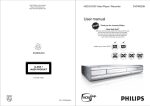
HDD & DVD Video Player / Recorder
DVDR520H
User manual
Visit us at www.p4c.philips.com for service support
Make your own DVD
TABLE
OF CONTENTS
GETTING STARTED
TIMER RECORDING
Accessories ......................................................................
Important safety instructions .........................................
Warnings, cautions and others ......................................
Disc information ..............................................................
1
2
3
4
Setting the timer ........................................................... 26
Timer record using the ShowView ® System ............. 27
FLEX TIME
Pausing Live TV Broadcast .......................................... 29
Record and Play ........................................................... 29
CONTROLS AND DISPLAYS
Remote control ...............................................................
Front panel connections ................................................
Display window ..............................................................
Rear panel connections .................................................
5
6
6
7
CONNECTIONS
Connecting the antenna cable and television ............. 8
For better video quality.................................................. 9
Component out ......................................................... 9
For better audio quality ............................................... 10
Connection to a stereo audio amplifier or receiver ... 10
Connection to a digital audio device ........................ 10
Digital out optical .................................................... 10
Digital out coaxial ................................................... 10
Connecting a decoder .................................................. 11
SETTING UP
System menu ................................................................ 12
PLAYBACK
Basic playback .............................................................
POWER, OPEN/CLOSE, PLAY, F.F., REW. .........
NEXT, PREVIOUS ..................................................
PAUSE/STEP, STOP, DISPLAY .............................
DISC MENU, PLAYLIST ..........................................
30
30
30
30
30
Navigation operation ...................................................
REPEAT, ZOOM .....................................................
SLOW, SEARCH ....................................................
A-B REPEAT,SUBTITLE .........................................
AUDIO, ANGLE ......................................................
INFORMATION .......................................................
Playback video titles ....................................................
Playback music files ....................................................
Playback picture files ..................................................
Audio CD playback ......................................................
Playback pictures with music .....................................
31
31
31
31
31
31
32
33
33
34
34
COPY
Copy from DVD to HDD ................................................ 35
Copy from HDD to DVD ................................................ 35
TV CHANNEL SETUP
TV channel search ........................................................
Fine-tuning TV channels manually .............................
Editing TV channels manually .....................................
Channel Editor ..............................................................
13
13
13
14
SETTING UP ShowView ® SYSTEM
Setting up ShowView ® System ................................... 15
GUIDE
Playback ........................................................................
Record ...........................................................................
Timer record .................................................................
Copy ...............................................................................
16
17
18
20
RECORDING
Before recording ...........................................................
Recording television programs ...................................
Adding new recordings ................................................
Changing chapter intervals ..........................................
Playing back the last recorded session ......................
Recording from a VCR or Camcorder .........................
One touch record ..........................................................
DV recording .................................................................
DV control ......................................................................
21
21
22
22
22
23
24
24
26
EDIT
Browser menu ..............................................................
Naming a title ..............................................................
Protecting a title ..........................................................
Overwriting a title ........................................................
Splitting a title .............................................................
Merging titles ...............................................................
Erasing a title ...............................................................
Setting a title thumbnail .............................................
Chapter marks relevant setting ..................................
DISK TOOLS
Erase ..............................................................................
Finalize ..........................................................................
Cleanup Disk .................................................................
Defragment ....................................................................
GUI OPERATION
GLOSSARY
SPECIFICATIONS
Accessories
Please check and identify the supplied accessories.
£ 1xRemote control
£ 2x Batteries
£ 1x SCART cable
36
36
36
36
37
37
37
37
37
£ 1xPower cord
40
40
41
41
IMPORTANT SAFETY INSTRUCTIONS
1)
2)
3)
4)
5)
6)
7)
8)
9)
10)
11)
12)
13)
14)
15)
16)
Read instructions. Read all the safety and operating
instructions before operating the product.
Retain instructions. Keep the safety and operating
instructions for future reference.
Heed warnings. Adhere to all warnings on the product and in
the operating instructions.
Follow instructions. Follow all operating and use
instructions.
Cleaning - Unplug this product from the wall outlet before
cleaning. Do not use liquid cleaners or aerosol cleaners. Use
a damp cloth for cleaning.
Attachments - Do not use attachments not recommended by
the product manufacturer as they may cause hazards.
Water and Moisture - Do not use this product near water
for example, near a bathtub, washbowl, kitchen sink, or laundry
tub, in a wet basement, or near a swimming pool.
Accessories - Do not place this product on an unstable cart,
stand, tripod, bracket, or table. The product may fall, causing
serious injury to a child or adult, and serious damage to the
product. Use only with a cart, stand, tripod, bracket, or table
recommended by the manufacturer or sold with the product.
Any mounting of the product should follow the manufacturer’s
instructions and should use a mounting accessory recommended by the manufacturer.
CART - A product and cart combination should be moved with
care. Quick stops, excessive force, and uneven surfaces may
cause the product and cart combination to overturn.
Ventilation - Slots and openings in the cabinet provide
ventilation, ensure reliable operation of the product, and protect
it from overheating. Do not block or cover these openings. The
openings should never be blocked by placing the product on a
bed, sofa, rug, or other similar surface. Do not place this
product in a built-in installation such as a bookcase or rack
unless proper ventilation is provided or the manufacturer’s
instructions have been adhered to.
Power Sources - This product should be operated only from
the type of power source indicated on the marking label. If you
are not sure of the type of power supply to your home, consult
your product dealer or local power company. For products
intended to operate from battery power, or other sources, refer
to the operating instructions.
LOCATION - The appliance should be installed in a stable
location.
NONUSE PERIODS - The power cord of the appliance
should be unplugged from the outlet when left unused for a
long period of time.
Grounding or Polarization • If this product is equipped with a polarized alternating current
line plug (a plug having one blade wider than the other), it will fit
into the outlet only one way. This is a safety feature. If you are
unable to insert the plug fully into the outlet, try reversing the
plug. If the plug should still fail to fit, contact your electrician to
replace your obsolete outlet. Do not defeat the safety purpose of
the polarized plug.
• If this product is equipped with a three-wire grounding type plug,
it will only fit into a grounding type power outlet. This is a safety
feature. If you are unable to insert the plug into the outlet,
contact your electrician to replace your obsolete outlet. Do not
defeat the safety purpose of the grounding type plug.
Power-Cord Protection - Power-supply cords should be
routed so that they are not likely to be walked on or pinched by
items placed upon or against them, paying particular attention
to cords at plugs, convenience receptacles, and the point
where they exit from the product.
Outdoor Antenna Grounding - If an outside antenna or
17)
18)
19)
20)
21)
22)
23)
24)
25)
26)
27)
2
cable system is connected to the product, be sure the antenna
or cable system is grounded so as to provide some protection
against voltage surges and built-up static charges. Article 810
of the National Electrical Code, ANSI/NFPA 70, provides
information with regard to proper grounding of the mast and
supporting structure, grounding of the lead-in wire to an
antenna discharge unit, size of grounding conductors, location
of antenna-discharge unit, connection to grounding electrodes,
and requirements for the grounding electrode.
Lightning - For added protection of this product during a
lightning storm, or when it is left unattended and unused for
long periods of time, unplug it from the wall outlet and
disconnect the antenna or cable system. This will prevent
damage to the product due to lightning and power-line surges.
Power Lines - An outside antenna system should not be
located in the vicinity of overhead power lines or other electric
lights or power circuits, or where it can fall into such power
lines or circuits. When installing an outside antenna system,
take extreme care to keep it from touching power lines or
circuits. Contact with them might be fatal.
Overloading - Do not overload wall outlets, extension cords,
or integral convenience receptacles. This can result in a risk of
fire or electric shock.
Objects and Liquids - Do not push objects of any kind into
this product through openings. They may touch dangerous
voltage points or short out parts, resulting in a fire or electric
shock. Liquids of any kind should not be used on or around
this product.
Servicing - Do not attempt to service this product yourself.
Opening or removing covers may expose you to dangerous
voltage or other hazards. Refer all servicing to qualified service
personnel.
Damage Requiring Service - Unplug this product from the
wall outlet and refer servicing to qualified service personnel
under the following conditions:
• When the power supply cord or plug is damaged,
• If liquid has spilled or objects have fallen into the product,
• If the product has been exposed to rain or water,
• If the product does not function properly after following the
operating instructions, contact Customer Service for technical
support.
• If the product has been dropped or damaged in any way,
• When the product exhibits a distinct change in performance.
This indicates a need for service.
Replacement Parts - When replacement parts are required,
be sure the service technician uses replacement parts
specified by the manufacturer or having the same characteristics as the original part. Unauthorized substitutions may result
in fire, electric shock, or other hazards.
Safety Check - Upon completion of any service or repairs to
this product, ask the service technician to perform safety
checks to determine that the product is in proper operating
condition.
Wall or Ceiling Mounting - Mount the product to a wall or
ceiling only as recommended by the manufacturer.
Heat - Keep this product away from heat sources, such as
radiators, heat registers, stoves, or amplifiers.
Battery Usage - Battery leakage may result in bodily injury or
damage to the unit. In order to avoid battery problems, please
follow these instructions.
• Install all batteries correctly, with + and - aligned as marked on
the unit.
• Do not mix batteries (old/new, carbon/alkaline, etc.).
• Remove batteries when the unit is not used for a long time.
WARNINGS, CAUTIONS
AND
OTHERS
THE FOLLOWING APPLIES ONLY FOR U.S.A.
CAUTION!
This equipment has been tested and found to comply with
the limits for a Class B digital device, pursuant to part 15
of the FCC Rules.
These limits are designed to provide reasonable protection
against harmful interference in a residential installation.
This equipment generates, uses and can radiate radio
frequency energy and, if not installed and used in accordance with the instructions, may cause harmful interference to radio communications. However, there is no
guarantee that interference will not occur in a particular
installation. If this equipment does cause harmful interference to radio or television reception, which can be
determined by turning the equipment off and on, the user is
encouraged to try to correct the interference by one or
more of the following measures:
•Reorient or relocate the receiving antenna.
•Increase the separation between the equipment and
receiver.
•Connect the equipment into an outlet on a circuit different
from that to which the receiver is connected.
•Consult the dealer or an experienced radio/TV technician
for help.
CAUTION!
TO REDUCE THE RISK OF ELECTRIC SHOCK,
DO NOT REMOVE THE COVER OF THIS UNIT.
THERE ARE NO USER SERVICEABLE PARTS INSIDE.
REFER SERVICING TO QUALIFIED SERVICE PERSONNEL.
The lighting flash with arrowhead
symbol, within an equilateral triangle, is
intended to alert the user to the
presence of uninsulated “dangerous
voltage” within the product’s enclosure
that may be of sufficient magnitude to
constitute a risk of electric shock to
humans.
The exclamation point within an
equilateral triangle is intended to alert
the user to the presence of important
operating and maintenance (servicing)
instructions in the literature accompanying the appliance.
IMPORTANT FOR LASER PRODUCTS
1)CLASS 1 LASER PRODUCT
2)DANGER: Visible and invisible laser radiation when open
and interlock failed or defeated. Avoid direct exposure to
beam.
3)CAUTION: Do not open the top cover. There are no user
serviceable parts inside the Unit; leave all servicing to
qualified service personnel.
CAUTION!
THIS PRODUCT UTILIZES A LASER.
USE OF CONTROLS OR ADJUSTMENTS OR PERFORMANCE OF PROCEDURES OTHER THAN THOSE SPECIFIED
HEREIN MAY RESULT IN HAZARDOUS RADIATION EXPOSURE.
DO NOT OPEN THE COVER AND DO NOT REPAIR YOURSELF.
REFER SERVICING TO QUALIFIED SERVICE PERSONNEL.
CAUTION!
• CD-R/RW discs recorded using a personal computer or a
CD Recorder may not play if the disc is damaged or dirty, or
if there is dirt or condensation on the player’s lens.
• Unfinalized CD-R/RW discs can be played, but not all time
information (playing time, etc.) will be displayed.
• Check the copyright laws in your country before recording
from DVD VIDEO, SVCD, Video CD, Audio CD, MP3 and
JPEG discs. Recording of copyrighted material may infringe
copyright laws.
WARNING:
TO REDUCE THE RISK OF FIRE, ELECTRIC SHOCK
OR PRODUCT DAMAGE, DO NOT EXPOSE THIS APPARATUS TO MOISTURE AND ENSURE THAT OBJECTS
FILLED WITH LIQUIDS, SUCH AS VASES, SHALL BE
PLACED AWAY FROM THE APPARATUS.
CAUTION! –– POWER button
Disconnect the main plug to shut the power off completely.
The POWER button in any position does not disconnect
the main line. Power can be controlled from the remote.
Legal Notices Regarding
Macrovision’s Property Rights
“U.S. Patent Nos. 4,631,603; 4,577,216; 4,819,098; 4,907,
093; and 6,516,132.”
PRODUCTS WITH 525P PROGRESSIVE SCAN OUTPUTS
NOTICE REQUIREMENTS
“ This product incorporates copyright protection technology
that is protected by U.S. patents and other intellectual
property rights. Use of this copyright protection technology
must be authorized by Macrovision, and is intended for
home and other limited viewing uses only unless otherwise
authorized by Macrovision. Reverse engineering or disassembly is prohibited. “
“CONSUMERS SHOULD NOTE THAT NOT ALL HIGH DEFINITION TELEVISION SETS ARE FULLY COMPATIBLE WITH THIS
PRODUCT AND MAY CAUSE ARTIFACTS TO BE DISPLAYED IN
THE PICTURE. IN CASE OF 525 PROGRESSIVE SCAN
PICTURE PROBLEMS, IT IS RECOMMENDED THAT THE USER
SWITCH THE CONNECTION TO THE “STANDARD DEFINITION”
OUTPUT. IF THERE ARE QUESTIONS REGARDING OUR TV
SET COMPATIBILITY WITH THIS MODEL 525P DVD PLAYER,
PLEASE CONTACT OUR CUSTOMER SERVICE CENTER.”
Manufactured under license from Dolby Laboratories.
“Dolby” and the double-D symbol are trademarks of Dolby
Laboratories.
3
Disc Types
DVD+ R/RW
Logos
Characteristics
DVD+R disc written in the DVD+VR format.
DVD+RW disc written in the DVD+VR format.
n Playable Disc types
Disc Types
Logos
Characteristics
DVD-VIDEO
This unit can playback DVD-Video discs and the
region code is printed on the rear of the unit.
DVD-R/RW
DVD-R, DVD-RW and DVD+R, DVD+RW, discs
written in the DVD-Video format and finalized.
DVD+R/RW
Video with CD sound, VHS quality & MPEG-1
compression technology.
Video CD (VCD)
Super Video CD
(SVCD)
Audio CD
CD is recorded as a Digital Signal with better audio
quality, less distortion and less deterioration of audio
quality over time.
CD-R/RW
(JPEG/BMP/MP3)
This unit can play CD-R and CD-RW discs recorded
with Audio CD or Video CD format, or with
JPEG/BMP/MP3 files. Close the sessions or finalize
the disc after recording.
n Recordable Disc types
Notes:
The DVD-Video/DVD+RW/DVD+R/ Logos are trademarks of
the respective companies.
For best results, use discs with the above logos. The unit
may not playback other discs correctly. Do not use irregularshaped discs (e.g. heart-shaped), as these can damage the unit.
It may not be possible to play CD-R, CD-RW, DVD-R, DVDRW, DVD+R, DVD+RW in all cases due to the type of disc or
condition of the recording.
n Video System (PAL)
This DVD recorder accepts PAL signal input.
n Aspect Ratio
Unplayable disc types
4:3 (Letter Box) Standard
The unit does not playback disc type listed below. If you try
to play back these discs, excessive noise may cause damage to
your speakers.
1) Unfinalized discs from other DVD recorders.
2) DVD-VR, DVD AUDIO, PHOTO CD, SACD
(When placing an unplayable disc on the disc tray, the DVD
recorder will display “Unknown Disc” on the display panel after
attempts of trying to loading the disc fail.)
4:3 Pan & Scan
16:9 (Wide-Screen)
n Others
n Region code of DVD-Video
This unit can playback DVD-VIDEO discs compatible with
the region code printed on the rear of the unit.
Audio : Appears at the beginning of a scene recorded
Example of playable DVD-VIDEO discs:
with multiple audio languages.
Subtitle : Appears at the beginning of a scene recorded
N
ote s:
with multiple subtitle languages.
n Audio System
Angle : Appears at the beginning of a scene recorded
Dolby Digital
Linear PCM
from multiple angles.
DTS (Digital Theater Systems)
4
CONTROLS
AND
DISPLAYS
The Remote Control
Remote Control
OPEN/CLOSE)
1)
Open/Close button (
2)
Numeric buttons (0, 1~9)
3)
Skip buttons (
4)
Play button (
PLAY)
5)
Stop button (
STOP)
6)
Cursor (pqtu), OK buttons (OK)
7)
Copy button (Copy)
8)
Browser (Browser)
9)
HDD/DVD button (HDD/DVD)
PREVIOUS/
NEXT)
10) Disk Tools button (DISK TOOLS)
11) Source button (SOURCE)
12) Record button (RECORD)
13) POWER ON/STANDBY button (
14) CH
STANDBY-ON)
buttons (CHANNEL)
15) Display button (DISPLAY)
16) Disk menu button (DISC MENU)
17) System Menu button (SYSTEM MENU)
18) Playlist/Menu button (PLAYLIST/MENU)
19) F.F./REW. buttons(
20) Pause/Step button (
To install batteries
—
REW/
PAUSE/STEP)
21) Flex Timer button (FLEX TIME)
Open the battery compartment and insert the
batteries. Make sure the polarities (+ and -) match
the marks indicated inside the remote control.
22) Guide button (
GUIDE)
CAUTION!
23) ShowView button (ShowView )
—
24) Navigation button (NAVI)
—
—
Remove batteries of they are exhausted or if the Remote Control will
not be used for a long time
Do not use old and new or different
types of batteries in combination
Batteries contain chemical substances, so they
should be disposed properly.
25) Edit button (EDIT)
26) Timer button (TIMER)
Remote sensor
The remote has a range of
approximately 3m and works
best when pointed directly at
the unit horizontally at angles
up to 30° from the front of the
unit.
5
F.F.)
CONTROLS
AND
DISPLAYS
Front panel connections
(for reference only)
Names of parts and controls
7) OPEN/CLOSE Button
Opens or closes the disk tray.
1) POWER ON/OFF Button
Turns the recorder on and off.
8) PLAY Button
Plays a disk.
2) DISC TRAY
Holds discs securely during recording or playback
9) STOP Button
Stops playing or recording a disk.
3) DV-LINK (IEEE-1394) Jack
Connects digital video camcorders to this DVD Recorder.
10) HDD/DVD Button
Press to switch between HDD and DVD.
4) DVD Indicator
Lights up when DVD is set as the target device.
11) RECORD Button
Starts recording.
5) DISPLAY Panel
Operation indicators are displayed here.
12) SOURCE Button
Select equipment connected to the line inputs.
6) HDD Indicator
Lights up when HDD is set as the target device
13) Front AV (VIDEO/AUDIO L/R) Jacks
Connects the input of external equipment.
Display window
1) HDD target device indicator
9) CD indicator
2) Pause indicator
10) DVD+R indicator
3) Play indicator
11) DVD target device indicator
4) DVD indicator
12) Record indicator
5) SVCD indicator
13) Timer record mode
6) VCD indicator
14) Multi-information window
7) CDDA indicator
15) DVD+RW indicator
8) FILE in dicatorindicator
16) CD-R/DVD-R indicator
17) CD-RW/DVD-RW indicator
6
CONTROLS
AND
DISPLAYS
Rear panel connections
(for reference only)
Names of parts
5) LINE OUT (Y/Pb/Pr) Jack
Component signal output.
1) TUNER (TV/ANTENNA) Jacks
Connects TV/ANTENNA for signal output/input.
Note: DVD signals don’t go through here. Make
proper connections before use.
6) DIGITAL OUT (COAXIAL) Jack
Connect to an amplifier or a receiver having a digital
output jack.
2) SCART IN (AUX) Jack
Composite/RGB signal input.
3) SCART OUT (TV) Jack
Composite/RGB/S-Video signal output.
7) DIGITAL OUT (OPTICAL) Jack
Connect to an amplifier or a receiver for a digital
output jack.
4) LINE OUT (R/L/VIDEO (CVBS)) Jacks
Composite signal output.
8) Mains Terminal
Connect the power cord.
7
CONNECTIONS
Before making connections
1) Do not plug the AC power cord into the outlet until all other connections are made.
2) Connect VIDEO OUT of the unit directly to the video input of your TV. Connecting VIDEO OUT of the unit to a TV via a VCR may
cause a viewing problem when playing back a copy-protected disk. You may also have a viewing problem when connecting the unit
to an integrated TV/Video system.
Connecting to the antenna outlet and the television
Before using the unit, follow the steps below to connect the unit to the antenna cable and TV.
Connecting to a TV with SCART jack
Use a RF cable (supplied) to connect the ANTENNA IN on the unit to the antenna outlet.
Use a RF cable (same as supplied) to connect the TV OUT on the unit to the RF input on the television.
Use a SCART cable to connect the SCART OUT jack on the unit to the SCART IN jack on the television.
Notes:
1. Do not place this unit on top of other equipment that may generate heat. Excessive heat may cause this unit to
malfunction.
2. For Digital Cable and Satellite TV users please connect your decoder’s output to this unit’s input.
8
FOR BETTER VIDEO QUALITY
Connecting via the Component video output provides higher quality viewing.
Connecting to a TV via COMPONENT out
Connecting to a TV with component jacks
Use COMPONENT cables (not supplied) to connect the COMPONENT output on the unit to the COMPONENT input on the
television.
Notes:
1. Enter system setup to enable COMPONENT (refer to the section titled “Quick Setup”).
2. When using COMPONENT connections, please remove all other video output connections.
In this configuration, the Red and White audio cable connections are required (refer to the section titled “For better Audio Quality”.)
9
FOR BETTER AUDIO QUALITY
There are two types of audio connections, analog and digital.
Connecting to a stereo audio amplifier or receiver
Use an audio cord to connect the AUDIO OUT on the unit to the
audio input on a stereo amplifier or a receiver.
Connecting to a digital audio device
Connect an amplifier with Dolby Digital and DTS decoders to enjoy surround sound.
Digital out optical
Use a fiber-optic cable (not supplied) to connect the
DIGITAL OUT OPTICAL (digital optical output) on the
unit to the digital optical input on an stereo amplifier or a
receiver.
Digital out coaxial
Use a coaxial cable (not supplied) to connect the DIGITAL
OUT COAXIAL (coaxial digital output) on the unit to the
coaxial digital input on an stereo amplifier or a receiver.
10
CONNECTING
A
DECODER
Connecting a decoder
Connect the CANAL+ Decoder to the unit and the TV set
as shown:
1. Use a RF antenna cable to connect the RF IN jack on
the unit to the antenna outlet. (
)
Use a RF antenna cable to connect the RF OUT jack on
the unit to the RF IN jack on the television.(
)
2. Use a SCART cable (not supplied) to connect the
SCART IN jack on the unit to the SCART OUT jack on the
CANAL+ Decoder. (
)
Use a SCART cable to connect the SCART OUT jack on
the unit to the SCART IN jack on the television. (
)
Notes:
Enter Channel Editor menu to set decoder on for the desired channels. (refer to the section titled “Channel Editor”)
11
SYSTEM MENU
Remote Control & Setup menu
Follow the steps below to reset personal preferences for using
the DVD recorder. Confirm that all connections are secured
properly.
1. Press [ STANDBY] to turn on the unit.
2. Press [SYSTEM MENU] to display the system menu.
3. Press [p] [q] to select “System,” “Language,”
“Playback,” “Record,” “Audio,” “TV Tuner” or “EXIT”
and press [t] [u] to return to the previous menu.
4. Press [p] [q] to select the item you want to change
and press [u] or [OK].
select “System” icon to set: Video Output, Date and Time
select “Language” icon to set: OSD
select “Playback” icon to set: Aspect Ratio
select “Record” icon to set: Quality ( M1, M2, M2x, M3,
M4 and M6)
select “Audio” icon to set: Digital Output (PCM / Bit
Stream)
(Refer to the “GUI operation” section for detailed menu)
5. Press [OK] to confirm the setting.
6. Press [SYSTEM MENU] to exit the setup menu or press
[t] to return to the previous menu.ot
Notes:
To record TV programs using the Timer Record feature, you
must set the time accurately.
Setting the date and time (in SYSTEM category)
A power failure could result in incorrect date/time settings. The
correct time needs to be reset.
2. Select “System” using [p] [q] and press [OK].
3. Select “video output” as “SCART S-Video,” “SCART RGB”
“COMPONENT” or “PROGRESSIVE” using [p] [q] and
press [OK]. (Refer to “GUI operation” section for details)
4. When all settings are correct, press [t] to return to the
main menu.
5. To exit the system menu, press the [SYSTEM MENU] button.
Progressive Scan mode
You can change the video output mode when you press the
[SYSTEM MENU] button and to select “System-->Video
Output-->Progressive.”
Video output mode:
576i: Interlace video
576p: Progressive video
You must connect the component output on the unit to a
576p compatible television.
Notes:
If you accidentally set “PROGRESSIVE” as the VIDEO OUTPUT
when not connecting to a progressive scan-compatible TV, you
may lose the video signal on your TV instantly. To get the
picture back, press [u] and the numbered buttons “5,” “0,” “2”
and “0” on the remote control and then [OK] to re-set the video
output.
Setting Aspect ratio (in PLAYBACK category)
Set the date
Select “4:3” (regular) or “16:9” (widescreen) to suit your
television. If you have a regular 4:3 television, you can also
select how video title on some discs is presented.
1. Press the [SYSTEM MENU] button and the system menu will
be displayed.
2. Select “System” using [p] [q] and press [OK].
3. Select “Date” using [p] [q] and press [OK].
4. Change the day/month/year in the highlighted field using [p]
[q] or the numbered buttons (0~9) on your remote
control and confirm by pressing [OK].
5. When all settings are correct, press [t] to return to the
main menu.
6. To exit the system menu, press the [SYSTEM MENU] button.
4:3 L.Box (4:3 Letter Box)
Select when you connect the unit to a normal
(4:3) TV.
When playing back a DVD-VIDEO disc
recorded in wide picture format, the picture is
shown with black bars at the top and bottom.
Set the time
4:3 Pan (4:3 Pan & Scan)
1. Press [SYSTEM MENU] on the remote control. The system
menu will appear.
2. Select “System” using [p] [q] and press [OK].
3. Select “Time” using [p] [q] and press [OK].
4. Change the “hour/minute/second” in the highlighted field
using [p] [q] or the numbered buttons (0~9) on your
remote control.
5. Change the “AM/PM” mode using [p] [q] and confirm by
pressing [OK].
6. When all settings are correct, press [t] until returning to
the main level.
7. To exit the system menu, press the [SYSTEM MENU] button.
Notes:
Check that the clock is correctly set before initiating the timer
recording function. If the clock is set incorrectly, Timer Record
results may not be accurate.
Select when you connect the unit to a normal
(4:3) TV.
When playing back a DVD-VIDEO disc
recorded in wide picture format, the picture is
zoomed to fill the screen vertically, and the
left and right sides of the image are chopped
off. Note, however, that the picture will be shown in the 4:3 L.
Box (4:3 Letter Box) mode even if you select the 4:3 Pan (4:3
Pan & Scan) mode depending on the disc.
16:9 Wide (16:9 Wide Screen)
Select when you connect the unit to a
wide-screen (16:9) TV.
Setting Audio (in AUDIO category)
Digital Output
PCM / Bit Stream
(Enable digital audio output with PCM or encoded data)
Setting video output (in SYSTEM category)
1. Press the [SYSTEM MENU] button and the system menu will
be displayed.
DTS Out
ON / OFF
12
TV CHANNEL SETUP
TV channel scanning
When the “scan channel” function is activated, the TV channels
are searched and stored in a specific order. If the channel
assignment of your TV content provider is changed or if you are
reinstalling this DVD recorder, you may need to start this
procedure again.This will replace the TV channel stored with the
new ones.
Before scanning channel, set the “TV signal” and “country” for
initiation.
1. Ensure the antennas are securely connected to
the DVD recorder.
2. Switch on the TV set and the DVD recorder.
3. Press [SYSTEM MENU] to display the system
menu, press [p] [q] to select the “TV
TUNER” icon and press [u].
9. The channel scanning starts. This process may
take a few minutes.
10.When all the TV channels have been searched
and stored, press [SYSTEM MENU] to exit.
Note:
If the available channel number in your residence area exceeds
the maximum receivable channel numbers of this DVD
Recorder, the scan will be discontinued. The maximum
receivable channel numbers are:
Antenna: 168 (chs)
Cable:
104 (chs)
Auto:
176 (chs)
4. Press [p] [q] to select “TV signal”and press [u].
5. Press [p] [q] to select “cable,” “antenna” or
“auto” depending on how you receive your
terrestrial TV channels and press [OK]. Press
[t] to return to the previous menu and save the
setting.
If you select “auto,” the unit will automatically scan both
channels available at cable and antenna connections, which
might take longer than needed.
Fine-tuning TV channels manually
After you have performed the channel scanning, you may like to
fine-tune the TV channel signal manually. Follow the steps
below to complete fine tune.
1. Press [SYSTEM MENU] to display the “system
menu,” press [p] or [q] to select the “TV
TUNER” icon and press [u].
2. Press [p] [q] to select “FINE TUNE” and
press [u].
3. Press [p] [q] to fine-tune the channel signal.
6. Press [p] [q] to select “Country” and press
[u]. Press [p] [q] to select the country of your
residence from the list and press [OK] to save the
settings. Press [t] to return to the previous
menu.
4. When complete, press [SYSTEM MENU] to exit the
system menu.
Editing TV channels manually
After you have performed channel scanning, you may like to
further edit the TV channels. This function allows manually
adding/deleting channels, swapping channel order, inserting a
channel to a specific order, renaming the channels and so on.
7. Press [p] [q] to select “Utilities” and press [u].
8. Press [p] [q] to select “scan channel” and
press [OK] to start channel scanning.
If you wish to stop scanning, move to “stop scan” and press
[OK]. The scanning process will be discontinued.
1. Press [SYSTEM MENU] to display the “system
menu,” press [p] [q] to select the “TV
TUNER” icon and press [u].
2. Press [p] [q] to select “Utilities” and press [u].
3. Press [p] [q] to select “Edit Channel” and
press [u]. The Channel Editor menu will be
displayed.
For detailed operation instructions on the “Channel Editor”
menu, refer to the “Channel Editor” section.
13
CHANNEL EDITOR
To access to the Channel Editor menu, press [SYSTEM MENU],
select “TV TUNER,” “Utilities,” “Edit channel” and press [OK].
Or, press [SOURCE] to set “TV” as the input signal source and
press [EDIT]. Either way, the Channel Editor menu will be
displayed.
Swapping TV channels
This function allows you to manually swap the TV channel order
stored in the unit to match the TV channel order stored in your
TV set.
Moving up or moving down the TV channel
1. Press [p] [q] to select a TV Channel and press
[u].
1. Press [p] [q] to select one of the TV channels
and press [u].
2. Press [p] [q] to select “Swap with” and press
[OK].
2. Press [p] [q] to select “Move Up” or “Move
Down” and press [OK].
The order of the TV channel will be changed.
Each time you press [p] [q] and the item changes as
follows:
3. Press [t] [u][p] [q] to enter the “Channel
number,” and press [OK] to swap. The order of
the channels will be swapped with the channel
number entered.
4. To swap other TV channels, repeat step 3 to
complete the settings.
5. Press [t] [u][p] [q] to select “EXIT,” press
[OK] to save the setting and exit the “Channel
Editor” menu.
Inserting TV channels
1. Press [p] [q] to select a TV channels and
press [u].
2. Press [p] [q] to select “Insert To” and press
[OK].
3. Press [t] [u][p] [q] to enter the “Channel
number,” and press [OK]. The channel will be
moved to the desired location.
Renaming TV channels
1. Press [p] / [q] to select a TV channel and press
[u].
2. Press [p] [q] to select “Rename” and press
[OK].
The display for
entering a title name
appears.
3. Select the desired
characters from the
keypad. Press [OK]
after each entry.
4. When you finish
entering the title
name,press [t] [u] [p] [q] to
select “Finish” to press [OK].
Notes:
You can only enter up to 10 characters for a name.
14
Setting up SHOWVIEW® system
CHANNEL EDITOR
Turning on or turning off TV channels manually
After you have performed the channel scanning process, you
may like to add or delete some of the TV channels. This function
allows turning on the channel not found at channel scanning or
turning off the channel found manually.
1. Press [p] [q] to select a TV Channel not found at
channel scanning and press [u].
2. Press [p] [q] to select “Turn on” and press
[OK]. The TV channel selected will be turned on.
To turn off the TV channel, move to “Turn off” and press [OK].
The TV channel selected will be turned off.
3. To turn on other TV channels, repeat step 2 to
complete the settings.
4. Press [t] [u][p] [q] to select “EXIT,” press
[OK] to save the setting and exit the “Channel
Editor” menu.
Thanks to this programming system, you no longer need to
tediously enter the date, programme number, start and end
times. All the information needed by the DVD recorder for
programming is contained in the SHOWVIEW® programming
number. This 9-digit SHOWVIEW ® number is found in
most TV listings magazine.
Before setting up, confirm that the all cables are securely
connected.
Setting up the ShowView® system
1. Press the [SOURCE] button to set TV as the
input signal source.
2. Press [EDIT] to display the “Channel Editor”
menu.
3. Press [p] [q] to go to a channel and press
[OK].
4. Press [t] [u] /[p] /[q] to go to “ShowView”
and press [OK].
The menu to enter GCN number is displayed.
5. Use the numbered buttons (1~9) to enter the
GCN number and press [OK] when done.
Press [t] [u] to go back to advance/return to the previous/
next digit.
6. To set GCN numbers for other channels, repeat
step 5.
7. When complete, press [p] / [q] to go to “EXIT”
and press [OK] to exit the channel editor meun.
Setting up the decoder
Follow the steps below to set the decoder on:
1. Press [p] [q] to select a TV Channel and press
[u].
2. Press [p] [q] to select “Set decoder” and press
[OK]. The decoder will be set on for the channel
selected.
To set the decoder off, move to “Set decoder” and press [OK].
The decoder will be set off.
4. To set the decoder on for other channels, repeat
step 2 to complete the settings.
5. Press [t] [u][p] [q] to select “EXIT,” press
[OK] to save the setting and exit the “Channel
Editor” menu.
VPS/PDC
“VPS” (video programming system)/ “PDC” (program
delivery control) are used to control the start and
duration of TV channel recordings. If a TV program starts
earlier or ends later than was scheduled, the DVD
recorder will then turn on and off at the correct time.
Refer to “Recording TV programs using the
SHOWVIEW ® system” section for details about setting.
Note:
1. You must enter the start time exactly to the minute. If you
want to program a time that is different from the VPS/PDC
time, you must switch off VPS/PDC.
2. Only on TV program of a TV channel can be controlled using
“VPS/PDC” at a time. If you want to record two or more TV
programs on a TV channel using “VPS/PDC,” you need to
program these as two separate recordings.
3. Since the DVD recorder requires a certain lead time for
getting the disc up to speed and positioning the laser before
recording can start, it is possible that the recorder will miss
the first few seconds of a TV show recorded with VPS/PDC.
In this case, disable VPS/PDC and enter a start time one
minute earlier.
15
GUIDE MENU: PLAYBACK
Guide menu is an unique user interface to guide
you through basic functions of this recorder. By
using the Guide menu, it is less time-consuming
to operate this system. Users no longer need to
go through normal operations that may require
far more steps and different interfaces.
6. Press [
Press [
Press [
PAUSE] to pause playback.
PLAY] to resume normal playback .
STOP] to stop playback.
Playback music files
GUIDE] to display the Guide menu.
1. Press [
Playback video files
1. Press [
2. Press [p] [q] to select “Playback” and then
press [OK].
GUIDE] to display the Guide menu.
3. Press [p] [q] to select DVD or HDD and then
press [OK].
2. Press [p] [q] to select “Playback” and then
press [OK].
4. Press [p] [q] to select “music” and press
[OK].
The browser menu is displayed.
3. Press [p] [q] to select DVD or HDD and then
press [OK].
5. Press [t] [u] [p] [q] to select an music file
you want to play and press [OK].
If you want to go to the next page or to the return previous page,
you can select the [
][
] icon or the page number icon.
6. Press [
Press [
Press [
4. Press [p] [q] to select “Video” and press
[OK].
PAUSE] to pause playback.
PLAY] to resume normal playback .
STOP] to stop playback.
Playback picture files
The browser menu is displayed.
1. Press [
GUIDE] to display the Guide menu.
2.Press [p]
[q] to select “Playback,” and then
press [OK].
3. Press [p] [q] to select DVD or HDD and then
press [OK].
4. Press [p] [q] to select “Pictures” and press
[OK].
5. Press [t] [u] [p] [q] to select a title (program)
you want to play and press [OK].
If you want to go to the next page or return to the previous page,
][
] icon or the page number icon.
you can select the [
5. Press [t] [u] [p] [q] to select a picture file
you want to play and press [OK].
If you want to go to the next page or return to the previous page,
you can select the [
][
] icon or the page number icon.
6. Press [
Press [
Press [
16
PAUSE] to pause playback.
PLAY] to resume normal playback .
STOP] to stop playback.
GUIDE MENU: PLAYBACK, RECORD
Playback pictures with music
1. Press [
Record on the HDD
GUIDE] to display the Guide menu.
1. Press [
GUIDE] to display the Guide menu.
2. Press [p] [q] to select “Record” and then
press [OK].
2. Press [p] [q] to select “Playback” and then
press [OK].
3. Press [p] [q] to select DVD or HDD and then
press [OK].
4. Press [p] [q] to select “Pictures with music” and
press [OK].
The browser menu of picture files will be displayed.
3. Press [p] [q] to select the Signal- Input ( TV,
Front AV, SCART, DV) and press [OK].
If you select “TV,” press [p] [q] to select the channel you want to
record and press [OK].
5. Press [p] [q][t] [u] to select the picture file to
start playback with and press [OK].
The browser menu of audio files will be displayed.
6. Press [p] [q][t] [u] to select the music file to
start playback with and press [OK].
Playback will start.
7. Press [p][q] to select “Rotate RIGHT” or “Rotate
LEFT” and “Rotate UP” “Rotate down.”
Press [t] or [u] to skip the picture.
NEXT ] or [
PREVIOUS ] to skip the
Press [
MP3 file.
8. Press [
Press [
Press [
4. Press [p] [q] to select “HDD” and press [OK].
PAUSE] to pause playback.
PLAY] to resume normal playback .
STOP] to stop playback.
5. Press [p] [q] to select “Recording mode” and
then press [OK].
Playback the last recorded title (on HDD only)
1. Press [
GUIDE] to display the Guide menu.
2. Press [p] [q] to select “Playback” and then
press [ENTER].
3. Press [p] [q] to select HDD and press [OK].
4. Press [p] [q] to select “Last Record” and press
[OK].
Playback of the title last recorded on your HDD will begin.
5. Press [
Press [
Press [
If you select “TV” in step 3, press [p] [q] to select TV audio and
press [OK].
6. Press [OK] to start recording.
Press [ STOP] to stop recording.
Press [
PAUSE] to pause recording.
PAUSE] to pause playback.
PLAY] to resume normal playback .
STOP] to stop playback.
17
Note:
You can press the [GUIDE] button to exit the Guide menu.
GUIDE MENU: RECORD, TIMER RECORD
Record on DVD
1. Press [
Timer Record (Date/Time Setting)
GUIDE] to display the Guide menu.
1. Press [
2. Press [p] [q] to select “Record” and then
press [OK].
GUIDE] to display the Guide menu.
2. Press [p] [q] to select “Timer Record” and
then press [OK].
3. Press [p] [q] to select “Date/Time Setting” and
press [OK].
3. Press [p] [q] to select the Signal-Input (TV,
Front AV, SCART, DV ) and press [OK].
If you select “TV,” press [p] [q] to select the channel you want to
record and press [OK].
4. Press [p] [q] to select “DVD” and press [OK].
5. Press [p] [q] to select “Recording mode” and
then press [OK].
4. Press [p] [q] to select the Signal-Input ( TV,
Front AV, SCART, DV ) and press [OK].
If you select “TV,” press [p] [q] to select the channel you want to
record and press [OK]. Press [p] [q] and [OK] to set the PDC
mode on or off.
If you select “TV” in step 3, press [p] [q] to select TV audio and
press [OK].
If you select “AV or SCART,” press [p] [q] to set PDC mode on or
off.
6. Press [OK] to start recording.
Press [ STOP] to stop recording.
Press [
PAUSE] to pause recording.
5. Press [p][q] to select “Once,” “Daily,” or “Weekly.”
Note:
When placing an recordable DVD disc on the disc tray, the disc
preparation process will take place in the background. This
process only takes a few moments.
18
GUIDE MENU: TIMER RECORD
6. Press [p][q] [t] [u] or the numbered buttons
(0~9) to set the date and press [OK] when done.
7. Press [p][q] [t] [u] or the numbered buttons
(0~9) to set the time and press [OK] when
done.
8. Press [p][q] to set “Length” and then press [OK] .
If you select “TV” in step 4, press [p] [q] to select TV audio and
press [OK].
12. The “Timer Record information” will appear and
press [OK] to confirm the settings.
13. Press [u] and [OK] to exit the timer record
settings.
14. Press [ STANDBY] to turn the recorder off
to activate Timer Record function..
Timer Record (SHOWVIEW® Setting)
1. Press [
GUIDE] to display the Guide menu].
2. Press [p] [q] to select “Timer Record” and
then press [OK].
9.Press [p][q] to select “Device” and then press
[OK] .
10.Press [p] [q] to select “Recording mode” and
press [OK].
3. Press [p] [q] to select “SHOWVIEW Setting” and
press [OK].
Note:
4. Press [p] [q] to select once, daily or weekly
and press [OK].
For Timer Record, there are seven recording modes for recording
on DVD disc: M1, M2, M2x, M3, M4, M6 and Just Fit. The “Just
Fit” recording mode is only applicable when recording onto DVD
disc. When the recording mode is set to be “Just Fit,” the
recording mode will be automatically adjusted depending on how
much recording space is available on the disc.
19
GUIDE MENU: TIMER RECORD; COPY
5. Use the numbered buttons to enter the SHOWVIEW
number and then press [OK] . Press [p][q] to set
the PDC mode on or off and press [OK].
3. Press [p] [q] to select “From HDD to DVD” and
press [OK].
6. After entering the SHOWVIEW numbers, the “GChannel No” and “PR Channel No“ will be
displayed. Press [OK] to preset the channel.
4. Press [ OPEN/CLOSE] to open the disc tray and
insert a recordable DVD disc. Press the button
again to close the tray.
The disc preparation process will take place in the background.
This process only takes a few moments.
7. Press [p][q] to select “DVD” or “HDD” and then
press [OK] .
5. Press [p] [q][t] [u] to select the file to copy and
press [OK].
8. Press [p] [q] to select “Recording mode” and
then press [OK].
6. When complete, go to “EXIT” and press [OK].
The “Just Fit” recording mode is only applicable when recording on
a DVD disc.
Copy (From DVD to HDD )
9. Press [p] [q] to select TV audio and press [OK].
1. Press [
10.The “Timer Record information” will be displayed.
Press [OK] to confirm the settings.
GUIDE] to display the Guide menu.
2. Press [p] [q] to select “Copy” and press [OK].
3. Press [p] [q] to select “From DVD to HDD” and
press [OK].
11. Press [u] and [ OK] to exit the timer record
settings for SHOWVIEW ® .
12. Press [
STANDBY] to turn the recorder off
to activate Timer Record function.
4. Press [ OPEN/CLOSE] to open the disc tray and
insert the DVD disc. Press the button again to
close the tray.
Copy (From HDD to DVD)
1. Press [
5. Press [p] [q][t] [u] to select the file to copy and
press [OK].
GUIDE] to display the Guide menu.
6. When complete, go to “EXIT” and press [OK].
2. Press [p] [q] to select “Copy” and press
[OK].
Note:
Note:
You can only copy picture files (in JPEG or BMP formats), audio
files (in MP3 format) and recorded video titles.
You can only copy picture files (in JPEG or BMP formats), audio
files (in MP3 format) and recorded video titles.
20
RECORDING
Before recording
Cautions:
1. This DVD recorder records on both DVD+R/+RW discs and
the built-in HDD.
2. Please use recommended recordable DVD+R/RW discs to
ensure the best recording quality. Check our Web site for
the recommended disc list.
3. DVD+R is a write-once DVD disc.
4. DVD+RW is a re-writable DVD disc.
5. You cannot add new recording to DVD+R discs after the
disc is finalized.
6. In some cases, you may not be able to add new recording
to the recordable DVD discs that contain contents written
on other DVD recorders.
5. Press [RECORD] to start recording.
When recording is completed it may take a few
moments for the session to close.
Recording continues until you stop the recording or when the
DVD disc or the HDD is full.
To stop recording
When you press [
STOP] , it may take a few moments for
recording to stop and the session to close.
Recording televison programs
1. Press [
STANDBY] to turn the unit on.
2. Press the [HDD/DVD] button to set the target
device as “HDD” or “DVD.”
If “DVD” is selected as the target device, press [ OPEN/
CLOSE] to open the disc tray and insert a recordable DVD disc.
Press the button again to close the tray.
When you insert a new recordable DVD disc, the DVD recorder
automatically starts the disc preparation process.
To pause recording
Press [
PAUSE] to pause recording, and press [
PAUSE] again to resume recording.
3. Press [SOURCE] and press [p] [q] to select “TV”
as the signal-input source.
To change the recording mode before recording:
Press [SYSTEM MENU] button.
4. Press [ CH +] [ CH - ] or press [p] [q] to select
the TV channel you want to record.
Notes:
The new setting can't change the current recording mode but will
be activated during the next recording session.
To check the disc status while recording
Press [DISPLAY] , the recording information appears.
Notes:
You can also use the numbered buttons to select a channel.
21
RECORDING
Adding new recordings
Adding new recordings after other recording
sessions.
Press [RECORD] to start recording, and press
[ STOP] at the point you want to stop.
Playback the last recorded title (on HDD only)
Press [uPLAY] or [
GUIDE] to start the
playback of the last recorded title .
This function is only available when the desired title resides on
the HDD.
Using [uPLAY]
1.
Press [uPLAY] and the last recorded title will
start playback.
Using [
1. Press [
icon.
GUIDE]
GUIDE] and select the “PLAYBACK”
2. Confirm that the playback device is HDD.
Note:
Each new recording session is placed after the previous session
unless a certain recording title is set to be overwritten.
(Reference the “Overwrite” function in the “Editing” section for
additional details.)
3. Press [p] [q] to go to the “Last Record” icon
and press [OK]. The playback will start.
Change Chapter Interval
Creating chapters while recording
The DVD recorder can automatically divide a session into
chapters by inserting chapter marks at 5/10/15/20/25/30-minute
interval during the recording process.
1. Press [SYSTEM MENU] to display the system
menu.
2. Press [p] [q] to select the “RECORD” and press
[u].
3. Press [p] [q] to select “CHAPTER MARK” to set
up the interval time.
4. Press [SYSTEM MENU] to exit the system menu.
Notes:
1. If a power failure occurs, the program you are recording
may be lost.
2. Before you start, please check that the DVD disc or hard
disk has enough available space for the recording.
3. You can not change the recording mode during recording.
4. Before playing a DVD+R disc on another player, you first
need to finalize the disc.
Notes:
1. During recording, press [EDIT] to add chapter mark(s) in the
recorded session manually.
2. You can also start recording using the “Guide Menu.”
Press [
GUIDE], select “RECORD” and press [OK].
Follow the steps to set the recording mode.
3. Before you start, please ensure that the DVD disc or hard
disk has enough available space for the recording session.
4. You cannot change the channel or recording mode during
recording.
22
RECORDING
Recording from a VCR or Camcorder
Before starting to record
This DVD recorder can accept standard CVBS (RCA) analog
audio/video cable or IEEE-1394 cable and record Camcorder
onto DVD in the digital video format of your choice. The unit
functions much like a digital VCR. Examples of use include
archiving videotapes or transferring from a Video Cassette
Recorder or Camcorder to a recordable DVD disc or hard disk
drive. This DVD recorder allows basic DV control with the DVD
Recorder’s remote control when connected via the DV Link.
To start recording
1. Press the [HDD/DVD] button to set the target
device for the recording.
If “DVD” is set as the target device, press [ OPEN/CLOSE] to
open the disc tray and insert a recordable DVD disc with the
label side facing up.
2. Press [SOURCE] to select the signal-input (TV,
FRONT AV, SCART, DV).
The front panel and rear panel connection
Connect a Video Cassette Recorder or Camcorder to the unit’s
input terminals.
3. Start to play on the VCR or Camcorder.
4. Press [RECORD] to capture your video/audio
signal from the VCR or Camcorder onto a
recordable DVD disc or hard disk.
5.Press [
STOP] to stop recording.
To pause recording
Press [
PAUSE] to pause recording. If you want to restart
recording, press the [
23
PAUSE] button to resume recording.
RECORDING
One-touch recording
Use “One-touch recording” to start recording immediately in 30minute blocks. Press [RECORD] twice to start a 30-minute
recording session. Press [RECORD] repeatedly to record longer
timed recordings, up to 6 hours in thirty-minute increments.
Pressing [RECORD] when the timed recording exceeds the 6hour constraint automatically sets “one-touch recording” off. For
recording on DVD discs, the length of recording depends on the
current recording mode/speed and the amount of time available
on the disc. For recording on the built-in HDD, the length of
recording is 6 hours maximum.
8. Press [p] [q] to select the target device.
DV recording
Before you start to record DV contents
This DVD recorder allows basic DV control functions with the
remote control. The DVD recorder is equipped with a camcorder
control (Play, Stop, FF or REW) feature via the DV Link
connection. Simply move the screen cursor to the desired
function on the DV input screen and press [OK] on the remote
control.
Use “Guide Menu” to record DV signal
1. Power on your TV and this DVD recorder.
9. Press [p] [q] to set the recording quality, and
press [OK] to confirm.
2. Connect the DV cable (IEEE-1394 4-pin to 4-pin
cable) to both the DV Camcorder and the DVDRecorder.
10.Press [OK] to start recording.
3. Power on the DV Camcorder. Start “Playback
mode” on the DV Camcorder.
Notes:
This DVD-Recorder will stay in “Pause” mode when no DV input
signal is detected.
4. “Pause” the DV Camcorder at where you want to
record.
GUIDE] on the remote control.
5. Press [
This activates the Guide menu.
10.To pause recording.
Press [
PAUSE ] on the remote control to pause recording.
6. Press [p] [q] to select the “RECORD” icon, and
press [OK] to start recording.
Press [
PAUSE ] again, if you want to resume recording.
11.To stop recording.
Press [
7. Press [p] [q] to select “DV” and press
[OK] to confirm.
] to stop recording.
Note:
Before playing a DVD+R disc on another player, you will first
need to finalize the disc. Reference the “finalize” function in the
“Disc Tools” section for additional information.
24
RECORDING
DV control
DV Recording (Con’t)
Before you start to record DV contents
This unit allows basic DV control on screen. The on screen
functions are accessed using the DVD recorder remote control.
After recording is stopped, a DV control bar will appear on the
screen. This allows basic DV control utilizing this DVD
recorder’s remote control.
1. Power on your TV and this DVD recorder.
2. Press the [HDD/DVD] button to set the target
device for the recording.
If “DVD” is set as the target device, press [ OPEN/CLOSE] to
open the disc tray and insert a recordable DVD disc with the
label side facing up.
3. Connect the DV Cable (IEEE-1394 4-pin to 4-pin
cable) to both the DV Camcorder and this DVD
recorder.
4. Power on the DV Camcorder. Set “Playback
mode” on the DV Camcorder.
5. “Pause” the DV Camcorder at where you want to
record.
6. Press [SOURCE] to change the “Signal-Input
source” and select the “DV” input.
7. Resume DV Camcorder playback and press
[RECORD] on the DVD Recorder to start
recording.
1. Press [t] [u] to select (
the DV Camcorder.
) to fast-forward
2. Press [t] [u] to select (
Camcorder.
) to rewind the DV
3. Press [t] [u] to select (
Camcorder playing.
) to stop the DV
4. Press [t] [u] to select (
Camcorder playing.
) to start the DV
5. Press [t] [u] to select (
Camcorder playing.
) to pause the DV
Notes:
1. The DV-Link input jack on this unit is for use with DV
compatible camcorders only.
2. Only DV signals can be input to the DV-Link jack on this
DVD recorder.
3. Do not connect a MICRO MV format video camcorder to
this DV-Link (IEEE-1394) jack.
8. To pause recording.
Press [
PAUSE ] on the remote control to pause recording.
Press [
PAUSE ] again, if you want to resume recording.
9. To stop recording.
Press [
] to stop recording.
25
TIMER RECORD
Prior to timer record
Please ensure that the recordable DVD disc or the HDD has
enough available space for the Timer Record function. Before
you start to record, follow the steps to set the date, time,
picture quality and channel of the program or input source
manually. You can set up 16 individual sessions in the Timer
Recording function.
8. Press [t] [u] [p][q] to select the “Repeat
(once, daily or weekly),” and then press [OK]
to bring up the list.
If you select “Once,” you need to set the date. Move the cursor
to highlight “date” and press [OK]. Use the numbered buttons
(0~9) or [p] [q] [t] [u] to enter the date.
Setting the timer
1. Press [
STANDBY] to turn the unit on.
2. Press [TIMER] to display the “Timer-Record”
menu.
If you select “daily,” you do not need to set the date since the
Timer Record is set for each day until it is cancelled or the
media is full.
3. Press [p][q] to select an item from the timer
setting list and press [OK] to activate the system
setup menu for the Timer Record function.
If you select “weekly,” a weekly calender will display on the
screen for you to select the day. Press [p] [q] [t] [u] to move
the cursor to highlight the desired day and press [OK] to make
your selection. When completed, move the cursor to “EXIT” and
press [OK] to save the desired setting.
4. Press [t] [u] [p][q] to select the “Source
(Signal Source),” and then press [OK] to
bring up the list.
Press [p] [q] [t] [u] and [OK] to make your selection.
5. Press [t] [u] [p][q] to select the “Channel (TV
Channel),” and then press [OK] to bring up
the list. This step only applies when the “TV” is
selected as the source.
Press [p] [q] [t] [u] and [OK] to make your selection.
6. Press [t] [u] [p][q] to select the “HDD/DVD”
and then press [OK] to bring up the list.
Press [p] [q] [t] [u] and [OK] to make your selection.
If “DVD” is set as the target device, press [ OPEN/CLOSE] to
open the disc tray and insert a recordable DVD disc.
Notes:
If the mode is set as “daily” or “weekly,” press [t] [u] [p] [q]
to move the highlighted cursor to the “advanced” icon and press
[OK]. You can choose to apply the setting “without restriction” or
“with restriction.” When “with restriction” is selected, enter the
“START” date and “END” date to set the period of time for a
valid setting. Move the highlighted cursor to “OK” and press [OK]
to confirm the setting or to “CANCEL” and press [OK] for
resetting.
7. Press [t] [u] [p][q] to select the “Quality
(Recording Quality),” and then press [OK] to
bring up the list.
Press [p] [q] [t] [u] and [OK] to make your selection.
26
TIMER RECORD
9. Press [t] [u] [p][q] to select “Start (Start
Time),” and then press [OK] .
Use the numbered buttons (0~9) or press [p] [q] [t] [u] to
enter the start time.
activate the “Timer Record” function.
To stop recording during Timer Record
When you press [
record to stop.
STOP ] , it may take a few seconds for the
To check the recording status while Timer Record is
active
Press [DISPLAY] and the Timer Record information appears onscreen.
Notes:
1. When the Timer Record function is active, the “Timer
LED” on the DVD Recorder front panel will illuminate.
2. The DVD recorder must be turned off to activate the Timer
Record function.
10. Press [t] [u] [p][q] to select “End (End Time),”
and then press [OK].
Timer Record using the ShowView system
Use the numbered buttons (0~9) or press [p] [q] [t] [u] to
enter the end time.
1. Press [
STANDBY] to turn the unit on.
2. Press [TIMER] to display the “Timer-Record”
menu.
If you enter a wrong selection
Press [t] [u] to re-select the item you want to change.
11. Press [t] [u] [p][q] to select the “PDC” and
then press [OK] to set it on or off.
3. Press [p][q] to select an item from the timer
setting list and press [OK] to activate the setup
menu for the Timer Record function.
12. If you select TV, press [t] [u] [p][q] to select
“SOUND (TV AUDIO)” and then press [OK] to
bring up the list.
4. Press [t] [u] [p][q] to select “SHOWVIEW” and
then press [OK] to bring up setup menu.
Press [p] [q] [t] [u] and [OK] to make your selection.
Or press [SHOWVIEW] to bring up the SHOWVIEW menu.
13. Press [p][q] to select “OK” to save the setting
for the timer record item and go back to the
Timer Record list.
Press [p] [q] [t] [u] to [RESET] if you want to reset the timer
record item.
14. Press [p] [q] to go to another item on the list
and press [OK] if you want to set up for more
Timer Record programs.
If not, move to the “EXIT” icon and press [OK] to exit the Timer
Record List.
5. Press [t] [u] [p][q] to select “Repeat
(once, daily or weekly),” and then press [OK]
to bring up the list.
Press [p] [q] [t] [u] and [OK] to make your selection.
6. Press [t] [u] [p][q] to select “SHOWVIEW (
SHOWVIEW number),” and then press [OK] to
enter the number.
Press [p] [q] [t] [u] and [OK] to make your selection.
15. Press [
STANDBY] to turn off the unit and
27
TIMER RECORD
7. Press [t] [u] [p][q] to select “HDD/DVD” and
then press [OK] to bring up the list.
Press [p] [q] [t] [u] and [OK] to make your selection.
If “DVD” is set as the target device, press [ OPEN/CLOSE] to
open the disc tray and insert a recordable DVD disc.
8. Press [t] [u] [p][q] to select “Quality
(Recording Quality),” and then press [OK] to
bring up the list.
Press [p] [q] [t] [u] and [OK] to make your selection.
Press [t] [u] to re-select the item you want to change.
9. Press [t] [u] [p][q] to select the “PDC” and
then press [OK] to set it on or off.
10. Press [t] [u] [p][q] to select “SOUND (TV
AUDIO)” and then press [OK] to bring up the list.
Press [p] [q] [t] [u] and [OK] to make your selection.
11. Press [p][q] to select “OK” to save the setting
for the timer record item and go back to the
Timer Record list.
12. Press [p] [q] to go to another item on the list
and press [OK] if you want to set up for more
Timer Record programs.
If not, move to the “EXIT” icon and press [OK] to exit the Timer
Record List.
13. Press [ STANDBY] to turn off the unit and
activate the “Timer Record” function.
Notes:
1. If you want to go back to the normal Timer Record menu,
move to the “Date/Time Setting” icon and press [OK].
2. The DVD recorder must be turned off to activate the Timer
Record function.
SHOWVIEW is a trademark of Gemstar Development Corporation. The SHOWVIEW system is
manufactured under license from Gemstar
Development Corporation.
28
FLEX TIME
The “Flex Time” feature allows you to “Pause Live TV” and
resume viewing at the point of interruption, at your leisure.
Record and Play
Note: “Pause Live TV” is constrained within 3 hours.
Follow the steps below to start playback of the recorded program
before the recording is scheduled to end.
Pausing Live TV Broadcast
1. During recording, press [uPLAY].
Playback will start from the beginning of the recorded program.
1. Press [
STANDBY] to turn the unit on
2. Switch on your TV and set the video input to this
recorder.
3. Press [ CH +] [ CH - ] buttons on the recorder’s
remote control to select the desired channel.
Since the TV’s video input is set to be the recorder, channel
selection HAS to be made with the recorder’s remote control.
To turn the audio volume up and down, use the TV’s remote
control.
4. When you choose to leave your TV and must
stop watching, press [FLEX TIME].
2. Press [
F.F.] or [
REW ] to perform fastforward or fast rewind scanning.
PAUSE ] to pause playback. Press [
Press [
PAUSE ] again if you want to resume viewing.
When [FLEX TIME] is pressed the video broadcast on TV is set in
pause mode. The scene displayed on the TV is the last picture
shown when you press the [FLEX TIME] button.
Press [
STOP] to stop playback/viewing.
Caution:
5. When you are back in front of the TV and ready to
resume viewing, press [uPLAY] and the
TV program will begin playing starting from the
interrupted scene.
If you press [STOP] again, the recording function will be turned off.
6. Press [ F.F.] or [
REW ] to perform fastforward or fast rewind scanning (to the point where
[FLEX TIME] begins).
Press [
PAUSE ] to pause viewing. Press [
PAUSE ] again if you want to resume viewing.
Note:
3. If you want to stop recording, press [
second time.
7. Press [FLEX TIME] to turn the time shift function off
and switch to viewing live TV broadcast.
29
STOP] for a
PLAYBACK
DVD/VCD/SVCD video disc playback
Before you begin to enjoy the digital world of audio and video on DVDs, please ensure that you have made the correct settings in the
Setup menus. These settings should correspond to the capabilities of your home system. Having made the correct settings, you are
now ready to use the DVD recorder to enjoy DVDs, Video CDs, and CDs.
Basic playback
Press [
Turn on the television and select the appropriate video input on
the television to suit the connections for the player.
Press [
STOP] to stop playback.
At a marked stop, press [ PLAY] to resume playback.
STOP] twice to bring the playback to a full stop.
Press [
Press [ PLAY] to start playback from the beginning of the
disc.
STANDBY] to turn on the unit.
Press to turn the unit on or off.
Press [ DISPLAY ] to display disc status
during playback.
Press [ OPEN/CLOSE ] to open the disc
tray. Place the disc in the tray, label-side up.
Press [
Press [ DISC MENU ] to display the thumbnail
icons menu on the TV screen.
PLAY ] to start playback.
Press to return to the DVD’s title or disc root menu for the
current title during playback.
Press [
F.F. ] to perform fast forward
scanning.
VCD
Press repeatedly to play the disc forward at 2x, 4x, 8x,or 16x
speeds.
SVCD
Press [0 ,1~9 ] the numbered buttons to select an item of the
title menu.
DVD
Press [
REW ] to perform fast reverse
scanning.
Press [p] [q] [t] [u] to select an item and press
[ENTER].
Press repeatedly to play the disc reverse at 1x, 2x, 4x, 8x,
or 16x speeds.
Press [
NEXT] to advance to the next
chapter/track.
Press repeatedly to skip to the next chapter during playback.
Press [
PREVIOUS] to reverse to the
previous chapter.
Press repeatedly to return to the beginning of previous
chapters during playback.
Press [
PAUSE/STEP] to pause playback.
Press [
PAUSE/STEP] again to start
“frame by frame mode.”
Sample Thumbnail display
Press repeatedly to advance DVDs and Video CDs frame by
frame during playback in pause mode.
Press [ PLAY] to restart normal playback.
Press [ PLAYLIST/MENU] to display the title
menu on the TV screen.
Press [BROWSER] to browse the contents
of a DVD disc or the HDD.
Press [p] [q] [t] [u] to select an item and press [OK].
Press [HDD/DVD] to select HDD or ODD to
playback the contents saved.
Notes:
The [PLAYLIST/MENU] button only functions while the unit is in
playback mode. Depressing this button during other operations
won’t work on this unit.
30
PLAYBACK
Navigation operation
A-B
REPEAT
During playback, press [ Navi.] to display the “Navigation” menu.
Repeating a desired part.
Select “Point A” at the beginning of the part you
want to repeat.
Select “Point B” at the end of the part you want
to repeat.
The unit locates “A” and starts repeat playback
between “A” and “B.”
Select [Cancel]. The A-B repeat mode turns off,
then normal playback continues.
SUBTITLE During playback to select a subtitle language from
those available on the current disc.
REPEAT
Repeat playback. Move the highlighted cursor to
“REPEAT” and press [OK] repeatedly to choose
a repeat option. Depending on the type of Disc,
you may choose to play the Track, Title, file or
Note:
Disc repeatedly.
For DVD, the repeat options are:
repeat one <-> repeat off
For VCD and SVCD, the repeat options are:
repeat one <-> repeat all <-> repeat off
For CDDA (audio CD) and data discs, the repeat options are:
repeat one (except for JPEG files) <-> repeat all <->
shuffle mode <--> repeat off
ZOOM
Notes:
Some DVDs include subtitles in different languages. If you want
to choose subtitles, follow these steps.
AUDIO
To select a different audio language or soundtrack
during DVD playback.
Enables zoom in or out the selected viewing at
1x, 2x, 3x and 4x speed. Press [t] [u][p] [q]
to move the highlighted cursor to the desired
selection on the on-screen panel and press [OK].
SLOW MOTION
Enables the selection of a slow-motion speed.
You can choose to play the Disc at +1/2x, +1/4x
or -1/2x, -1/4x.
SEARCH
Initiates the search capability for locating a
desired position in the current title or track (time
search).
Press the numeric buttons (0 to 9) to enter the
desired time or title.
Notes:
Multiple languages or soundtracks must be available on the DVD.
ANGLE
To select a different camera angle during DVD
playback.
No
Example (for DVD-VIDEO)
To playback from
TITLE:CHAPTER : 001/001
or TIME:0 1 : 2 7 : 3 3 (H:M:S)
Example (for SVCD/VCD)
To playback from
TIME:0 1 : 2 7 : 3 3
Press [t] to correct a mistake.
Press [t] repeatedly to move back to the digit
where you entered a wrong number, and re-enter
the correct one.
Press [OK] to start playback from the specified
time.
Notes:
The Multiple Angles capability must be available on the DVD.
(within the current title) or track for playback.
INFORMATION
To enable or disable the DVD/VCD/SVCD disc
information.
TO EXIT NAVIGATION
Notes:
Moving the cursor left through each menu takes you to the
previous level. Moving the cursor left at the first menu selection
closes the dialog box.
Press [Navi.] again or repeatedly press [t] to exit
the “Navi” menu. Or go to “EXIT” and press [OK].
31
VIDEO TITLE PLAYBACK (BY BROWSER)
This unit can play video titles recorded on the HDD or the
recordable DVD disc.
Playing back video title
1. Place a disc with recorded video titles on the tray
or make sure that the video titles are saved on
the HDD.
Note:
The index page numbers shown on the bottom of the browse
menu varies with the number of titles/files saved on the HDD/
DVD disc and do not always follow the numeric order. This is
designed for easier access to each page when there are more
titles/files available.
2. Press the [HDD/DVD] button to select HDD or DVD.
3. Press the [BROWSER] button and this will bring
up the browser menu with thumbnails.
If you want to view the text menu, move the cursor to the “Text
View” icon and press [OK].
If you want to change the playback device, press [t] [u] to
move the highlight to the “HDD” icon or “DVD” icon (depending
what the source is set as) and press [OK] to change the setting.
4. Press [t] [u] to move the highlight to the “Video”
icon and press [OK] to view the file menu with
thumbnails.
If you want to view the text menu, move the highlight to the “Text
View” icon and press [OK].
5. Press [p] [q][t] [u] to move the highlight to the
file you want to start playback and press [OK].
6. Press [
Press [
Press [
PAUSE] to pause playback.
STOP] to stop playback at a marked stop.
STOP] twice to bring the playback to a full stop.
32
MUSIC FILE PLAYBACK, PICTURE FILE PLAYBACK (BY BROWSER)
The unit can play an Audio CD, JPEG or MP3 files on a disc or
from the HDD.
Playing back picture files
Playing back JPEG/BMP files.
Playing back music files
Playing back MP3 files.
1. Place a MP3 disc on the tray or save the MP3 files
to the HDD. MP3 files residing on the HDD can be
played from the hard disk.
2. Press the [HDD/DVD] button to select HDD or
DVD.
3. Press the [BROWSER] button on the list and this
will bring up the browser menu with thumbnails.
1. Place a JPEG/BMP disc on the tray or save the
JPEG/BMP files to the HDD. JPEG/BMP files
residing on the HDD can be played from the hard
disk.
2. Press the [HDD/DVD] button to select HDD or DVD.
3. Press the [BROWSER] button on the list and this
will bring up the browser menu with thumbnails.
If you want to change the playback device, press [t] [u] [p]
[q] to move the highlighted cursor to the “HDD” icon or “DVD”
icon (depending what the source is set as) and press [OK] to
change the setting.
If you want to change the playback device, press [t] [u][p] [q]
to move the highlighted cursor to the “HDD” icon or “DVD” icon
(depending which source your desire) and press [OK] to change
the setting.
4. Press [t] [u] to move the highlighted cursor to
the “Music” icon and press [OK] to view the file
menu with thumbnails.
If you want to view the text menu, move the highlighted cursor to
the “Text View” icon and press [OK].
4. Press [t] [u] to move the highlighted cursor to
the “Pictures” icon and press [OK] to view the file
menu with thumbnails.
If you want to view the text menu, move the highlighted cursor to
the “Text View” icon and press [OK].
5. Press [p] [q][t] [u] to move the highlighted
cursor to the file you want to start playback from
and press [OK].
NEXT ] or [
6. During playback, press [
PREVIOUS] to advance to the next or return to
the previous file.
7. Press [
8. Press [
Press [
PAUSE] to pause playback.
STOP] to stop playback at a marked stop.
STOP] twice to bring the playback to a full stop.
Notes:
1. If a MP3 file name includes any 2-byte character, the unit
may not display the file name correctly,
2. The unit cannot support ID3 tag.
3. The unit does not support MP3-Pro or WMA files.
4. The unit supports discs recorded with multiple sessions.
5. The unit can only playback picture or tracks with the following
file extensions; JPG or jpg, BMP or bmp and MP3 or mp3 etc.
6. The time required for reading disc contents may vary for
different discs. This is dependent upon the numbers of groups
(folders) and tracks (files) recorded and etc.
7. You cannot advance or reverse playback by pressing F.F. or
REW. during JPEG/MP3/BMP disc playback.
8. You cannot play audio track by pressing the numbered
buttons during MP3 disc playback.
9. This unit supports MP3 file bitrates of: 32Kbps ~ 320Kbps.
5. Press [p] [q][t] [u] to move the highlighted
cursor to the file you want to start playback from
and press [OK].
6. During playback, press [t] [u] to advance to the
next or return to the previous file.
7. Press [p][q] to select “Rotate RIGHT” or “Rotate
LEFT” and “Rotate UP” or “Rotate DOWN.”
8. Press [
9. Press [
Press [
33
PAUSE] to pause playback.
STOP] to stop playback at a marked stop.
STOP] twice to bring the playback to a full stop.
AUDIO CD PLAYBACK, PLAYBACK PICTURES
AND
MUSIC
Audio CD playback
Playback will start.
Playing Audio CDs
NEXT ] or [
8. During playback, press [
PREVIOUS] to advance to the next or return to
the previous music file.
1. Place the Audio CD on the tray.
The disc will begin playback automatically.
9. Press [t] [u] to go to the next or return to the
2. Press [
NEXT ] or [
PREVIOUS ] to
advance to the next track or return to previous
track.
3. Press [
4. Press [
Press [
previous JPEG file.
Press [p][q] to select “Rotate RIGHT” or
“Rotate LEFT” and “Rotate UP” or “Rotate
DOWN.”
PAUSE] to pause playback.
STOP] to stop playback at a marked stop.
STOP] twice to bring the playback to a full stop.
10. Press [
Press [
Press [
5. Enter the numbered button (0~9) to select the
desired audio track, and press [OK].
Begin playing from a selected track.
Slide show (Pictures with Music)
Concurrent playing of pictures and music files on the
same disc.
1. Place the disc with the audio (MP3) and the
picture (JPEG/BMP) files on the tray or make sure
that the audio and picture files are saved onto
the HDD. The saved audio and music files can be
played from the hard disk.
2. Press [
GUIDE] for the Guide Menu.
3. Press [p] [q] to go to the “PLAYBACK” icon and
press [OK].
4. Press [p] [q] to select HDD or DVD to play the
files from and press [OK].
Note:
Music and picture files can be played concurrently when these
files are saved onto the same device.
5. Press [p] [q] to go to the “Pictures with music”
icon and press [OK].
The browser menu of picture files will be displayed first.
6. Press [p] [q][t] [u] to select the picture file to
start playback with and press [OK].
The browser menu of audio files will be displayed.
7. Press [p] [q][t] [u] to select the music file to
start playback with and press [OK].
34
PAUSE] to pause the playback.
STOP] to stop playback at a marked stop.
STOP] twice to bring the playback to a full stop.
COPY
This DVD recorder is equipped with “One Touch Copy”feature,
which allows you to copy recorded files from the HDD to DVD or
from DVD to HDD. This function is only applicable to JPEG, BMP,
MP3 files and recorded video titles.
Copying from DVD to HDD
1. Press [
STANDBY] to turn the unit and your TV on.
2. Press [ OPEN/CLOSE ] to open the disc tray and
place the disc with the label side up.
Copying from HDD to DVD
1. Press [
STANDBY] to turn the unit and your TV on.
2. Press [ OPEN/CLOSE ] to open the disc tray and
place a recordable DVD disc with the label side up.
Make sure to insert a recordable DVD disc.
Press the button again to close the tray.
When you insert a new recordable DVD disc, the DVD recorder
automatically starts the disc preparation process.
3. Press the [HDD/DVD] button and select “HDD.”
3. Press the [HDD/DVD] button and select “DVD.”
4. Press the [BROWSER] button to browse the files.
4. Press the [BROWSER] button to browse the files.
5. Press [p] [q][t] [u] to move the highlight
cursor to the file to be copied and press [COPY].
5. Press [p] [q][t] [u] to move the highlighted
cursor to the file to be copied and press [COPY].
The file is then copied to the DVD disc.
The file is then copied to your HDD.
Note:
1. Title name, chapter markers(for video titles), as well as
thumbnail picture markers you see in the browser menu
are also copied.
2. The chapter markers in the copied version may not be in
exact the same positions as the original when recording
on a Video mode disc.
3. You can’t use the One Touch Copy function to copy a title if
any part of the title is copy-once protected.
4. You may use this product only to reproduce or copy
materials for which you own the copyright or have which
obtained permission to copy from the copyright owner or
for you otherwise have a legal right to reproduce or copy.
Unless you own the copyright or have obtained permission
from the copyright owner or otherwise have a legal right to
reproduce or copy, you may be violating the law, including
copyright law, and may be subject to payment of damages
and other remedies.
35
EDIT
Before starting to edit
This section explains the basic editing functions on the unit.
Please finish all the editing before finalizing the disc. You cannot
edit the contents on a finalized disc.
You can perform the editing functions on video titles only.
Browser menu
1. Press [ STANDBY] and press [HDD/DVD] to
select the source “DVD” or “HDD” to browse
from.
2. Press the [BROWSER] button to display the
“BROWSER” menu.
3. Press [t] [u] [p] [q] to select the title you want
to edit, and press [EDIT] to go to the edit screen.
Protecting a title (HDD and DVD)
You can protect the title from accidental erasure or editing when
you activate the protect function.
When protection is turned “ON,” the title can’t be edited or
erased.
If you do need to edit it, you must first unlock the file.
1. Press [BROWSER] to display the “Browser” menu.
2. Press [t] [u] [p] [q] to select the title you want
to edit and then press [EDIT] to go to the edit
screen.
3. Press [p] [q] to select “Protection” and then
press [OK].
4. Press [OK] to select the “On” or “Off.
5. Press [p] [q] to select “EXIT” and then press
[OK].
Naming a title (HDD and DVD)
1. Press [p] [q] to select “Rename” and then press
[OK].
Note:
You can NOT protect the recorded title(s) on a DVD+R disc if the
disc is finalized.
Overwriting a title (DVD only)
1. Press [HDD/DVD] to select the “DVD.”
2. Press the [BROWSER] button to display the
“Browse” menu.
2. The menu for the title naming is displayed.
3. Press [t] [u] [p] [q] to select the title you want
to edit and then press [EDIT] to go to the edit
screen.
4. Press [p] [q] to go to“Overwrite” and then
press [OK] to set it on or off.
The “Overwrite” mode is set.
3. Press [p] [q] to select the “Clear” icon and then
press [OK] before start entering the new title.
Press [t] [u] [p] [q] to select “Back” to delete
characters.
4. Use [t] [u] [p] [q] and [OK] on the remote
control to select desired characters.
5. When you finish entering the title, press [t] [u]
[p] [q] to select “Finish” and press [OK].
5. Press [p] [q] to select “EXIT” and then press
[OK].
Notes:
The “overwrite” function is not applicable to video titles saved on
the HDD or a DVD+R disc that is finalized.
Notes:
You only can enter up to 30 characters for a name.You can not
leave the title column blank.
36
EDIT
Splitting a title (HDD and DVD+RW disc)
Use this function to divide a title into two distinct sessions on
either a disc or the HDD.
After splitted, the new title can still be merged again.
1. Press [BROWSER] to display the “Browser”
menu.
2. Press [t] [u] [p] [q] to select the title you want
to edit and then press [EDIT] to go to the edit
screen.
3. Press [uPLAY] to start the title playback.
Press [
NEXT] or [
PREVIOUS] to advance
to the next chapter or the previous chapter.
Press [
F.F.] or [
REW ] to perform fast
forward or fast rewind scanning.
4. Move the highlighted cursor to “split” and press
[OK] for confirmation.
The title is splitted into two titles at where you press [OK] during
playback.
Note:
1. It’s not possible to merge a video title saved on a DVD+R disc.
2. For video titles saved on a DVD+RW disc, you can only
merge the title with its previous/next title only.
Erasing a title (HDD and DVD)
Use this function to erase a title.
Note that once erased, the title(s) cannot be retrieved.
1. Press [BROWSER] to display the “Browser” menu.
2. Use [t] [u] [p] [q] to select the title you want to
edit and then press [EDIT] to go to the edit
screen.
3. Press [p] [q] to select “Erase.”
4. Press [OK] to confirm your setting.
The title selected is erased.
5. When complete, the browser menu will be displayed.
6. To split more titles,
repeat from step 2 to
4. Or press [p] [q] to
select “EXIT” and
then press [OK] to exit
the setting.
Note:
It’s not possible to split a
video title saved on a
DVD+R disc.
5. To erase more titles, repeat from step 2 to 4. Or
press [p] [q] to select “EXIT” and then press
[OK] to exit the setting.
Note:
You can NOT erase recorded title(s) on a DVD+R disc if the disc
is finalized.
Merging two titles into one (HDD and DVD+RW disc)
Use this function to merge two titles into one.
After merged, the new title can still be splitted again.
Setting a title thumbnail (HDD and DVD)
1. Press [BROWSER] to display the “Browser” menu.
Normally the first picture of a recording is used as the index
picture. However, you can choose any picture from the recording
as the index picture.
2. Press [t] [u] [p] [q] to select the title you want
to edit and then press [EDIT] to go to the edit
screen.
1. Press [BROWSER] to display the “Browser” menu.
3. Press [p] [q] to select “Merge” and then press
[OK].
2. Use [t] [u] [p] [q] to select the title you want to
edit and then press [EDIT] to go to the edit screen.
A menu shows all the titles applicable to this function, which
are titles with the same recording quality as the title selected,
will display.
4. Press [t] [u] [p] [q] to select the title to merge
and then press [OK].
3. Press [uPLAY] to start the title playback first.
NEXT] or [
PREVIOUS] to advance to
Press [
the next chapter or the previous chapter.
Press [
F.F.] or [
REW ] to perform fast
forward or fast rewind scanning.
Press repeatedly to play the title forward or reverse.
5. To merge more titles, repeat from step 2 to 4. Or
press [p] [q] to select “EXIT” and then press
[OK] to exit the setting.
37
EDIT
4. Press [p] [q] to select “Set Thumbnail.”
6. To insert chapter marks in more titles, repeat from
step 2 to 5. Or press [p] [q] to select “EXIT”
and then press [OK] to exit the setting.
Note:
You can NOT insert chapter marks to recorded title(s) on a
DVD+R disc if the disc is finalized.
Erasing Chapter Mark
During playback you can set and erase chapter mark(s) within a
title.
1. Press [BROWSER] to display the “Browser” menu.
5. Press [OK] to select the image during playback
and set it as the video title thumbnail.
2. Press [t] [u] [p] [q] to select the title you want
to edit, and then press [EDIT] to go to the edit
screen.
6. To set thumbnails for more titles, repeat from step
2 to 5. Or press [p] [q] to select “EXIT” and then
press [OK] to exit the setting.
Note:
You can NOT set the thumbnail for the recorded title(s) on a
DVD+R disc if the disc is finalized.
Inserting chapter mark
During playback you can set and erase chapter mark(s) within a
title.
1. Press [BROWSER] to display the “Browser” menu.
2. Press [t] [u] [p] [q] to select the title you want
to edit, and then press [EDIT] to go to the edit
screen.
3. Press [p] [q] to select “Erase Chapter.”
4. Press [uPLAY] to start the title playback first.
Press [
NEXT] or [
PREVIOUS] to advance to
the next chapter or the previous chapter.
F.F.] or [
REW ] to perform fast
Press [
forward or fast rewind scanning.
Press repeatedly to play the title forward or reverse.
5. During playback you can press [OK] to erase
the chapter mark.
6. To erase chapter marks in more titles, repeat from
step 2 to 5. Or press [p] [q] to select “EXIT”
and then press [OK] to exit the setting.
3. Press [p] [q] to select “Insert Chapter Mark.”
Note:
1. You can NOT erase the chapter marks within recorded title(s)
on a DVD+R disc if the disc is finalized.
2. This function is not applicable to files without any chapter
marks.
4. Press [uPLAY] to start the title playback first.
Press [
NEXT] or [
PREVIOUS] to advance to
the next chapter or the previous chapter.
Press [
F.F.] or [
REW ] to perform fast
forward or fast rewind scanning.
Press repeatedly to play the title forward or reverse.
5. Press [OK] to insert chapter marks at where
you want to during playback.
38
EDIT
Hiding Chapter
During playback you can set and hide chapters within a title.
1. Press [BROWSER] to display the “Browser” menu.
2. Press [t] [u] [p] [q] to select the title you want
to edit, and then press [EDIT] to go to the edit
screen.
3. Press [p] [q] to select “Hide Chapter.”
4. Press [uPLAY] to start the title playback first.
Press [
NEXT] or [
PREVIOUS] to advance
to the next chapter or the previous chapter.
F.F.] or [
REW ] to perform fast
Press [
forward or fast rewind scanning.
Press repeatedly to play the title forward or reverse.
5. During playback you can press [OK] to hide a
chapter.
6. To hide mores chapters, repeat from step 2 to 5.
Or press [p] [q] to select “EXIT” and then press
[OK] to exit the setting.
Note:
Note:
1. You can NOT hide chapters within recorded title(s) on a
DVD+R disc if the disc is finalized.
2. This function is not applicable to titles without chapter marks.
3. After performing this function, the chapters within the title are
hidden only during playback.
4. In Edit mode, a hidden chapter mark is displayed in a darker
color. A message “hidden” is also displayed at the left bottom
corner of the PIP.
39
DISK TOOLS
Erase
Finalize (make compaitble)
Before you begin erasing any contents from a DVD+RW disc or
the HDD, please ensure that all important contents are safely
backed-up. All contents on the disc or HDD will be permanently
erased.
CAUTIONS:
For DVD+R disc:
NOTE:
Only DVD+RW discs and the HDD can be erased to create a
new format.
Finalizing is necessary when you want to play discs recorded
with this unit on other DVD players or PCs with a DVD drive.
Once the disc has been finalized, you can not add recording(s) to
it or edit it.
1. Press [Disk Tools] to display the “Disk Tools
Menu.”
Notes:
For DVD+RW discs, finalizing is NOT required.
2. Press [p] [q] to select “Erase” and then press
[OK].
1.Press [Disk Tools] to display the “Disk Tools Menu.”
2. Press [p] [q] to select the “Finalize” icon and
then press [OK].
The finalization process will take place.
3. Press [p] [q] to select “DVD” or “HDD” and
press [OK]. Press [OK] to start erasing.
The erasing process will take place.
3. When complete, go to “EXIT” and press [OK].
4. When complete, go to “EXIT” and press [OK].
40
DISK TOOLS
CleanUp Disk (HDD only)
Defragment (HDD only)
1. Press [Disk Tools] to display the “Disk Tools
Menu.”
The “Defragment” process reorganizes the contents of the HDD
creating continuous blocks of available space.
2. Press [p] [q] to select the “CleanUp Disk,” and
then press [OK].
1. Press [Disk Tools] to display the “Disk Tools
Menu.”
2. Press [p] [q] to select “Defragment” and
then press [OK].
The defragment operation begins.
3. Press [p] [q] to select the “Delete Older Files,”
“Delete Larger Files,” “Delete Seldomly Played
Files,” “Album Files” or “Delete All” and then
press [OK].
3. When the “Defragment” process is completed,
press [u] and [OK] to exit the “Disk Tools”
menu.
Note:
1. Contents of the HDD will not be lost during this process.
2. Frequent “defrag” operations are recommended to improve
performance.
4. The clean up process will take place.
5. When complete, move the highlighted cursor to
“EXIT” and press [OK] to exit.
Note:
The “Cleanup” operation will permanently delete the files being
selected.
41
GUI OPERATION
System
Language
Video Output
Switch video output signal.
SCART S-Video
SCART RGB(Default)
COMPONENT
Progressive
Note: If you are connecting the DVD recorder to the TV via
the SCART out jack, set the VIDEO OUTPUT as
either “SCART S-Video” or “SCART-RGB.” If you are
connecting the DVD recorder to the TV via the
COMPONENT out jack, set the VIDEO OUTPUT as
“COMPONENT.”
OSD
Select a system operating language. The options are :
English, Français, Deutsch, Italia, Español,
Nederlands, Dansk, Suomi, Svenska, Polski,
Norsk, ? ????????, Português
Menu Language
Select a menu operating language. The options are :
English, French, German, Italian, Spanish, Dutch,
Danish, Polish, Swedish, Finnish, Portuguese, Greek,
Norwegian
Audio Language
Select a audio operating language. The options are :
English, French, German, Italian, Spanish, Dutch,
Danish, Polish, Swedish, Finnish, Portuguese, Greek,
Norwegian
Clock Format
Select the clock format to set the system clock.
M/D/Y-12Hr
D/M/Y-12Hr
Y/M/D-12Hr
M/D/Y-24Hr
D/M/Y-24Hr
Y/M/D-24Hr
Subtitle Language
Select a subtitle operating language. The options are :
English, French, German, Italian, Spanish, Dutch,
Danish, Polish, Swedish, Finnish, Portuguese,
Greek, Norwegian, off
Date
Set the date of the system clock.
Time
Set the time of the system clock.
HH:MM:SS
AM/PM
Playback
Auto-Sleep
Off/30/60/90/120mins (Default: OFF)
Note:
“Auto sleep” sets how long the DVD recorder is switched to
“STANDBY” mode when no operation of the system is
detected (e.g. recording, playback, timer record or editing).
Restore
---- (Off)
Aspect Ratio
Settings of audio and video parameters when playing back.
16:9 Wide
4:3 Pan
4:3 L.Box
Parental
Set content control for supported DVD.
Set Level (Off , 1~8 )
Restore
The parental control levels are:
1: Kid Safe
2: G
4: PG-13
5: PG-R
7: NC-17
8: Adult
Audio
Digital Output
Settings of digital audio output.
PCM (Enable digital audio output with PCM data)
Password
Set a system protect password. Password is needed for the
changing the setting.
OLD Password (XXXX)
NEW Password (XXXX)
Confirm
(XXXX)
*(Default:0000)
Bit Stream (Enable digital audio output with encode
data) (Default)
DTS Output
Enable/Disable Digital Theater System output.
ON (Enable Digital Theater System mode)
OFF (Disable Digital Theater System mode)
TV Audio
Stereo MAIN
Mono
3: PG
6: R
Off
Slide Time
Set the slide show interval while playing JPEG files.
Off
3~99 Seconds (Default: 5 sec)
VCD PBC
Enable/Disable play back control for VCD and SVCD.
ON OFF
SAP (second audio program)
42
GUI OPERATION
Record
Record Quality
Set the default quality of recording.
M1 (1hr)
M2 (2hrs)
M3 (3hrs)
M4 (4hrs)
M2x (2.5hr)
M6 (6hrs)
Chapter Mark
Set the interval of chapter auto-insertion while recording.
Off 5/10/15/20/25/30 mins (Default: 5 mins)
1) Press [SYSTEM MENU] to display the system menu.
2) Press [p] [q] to select “System,” “Language,”
“Playback,” “Record,” “Audio,” “TV Tuner” or “EXIT”
and press [u] or press [t] to return to preview layer.
3) Press [p] [q] to select the item and press [u] or [OK].
4) Press [p] [q] to set the option and press [OK].
To exit the SYSTEM menu
Press [SYSTEM MENU] or and press [t] until you return to the
main menu.
TV Tuner
TV Signal ---> Antenna or Cable or Auto
(Select the type of antenna input)
Country ---> Select your location
Utilities ---> scan channel or edit channel
(Select to start rescanning channel or edit a channel)
Fine Tune --> -24 ~ -1 0 +1 ~ +24
(Select to fine tune the channel frequency manually)
43
GLOSSARY
480i/480p
DVD+RW
Indicates the number of scanning lines and scanning format of
an image signal.
480i indicates 480 scanning lines with interlace format, and
480p indicates 480 scanning lines with progressive format.
DVD+RW is a recordable and rewritable disc. DVD+RW use a
recording format that is comparable to a DVD-Video format.
Aspect ratio
Aspect ratio refers to the length to height ratio of TV screens.
The ratio of a standard TV is 4:3, while the ratio of a highdefinition or wide TV is 16:9. The letter box allows you to enjoy
a picture with a wider perspective.
Bitstream
The digital form of multi-channel audio data (e.g., 5.1-channel)
before it is decoded into its various channels.
Interlace output
NTSC, the video signal standard, has 480 interlaced (I) scan
lines, The Interlaced scanning system places lines of the
second half of the picture in-between lines of the first half of the
picture.
JPEG
A popular file format for still image compression and storage.
JPEG stands for “Joint Photographic Experts Group”. There are
two sub-types of the JPEG format as follows.
• Baseline JPEG: used for digital cameras, the web, etc.
• Lossless JPEG: an old type, rarely used now.
Chapter / Title
Chapter is the smallest division and title is the largest division
on a DVD VIDEO. A chapter is a division of a title and similar to
a track for Video CD or Audio CD.
Component video
Video signals with three channels of separate information that
makes up the picture. There are some types of component
video, such as R/G/B and Y/Cb(Pb)/Cr(Pr).
Linear PCM audio
PCM stands for “Pulse Code Modulation”. Linear PCM is the
usual method for digitally encoding audio without compression,
and is used for the audio tracks on DVD VIDEO discs, Audio
CDs, etc.
MP3
MP3 (MPEG1 audio layer 3) is a compressed audio file format.
Files are recognized by their file extension “.mp3” or “.MP3”.
Composite video
A single video signal commonly used in most consumer video
products that contains all luminance, color, and synchronization
information.
Dolby Digital®
A six-channel system consisting of left, center, right, left rear,
right rear and LFE (Low-Frequency Effect channel, for use with a
sub-woofer) channels. It requires a Dolby Digital® decoder,
either in the player or in an external receiver to regenerate the
sound. All processing is done in the digital domain.
Not all Dolby Digital discs contain six (5.1) channels of
information.
DTS® (Digital Theater Systems)
DTS® stands for Digital Theater Systems. DTS® is a Digital
Surround audio encoding format configured with six (5.1)
channels, similar to Dolby Digital® . It requires a DTS® decoder,
either in the player or in an external receiver to regenerate the
sound. All processing is done in the digital domain.
Not all DTS discs contain six (5.1) channels of information.
MPEG
MPEG stands for “Motion Picture Experts Group”. This is an
international standard for compression of moving images.
On some DVDs, digital audio has been compressed and
recorded in this format.
NTSC (National Television System Committee)
The initials stand for National Television Standards Committee.
This is the committee that established the standards for
television systems in the United States. The NTSC standard
broadcasts 525 or 480 lines of resolution per second, and 30
frames per second of refresh rate, 60 Hz field frequency. NTSC
TV system is widely used in USA, Canada, Latin America and
Taiwan etc.
PAL (Phase Alternation by Line)
PAL (Phase Alteration Line) is the color television broadcast
standard throughout the Western Europe (except in France,
where SECAM is the standard), Australia, China, Singapore and
Malaysia etc. It has 625 lines of vertical resolution per second
and 25 frames per second refresh rate, 50 Hz field frequency.
DVD-R
DVD-R is a recordable disc that is the same size as a DVDVideo. Contents can be recorded only once to a DVD-R,and will
have the same format as a DVD-Video.
PBC
DVD-RW
S-Video
DVD-RW is a recordable and rewritable disc that is the same
size as a DVD-Video. DVD-RW has two different modes: VR
mode and Video mode.DVD created in video mode has the
same format as a DVD-Video ,while discs created in VR(Video
Recording)mode allow the contents to be programmed or edited
A video signal which improves picture quality over standard
composite connections. Used on Super VHS, DVD, high end TV
monitors, etc.
DVD+R
Playback Control. A special feature on a Video CD or Super
VCD that enables interactive use.
Track
SVCD, VCD, Audio CD discs use tracks to divide up the content
of a disc.
DVD+R is a recordable disc that is the same size as a DVDVideo. Contents can be recorded only once to a DVD+R,and will
have the same format as a DVD-Video.
44
SPECIFICATIONS
DISC TYPES SUPPORTED (Read Only):
DVD-R/RW, DVD+R/RW, CD-R/RW
CONTENT FORMAT SUPPORTED :
1) DVD-Video
2) DVD+VR (DVD+VR format is compatible with DVD-Video in
most case)
3) Video CD
4) Super VCD
5) Audio CD
6) MP3
Maximum number of files recognizable : 9999 files
Compression rate : between 32 kbps and 320 kbps
7) JPEG
Maximum number of pictures recognizable : 9999 files
8) BMP
Maximum number of pictures recognizable : 9999 files
RECORDABLE MEDIA SUPPORTED:
1) DVD+R
( DVD+VR Mode )
2) DVD+RW
( DVD+VR Mode )
3) Bulit-in 80GB HDD
(DVD+VR mode)
VIDEO RECORDING MODE
Mode
DVD
M1
1hr
M2
2hrs
M2x
2.5hrs
M3
3hrs
M4
4hrs
M6
6hrs
HDD
16hr
32hr
43hr
48hr
64hr
962hr
VIDEO RECORDING FORMAT
MPEG2: DVD+VR (M1/M2/M2x/M3/M4 mode)
MPEG1: DVD+VR (M6 mode)
VIDEO PERFORMANCE
DA Converter
Composite Output
Components Output
SCART Output
10-bit / 54MHz
1 Vpp 75 Ohm
Y : 1 Vpp 75 Ohm
Cb : 0.7 Vpp 75 Ohm
Cr : 0.7 Vpp 75 Ohm
AUDIO RECORDING FORMAT
DVD+VR (M1/M2/M2x/M3/M4/M6 mode): Dolby Digital 2-channel
AUDIO FORMAT SUPPORDED - Playback
Analog output
2channel
Digital output
coaxial/optical
Format supported
LPCM/Dolby Digital/MPEG
AUDIO PERFORMANCE
DA Converter
24-bit/96KHZ
AD Converter
24-bit/96KHZ
Signal-Noise (1kHz)
≥90dB
Dynamic Range (1kHz)
≥80dB
Channel Separation (1kHz)
≥110dB
Total Harmonic Distortion (1kHz) ≤-65dB
TUNER
TV format
PAL
CONNECTIONS
FRONT PANEL
Video Input
Audio L/R Input
IEEE 1394 Input
RCA Connector (yellow) x1
RCA Connector (white/red) x1
Mini jack x1
REAR PANEL
Video Output
Audio L/R Output
SCART Output
SCART Input
Component /
Progressive Scan Output
Digital Audio Output
GENERAL
Power Supply
Power Consumption
Operating Temperature
Operating Humidity
Dimensions(W/H/D):
Net Weight:
RCA Connector (yellow) x1
RCA Connector (white/red) x1
21 pin, CVBS/RGB/S-Video
21 pin, CVBS/RGB
Y, Cb, Cr (Green/Blue/Red) x1
Coaxial
Optical
x1
x1
AC 200 ~ 240V
50Hz
Approx. 45W
+5°C to +40°C (+36°F to +104°F)
5% to 80% RH
430 x 66 x 316 mm
Approx. 4.3 kg
CVBS/S-Video/RGB
Notes:
The specifications and design of this product are subject to change
without notice.
45
HDD & DVD Video Player / Recorder
DVDR520H
User manual
Visit us at www.p4c.philips.com for service support
Make your own DVD