1
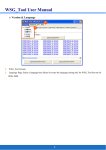
4.2.2 GPS setting:
Ⅰ.GPS Cold Start: Click “Cold Start” to restart GPS by cold start
mode.
Ⅱ.GPS parameters setting:
Ⅱ.1 Fix Mode: Select the GPS positioning mode.
Ⅱ.2 2D Fix Altitude: Set the “fixed altitude” used when the
fix mode is 2D.
Ⅱ.3 Initial Min. SVs: Set how many GPS satellites used for the
initial positioning.
Ⅱ.4 Initial Signal Min Strength: Set the GPS satellite’s strength
used for the initial positioning.
Ⅱ.5 Navigation Signal Min Strength: Set the GPS satellite’s
strength used after positioning.
Ⅱ.6 PDOP Mask: When the value is bigger, the inaccuracy is
greater, still you can position the GPS in the worse
environment. The smaller value brings the better
accuracy, but you may not be able to fix position in the
worse environment.
Ⅱ.7 TDOP Mask: When the value is bigger, the inaccuracy is
greater, still you can position the GPS in the worse
environment. The smaller value brings the better
accuracy, but you may not be able to fix position in the
worse environment.
Ⅱ.8 P Accuracy Mask: Set the threshold of position accuracy.
Ⅱ.9 T Accuracy Mask: Set the threshold of time accuracy.
Ⅱ.10 SBAS: Enable/Disable SBAS function.
17