1
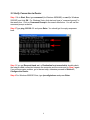
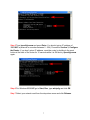
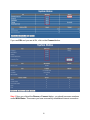
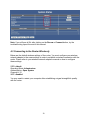
Note: If you still see all 0’s after clicking on the Renew or Connect button, try the
troubleshooting tips at the end of this manual.
4.2 Connecting to the Router Wirelessly
Below are the default wireless settings of the router. You must configure your wireless
network adapter to the same settings in order to establish a wireless connection with the
router. Please refer to your wireless network adapter’s manual on how to configure
these settings.
SSID: default
Operating Mode: Infrastructure
Authentication: Open System
Channel #: 11
WEP: disabled
You may need to restart your computer after establishing a signal strength/link quality
with the router.
20