1
User Manual for EG_U110 PC Station
Update: 2013-9-10
EG_U110 Brief Introduce
U110 is new USB based PC Station, performance is highly updated than the old PC Stations.
Main features: Support 32 bit true color
Support full screen High Definition movie (suggest good HOST, ie you can watch 1080P full HD
movies on core two HOST)
Supply wireless keyboard and mouse
Support USB port printer
Supply wide screen up to 1680*1050 resolution (21’ LCD’s best resolution)
Supply Mic in
Supply Webcam
No need extra power supply, the power port on the PC Station access terminal only use for
special facilities (like hard disk), it connect 5V 1A power adapter when the USB power is not
enough. You only need to connect the USB cable directly to HOST’s USB port will be ok for daily
working. After fully installation, the U110 access terminal’s switch on/off bottom won’t use
any more, the power will auto on and off when the HOST turn on or off, absolutely zero
maintenance.
Package details:
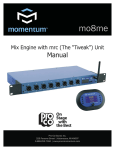
Check the U110 package; it should contain parts as below:
U110 Terminal:
Mounting Bracket:
Driver CD:
Screw-Bag:
5 Meter USB Cable:
Software installation:
1.
Put the driver CD into the CD ram of host computer, you will see window picture as below:
www.pcstationcn.com www.eglobaltech.cn [email protected] Skype: Kelly-xye
Tel: 0086 755 2835 1606
Add: F17B 6Floor, NanLing WenCheng Commercial Plaza, Nanwan Street, Longgang District, Shenzhen, 518114 China