1
5 - 20 Workabout Pro4 (Windows Embedded Hand-Held 6.5) User Manual
Wiring Vehicle Power to the Cradle
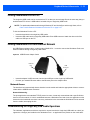
An optional 1.8 meter (6 foot) extension power cable (CA1210) compatible with your powered vehicle cradle
can be purchased from Zebra. This optional cable should be wired to a filtered, fused (maximum 10A) accessory supply on the vehicle. The power cradle draws no more than 8A (less if the accessory supply is greater
than 12V). Any additional wiring, connectors or disconnects used should be rated for at least 10A.
The red lead of the power cable attaches to the positive vehicle supply. The black lead connects to the negative supply – this should be connected to a proper terminal block and not to the vehicle body. The power cradle
is fully isolated and can be used with both negative and positive chassis vehicles.
You may have the option of connecting power before or after the ‘key’ switch. It is preferable to wire the power
cradle after the key switch – that is, it cannot be turned on without the key on. However, if the operator switches
the key off repeatedly for long periods during a shift, it may make more sense to wire the cradle before
the switch.
A car lighter adaptor (CA3002) is another option to power the vehicle cradle.
Keep in mind that the Workabout Pro4 will continue to operate with or without vehicle power as long as its
battery has sufficient charge.
If an unfused power source must be used, a fuse assembly (PN 19440) must be added to the extension power
cable (the fuse and instructions are supplied with the cable). Use only a 10A slow blow UL approved fuse in the
fuse assembly.
The Port Replicator
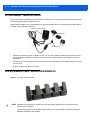
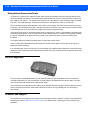
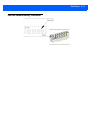
The port replicator (Model# WA4005-G1) is an optional accessory that allows tethered devices as well as
mounted peripherals (e.g., bar code printers or weigh scales) to be attached to the vehicle cradle. The replicator can be used with or without the cradle power option.
The functionality of the Workabout Pro4 tether port is replicated into RS-232 serial interfaces by the port replicator. It provides the user with 3 DB9 serial interfaces as well as one Type B USB port (for connecting a
Host device).
Scanners and Imagers
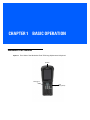
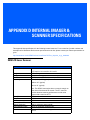
The Workabout Pro4 supports a wide range of scanner/imager options to address a variety of user application
requirements. Refer to Appendix C: Scanner Services for details about configuring the unit installed in your
hand-held.






































![MC67 User Guide [English] (P/N 72E-161697](http://vs1.manualzilla.com/store/data/005941432_1-bd249a567cf14662f5cee6704d0a9b43-150x150.png)