1
Chapter 4: Controller Head Connection and Operation
4.6.5
LCD Screen
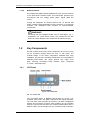
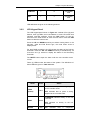
When powering on the controller head, wait for the front panel LCD
screen to show “READY” or “No Host LUN” before the host boots
up.
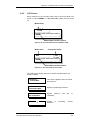
Model Name
SINGLE
CTLR
Ready
Status/Data Transfer Indicator
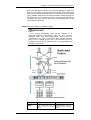
Figure 4-16: The LCD Initial Screen on SINGLE CTLR
Model Name
X48
Primary/Secondary
P/S
Ready
Status/Data Transfer Indicator
Figure 4-17: The LCD Initial Screen on X48
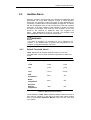
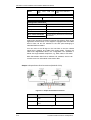
The LCD screen startup sequence is shown and described in the
sequence below:
Initializing….
Please Wait...
This screen appears when the PSUs
are turned on.
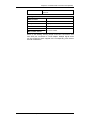
Power On Self
Test Please Wait…
System is performing a self test.
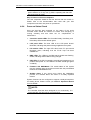
Power on
Init Completed..
System power-on
completed.
X48
System
is
interfaces.
Controller Head Connection and Operation
self
accessing
test
is
various
4-21